时间到2020/10/21遇见 美好

 星期三10月21号
 你我相遇在美好的春天A BEAUTIFUL SPRING
 扫码关注我扫码关注我
 爱我就帮我点击“点赞”+“在看”
星期三10月21号今天分享内容
文字样式配置项--TextStyleOpts
图例配置项--LegendOpts
完成阅读大概需要十分钟
文字样式配置项-- TextStyleOptscolor[str] #字体颜色font_style[str] #字体风格,有normal、italic、oblique可选font_weight[str] #字体粗细,有normal、bold、bolder、lighter可选font_family[str] #字体样式font_size[num] #字体大小align[str] #文字水平对齐,默认自动对齐vertical_align[str] #文字垂直对齐,默认自动对齐line_height[str] #行高background_color[str] #文字块背景颜色border_color[str] #边框颜色border_width[str] #边框宽度border_radius[] #文字框圆角padding[(x,x,x,x)] #文字块内边间距,可用元组表示shadow_color[str] #文字块背景阴影颜色shadow_blur[num] #文字块背景阴影长度height[str] #文字块高度width[str] #文字块宽度今天代码:
bar = ( Bar() .add_xaxis(x_data) .add_yaxis('商品A', y_data_1) .add_yaxis('商品B', y_data_2) .set_global_opts(legend_opts=opts.LegendOpts(is_show=True, type_='plain', selected_mode='multiple', orient='vertical', inactive_color='#9999ff', legend_icon='pin')))bar.render_notebook()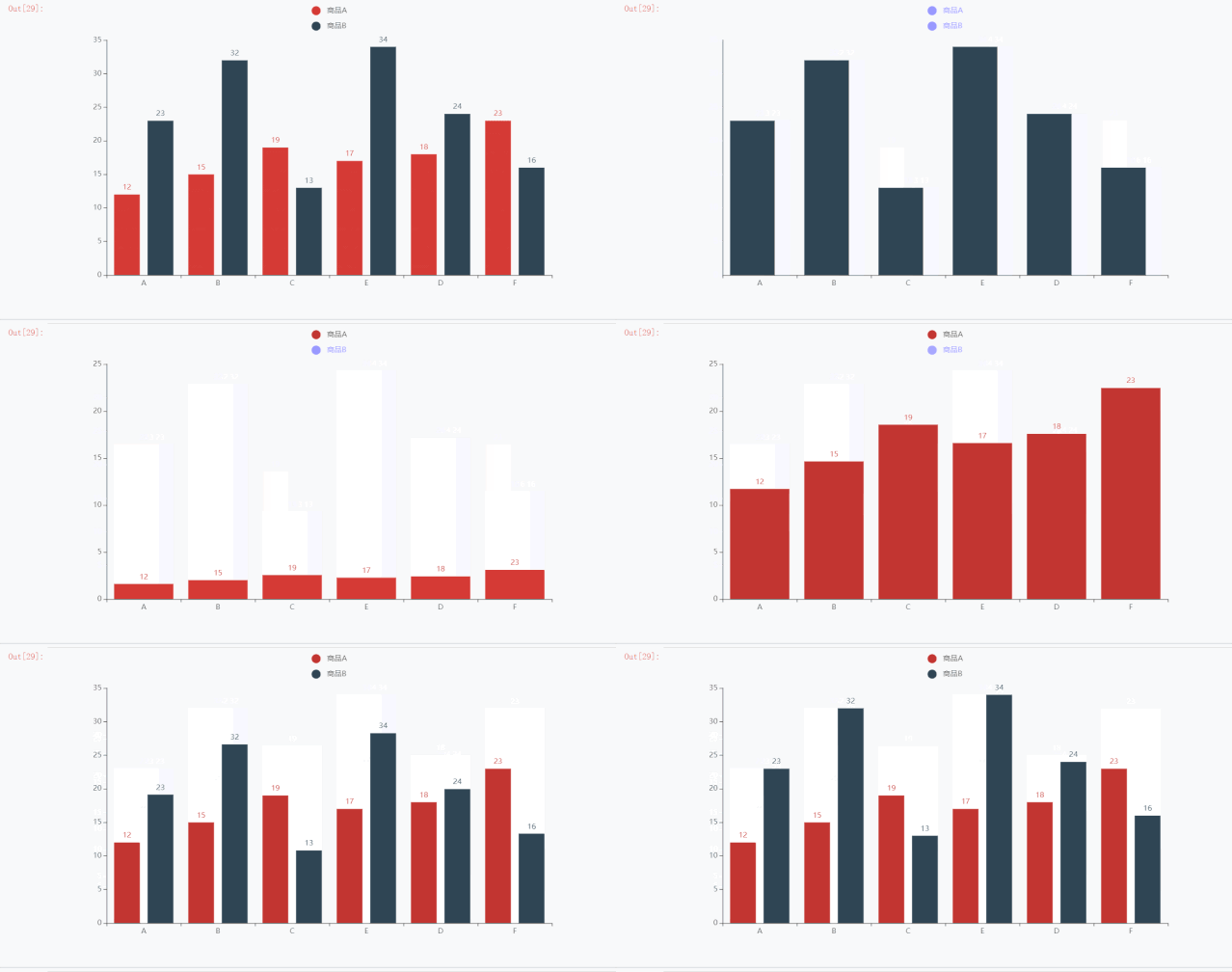
代码分析:
type_[str] #图例类型,有plain、scroll可选,图例数量多时用selected_mode[str,bool] #图例选择模式,有True、Flase、single、multiple可选,默认是Trueis_show[bool] #是否显示图例组件pos_left\pos_right\pos_top\pos_bottom #和(一)中介绍的一样orient[str] #图例列表的布局朝向,有'horizontal', 'vertical'可选align\padding\item_gap #和(一)中介绍的一样item_height\item_width #图里标记的图形高度\宽度inactive_color[str] # 图例关闭时的颜色。默认是 #ccc legend_icon[str] # 图例项的 icon,有 'circle', 'rect', 'roundRect', 'triangle', 'diamond', 'pin', 'arrow', 'none' # 可以通过 'image://url' 设置为图片,url 为图片的链接或 dataURI。 # 可以通过 'path://' 将图标设置为任意的矢量路径。