1 报错信息
error 如下:
qt.qpa.plugin: Could not load the Qt platform plugin "xcb" in ".../lib/python3.8/site-packages/cv2/qt/plugins" even though it was found.
This application failed to start because no Qt platform plugin could be initialized. Reinstalling the application may fix this problem.
2 错误原因
opencv-python 与 pyqt 的 GUI 库产生冲突
3 解决方法
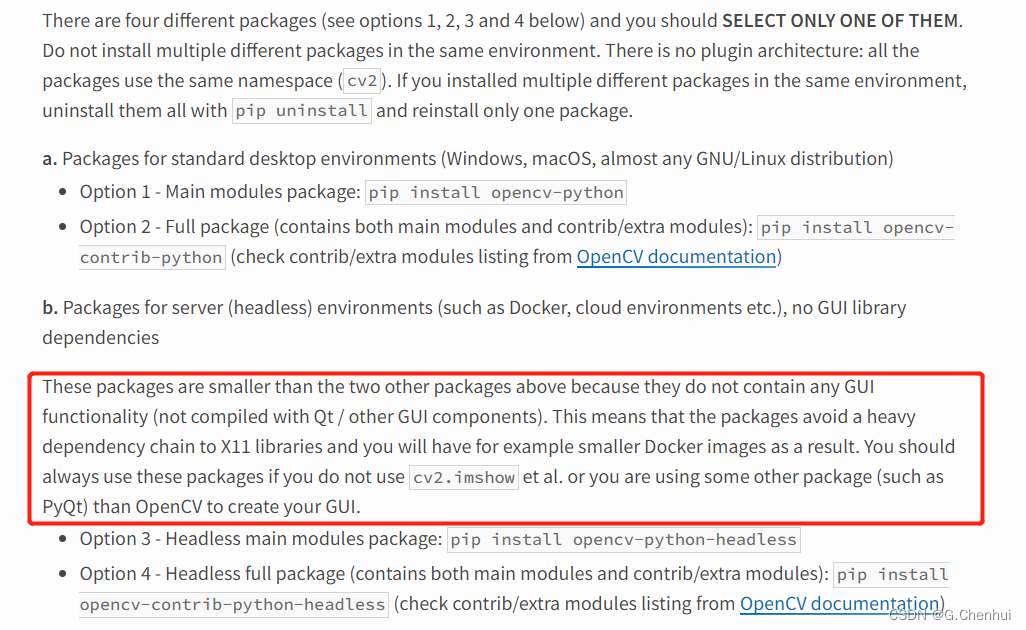
当使用除
OpenCV之外的软件包创建GUI时,应该选择安装opencv-python-headless或者opencv-contrib-python-headless(但是这样就无法使用cv2.imshow()等方法了)两个包的区别:
opencv-python: Main modules packageopencv-contrib-python: Full package (contains both main modules and contrib/extra modules)
headless 即不依赖 GUI 库。
- 卸载当前的
opencv-python
pip uninstall opencv-python
- 重新安装无
GUI库的opencv-python
pip install opencv-python-headless
版权声明:本文为G_C_H原创文章,遵循CC 4.0 BY-SA版权协议,转载请附上原文出处链接和本声明。