原文链接: stats.js 浏览器帧率检测
下一篇: webworker 动态化,无需 JS 文件创建 worker
https://github.com/mrdoob/stats.js
安装
npm install stats.js -D使用
import Stats from "stats.js";

var stats = new Stats();
stats.showPanel(0); // 0: fps, 1: ms, 2: mb, 3+: custom
document.body.appendChild(stats.dom);

function animate() {
  stats.begin();

  // monitored code goes here

  stats.end();

  requestAnimationFrame(animate);
}

requestAnimationFrame(animate);
效果, 点击可以切换
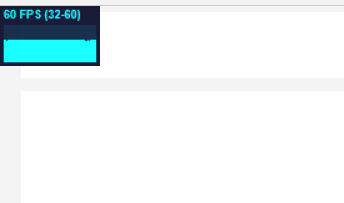
在console 面板使用下面的js可以动态添加进去, 报错的话可以将url改为https
javascript:(function(){var script=document.createElement('script');script.onload=function(){var stats=new Stats();document.body.appendChild(stats.dom);requestAnimationFrame(function loop(){stats.update();requestAnimationFrame(loop)});};script.src='//mrdoob.github.io/stats.js/build/stats.min.js';document.head.appendChild(script);})()
版权声明:本文为qq_35516360原创文章,遵循CC 4.0 BY-SA版权协议,转载请附上原文出处链接和本声明。