大家好,现在大部分的WPF教程文档几乎都是C#,我是喜欢用VB.Net,想找个教程文档实在是太难了,今天就是把github上的C#教程程序移植成VB.net,原教程链接
主要移植教程中MainWindow.cs文件,原文件程序如下:
using System.Windows;
using System.Windows.Controls;
using System.Windows.Input;
using System.Windows.Media;
namespace CustomRoutedCommand
{
	/// <summary>
	/// Interaction logic for MainWindow.xaml
	/// </summary>
	public partial class MainWindow : Window
	{
		public static RoutedCommand ColorCmd = new RoutedCommand();
		public MainWindow()
		{
			InitializeComponent();
		}
	// ExecutedRoutedEventHandler for the custom color command.
		private void ColorCmdExecuted(object sender, ExecutedRoutedEventArgs e)
		{
			var target = e.Source as Panel;
			if (target != null)
			{
				target.Background = target.Background == Brushes.AliceBlue ? Brushes.LemonChiffon : Brushes.AliceBlue;
			}
	}
		// CanExecuteRoutedEventHandler for the custom color command.
		private void ColorCmdCanExecute(object sender, CanExecuteRoutedEventArgs e)
		{
			if (e.Source is Panel)
			{
				e.CanExecute = true;
			}
			else
			{
				e.CanExecute = false;
			}
		}
	}
}
下面使用VB.Net进行移植,MainWindow.xaml.vb,程序如下:
Class MainWindow
	Public Shared ColorCmd As RoutedCommand = New RoutedCommand
	Public Sub New()
		InitializeComponent()
	End Sub
	Private Sub ColorCmdExecuted(sender As Object, e As ExecutedRoutedEventArgs)
		Dim target = TryCast(e.Source, Panel)
		If target IsNot Nothing Then
			target.Background = IIf(target.Background Is Brushes.AliceBlue, Brushes.LemonChiffon, Brushes.AliceBlue)
		End If
	End Sub
	Private Sub ColorCmdCanExecute(sender As Object, e As CanExecuteRoutedEventArgs)
		If TypeOf (e.Source) Is Panel Then
			e.CanExecute = True
		Else
			e.CanExecute = False
		End If
	End Sub
End Class
最终的程序效果截图,如下: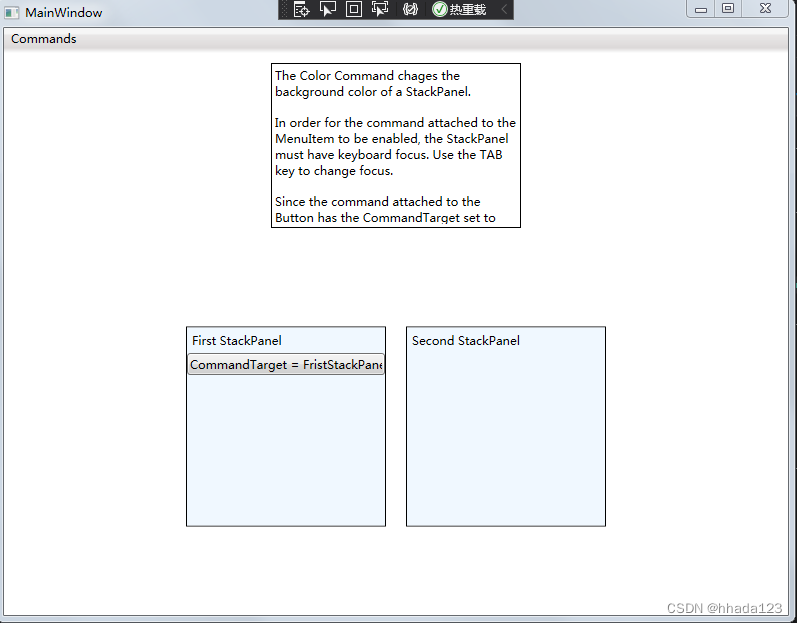
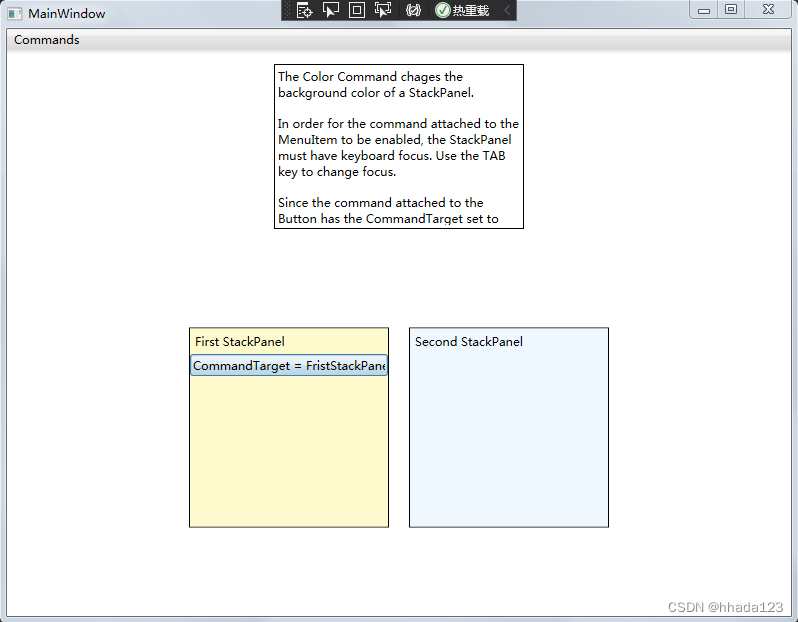
点击按钮时First StackPanel背景颜色会发生改变。这里就不贴出.xaml文件内容了,几乎不需要修改可直接使用原教程里的.xaml文件中程序,请自行查看原文。
如果喜欢我的文章请点赞、关注+收藏,谢谢大家。
版权声明:本文为hhada123原创文章,遵循CC 4.0 BY-SA版权协议,转载请附上原文出处链接和本声明。