python编写 钉钉自动 打卡脚本
安卓
- 开启开发者模式 -> USB 调试
- ADB 安装(shell控制用来调试手机)
- 开启指针位置 -> 开发者模式
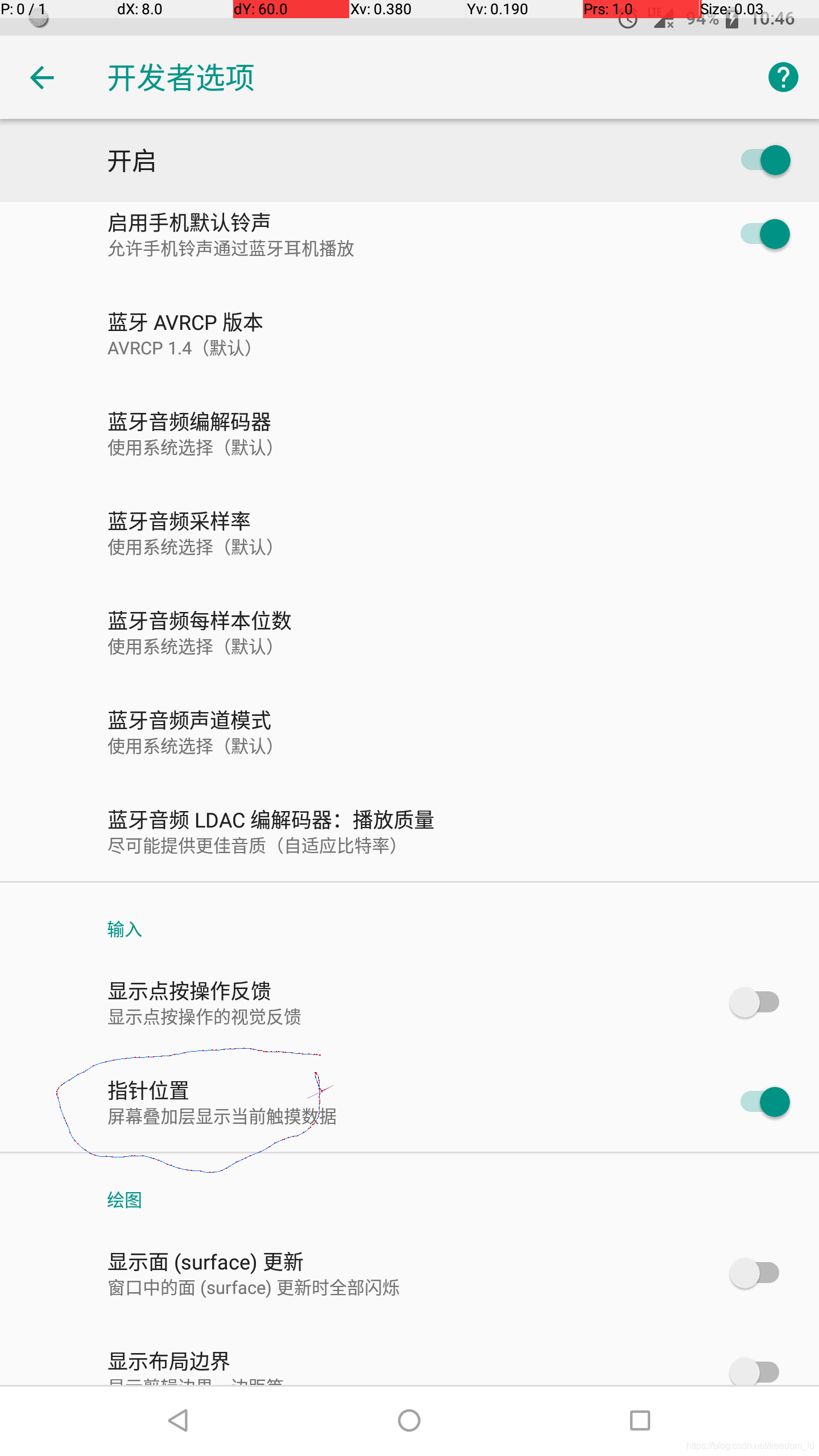
adb shell input tap 433 1639模拟点击当前坐标 Y X
引入 pythonimport os执行命令 (windows 需要要配置环境变量 )
记录当前的 点击位置 然后用点击调试adb shell input tap
电源键adb shell input keyevent 224
屏幕滑动 解锁adb shell input swipe 300 2000 300 600
#!/usr/bin/python
import time
import os

print(os.system('adb shell input keyevent 224 ')) ;
print(os.system('adb shell input swipe 300 2000 300 600 ')) ;
print(os.system('adb shell input tap 433 1639 ')) ;
print(os.system('adb shell input tap 978 2067 ')) ;
print(os.system('adb shell input tap 978 2067 ')) ;
print(os.system('adb shell input tap 679 2056 ')) ;
print(os.system('adb shell input tap 1055 2270 ')) ;
print(os.system('adb shell input tap 1323 818 ')) ;
time.sleep(4)
print(os.system('adb shell input tap 680 2372 ')) ;
time.sleep(4)
print(os.system('adb shell input tap 196 1561 ')) ;
time.sleep(2)
print(os.system('adb shell input tap 684 1159 ')) ;
版权声明:本文为freedom_fd原创文章,遵循CC 4.0 BY-SA版权协议,转载请附上原文出处链接和本声明。