前言:
mybatis是目前JAVA开发必用的框架之一,拥有灵活方便的使用完美嵌入到Spring容器中。
虽然mybatis可以直接在xml中通过SQL语句操作数据库,很是灵活。但正其操作都要通过SQL语句进行,就必须写大量的xml文件,很是麻烦。
mybatis-plus就很好的解决了这个问题那么Mybatis-plus孕育而生。很荣幸这个插件是chinese开发的。
使用背景:
最近到了一家新的公司,公司针对自己的业务进行一些Mysql的封装,但是在实际使用过程中很多组员感到十分的不方便。因此我与架构师大佬进行沟通后开始使用Mybatis——plus,结果同事们都感觉不错。为了保密我自己进行一个自写的项目展式。
Springboot+Mybatis.plus
mybatis-Plus 官网 https://mp.baomidou.com/
让我们尽情为简化而生!
一、Springboot与Mybatis-plus整合
- pom.xml 具体依赖
=====父工程======
<parent>
<groupId>com.aowin</groupId>
<artifactId>take</artifactId>
<version>1.0.0</version>
<relativePath/>
</parent>
<dependencies>
<!--引入公共模块-- >
<dependency>
<groupId>com.aowin</groupId>
<artifactId>takecommon</artifactId><version>1.0.0</version></dependency><!--log4j--><dependency><groupId>org.springframework.boot</groupId><artifactId>spring-boot-starter-log4j2</artifactId></dependency><!--简化代码的工具lombok--><dependency><groupId>org.projectlombok</groupId><artifactId>lombok</artifactId><optional>true</optional></dependency>
=====这里一定注意,MP尽量使用3.0.7后的版本=====
<!--Mybatis-Plus 插件-->
<dependency>
<groupId>com.baomidou</groupId>
<artifactId>mybatis-plus-boot-starter</artifactId><version>3.1.1</version>
</dependency>
<!--Mysql-->
<dependency>
<groupId>mysql</groupId>
<artifactId>mysql-connector-java</artifactId>
<version>${mysql.version}</version>
</dependency>
</dependencies>
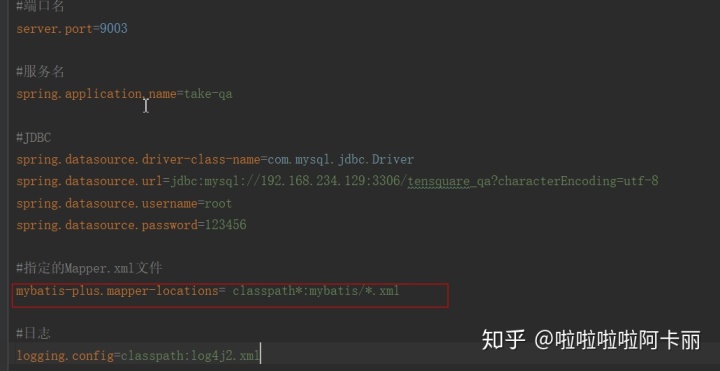
2. application.properties 全局设定
#指定的Mapper.xml文件
mybatis-plus.mapper-locations= classpath*:mybatis/*.xml
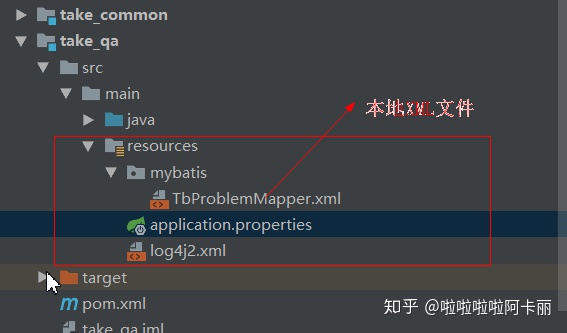
因为公司内部有些要求还是会使用XML文件,因此还是会保留。
3. Common 模块
此项目使用微服务框架,所以在Common部分进行一个公共类的封装。
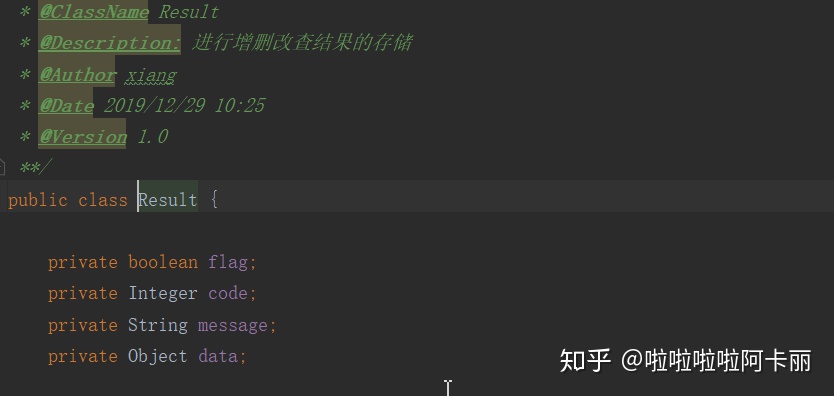
- 后端返回前端的Result类(也可以使用自定义的Map)
- 后端对数据的分页数据封装
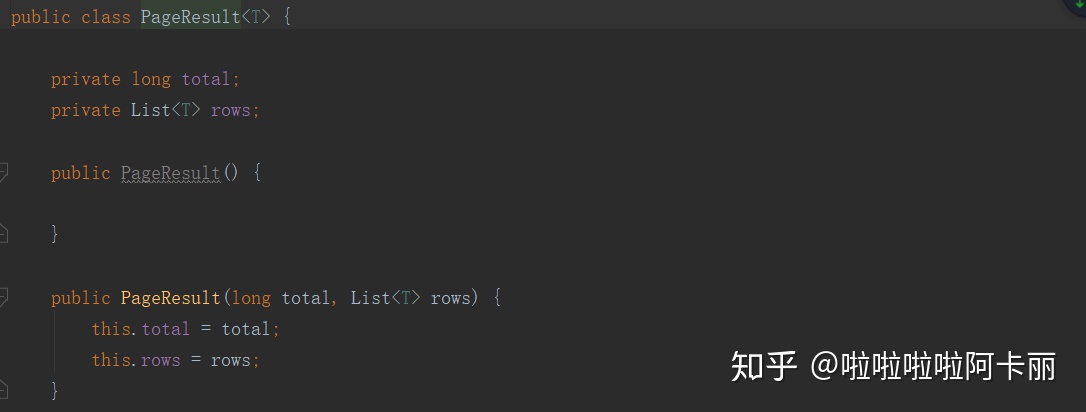
- 前后端交互验证码
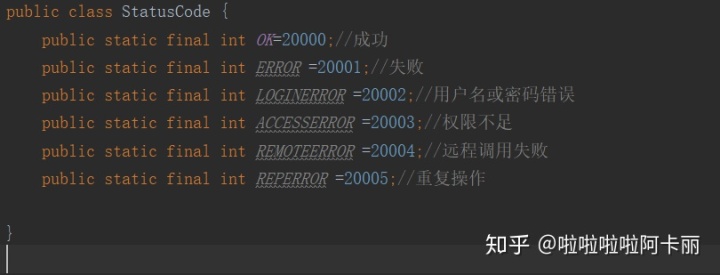
4. 建立model实体类
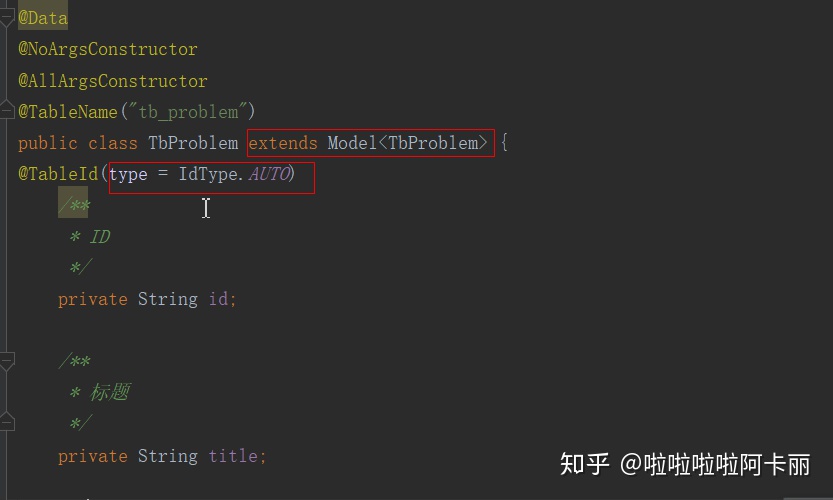
这里根据自身业务情况,建立自己的实体类。
这三个都是lombok插件,实际上就是省略了构造器,还有GET/SET方法
@Data :注解在类上, 为类提供读写属性, 此外还提供了 equals()、hashCode()、toString() 方法
@NoArgsConstructor:无参构造函数
@AllArgsConstructor:会生成一个包含所有变量,同时如果变量使用了NotNull annotation , 会进行是否为空的校验,全部参数的构造函数的自动生成,该注解的作用域也是只有在实体类上,参数的顺序与属性定义的顺序一致。
@Tablename:对用数据库中的表名
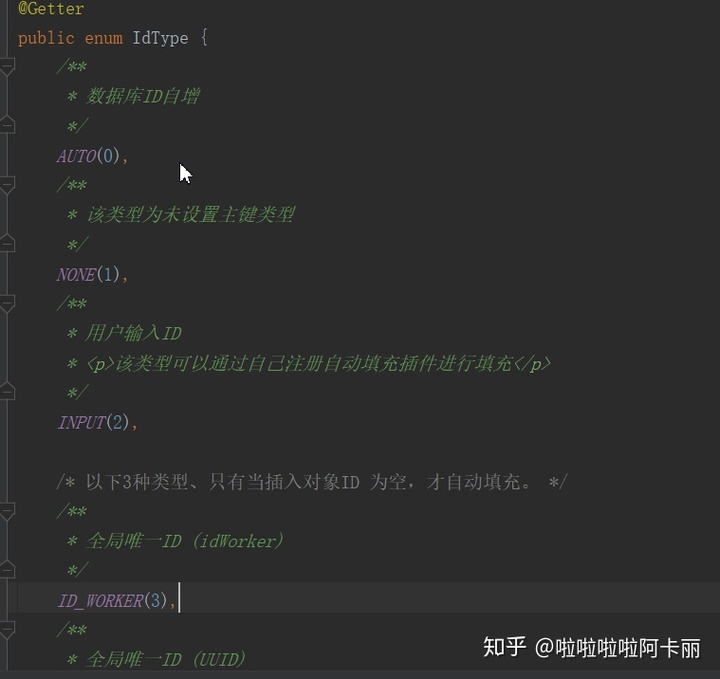
@TableId(type = IdType.Auto) :表主键标识,使用自增,根据业务自主选择
5. Mapper
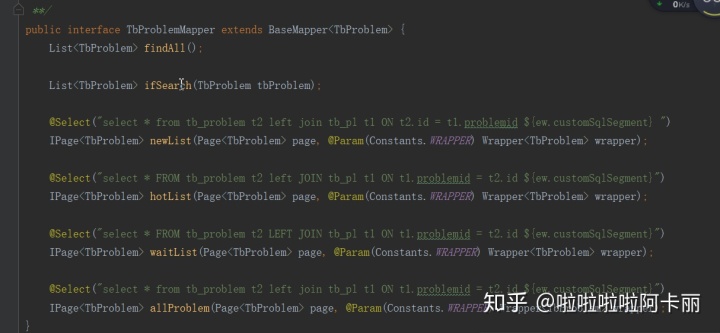
extends BaseMapper<T>: 一定记住要使用MP的单表的crud一定要extends BaseMapper<T>。
6. service
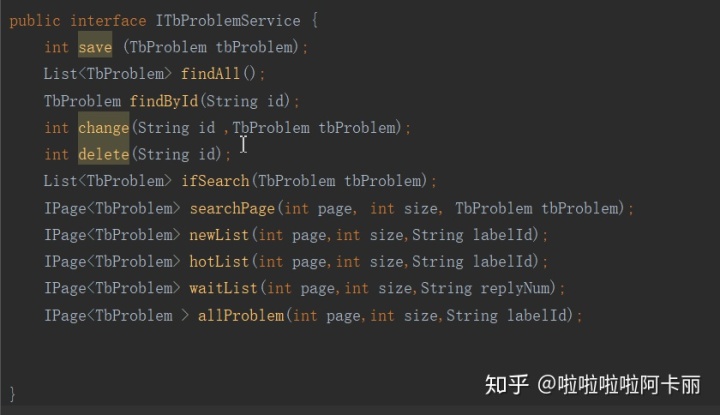
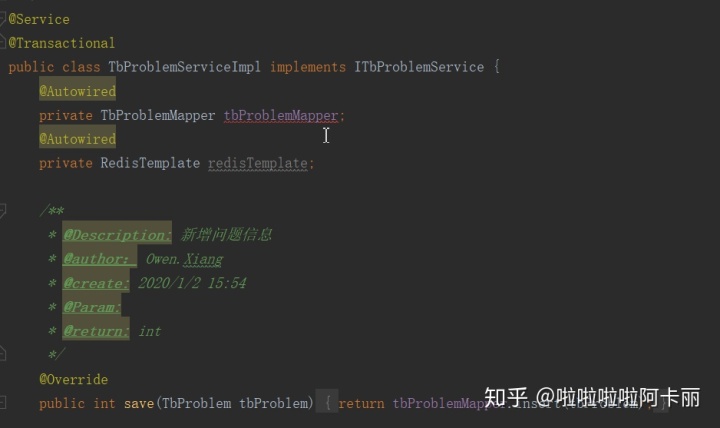
还是很正常的接口 +实体类的方法
7. controller
二、单表的基础操作。
第一部分是进行一下依赖的设定,还有项目的整体框架的设定。第二部分就是常见的单表的基础操作。因为继承了BaseMapper<T>,所以目前自己设定的Mapper具备了基础的增删改查。我将会使用例子手把手教学。
- 新增
insert 方法: 传入一个实体类 ,返回int
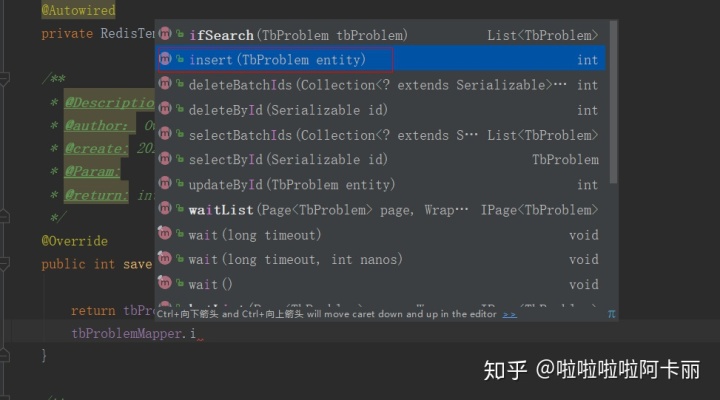
//serviceImpl 实现类中的方法: 传入一个实体类 TbProblem ,return BaseMapper的insert方法
@Override
public int save(TbProblem tbProblem) {

    return tbProblemMapper.insert(tbProblem);

}
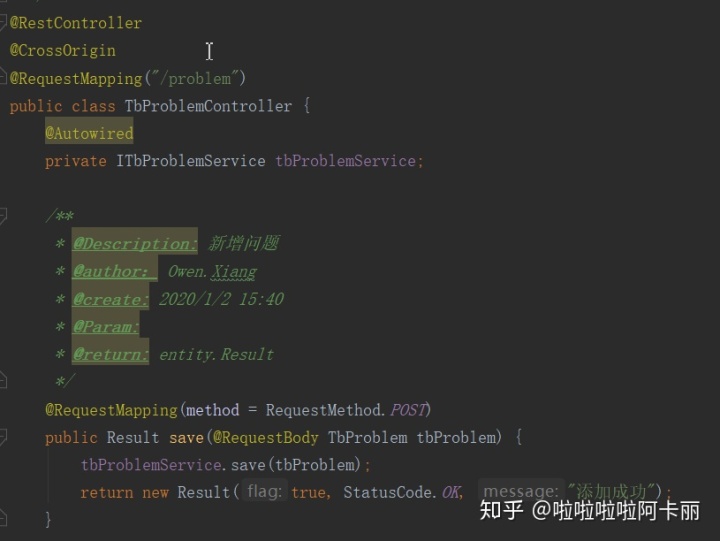
//controller
POST请求
前端传入实体类
调用service中的save(新增方法)
返回状态码,不返回数据
@RequestMapping(method = RequestMethod.POST)
public Result save(@RequestBody TbProblem tbProblem) {
    tbProblemService.save(tbProblem);
    return new Result(true, StatusCode.OK, "添加成功");
}
//postman 测试 + 日志显示
[DEBUG] 2020-01-06 16:20:40,275 com.aowin.take_qa.dao.TbProblemMapper.insert - ==>  Preparing: INSERT INTO tb_problem ( id, title ) VALUES ( ?, ? )
[DEBUG] 2020-01-06 16:20:40,295 com.aowin.take_qa.dao.TbProblemMapper.insert - ==> Parameters: 3(String), text(String)
[DEBUG] 2020-01-06 16:20:40,299 com.aowin.take_qa.dao.TbProblemMapper.insert - <==    Updates: 1
//Postman
{
    "flag": true,
    "code": 20000,
    "message": "添加成功",
    "data": null
}- 根据ID查询 T
SelectById: 传入一个ID ,返回一个实体类
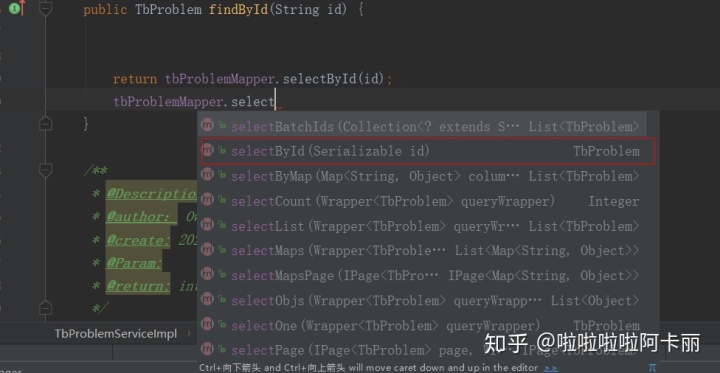
//serviceImpl 实现类中的方法: 传入一个String id,return BaseMapper的selectById方法
 @Override
    public TbProblem findById(String id) {
        return tbProblemMapper.selectById(id);

    }
//controller
GET请求
前端传入String id
调用service中的findById(查询ID方法)
返回状态码,返回数据集
 @RequestMapping(value = ("/{problemId}"), method = RequestMethod.GET)
    public Result findById(@PathVariable("problemId") String id) {
        return new Result(true, StatusCode.OK, "查询成功", tbProblemService.findById(id));
    }
//postman 测试 + 日志显示
Preparing: SELECT id,title,content,createtime,updatetime,userid,nickname,visits,thumbup,reply,solve,replyname,replytime FROM tb_problem WHERE id=?
[DEBUG] 2020-01-06 16:28:44,086 com.aowin.take_qa.dao.TbProblemMapper.selectById - ==> Parameters: 1(String)
[DEBUG] 2020-01-06 16:28:44,104 com.aowin.take_qa.dao.TbProblemMapper.selectById - <==      Total: 1

//postman
{
    "flag": true,
    "code": 20000,
    "message": "查询成功",
    "data": {
        "id": "1",
        "title": "this is 一个问题 ",
        "content": "代码调试不通咋办?",
        "createtime": "2018-01-08T11:50:50",
        "updatetime": "2018-01-09T11:50:54",
        "userid": "2",
        "nickname": null,
        "visits": 101,
        "thumbup": null,
        "reply": 1,
        "solve": null,
        "replyname": null,
        "replytime": "2020-01-01T14:17:02"
    }
}- 修改
updateById: 传入实体类 ,返回int
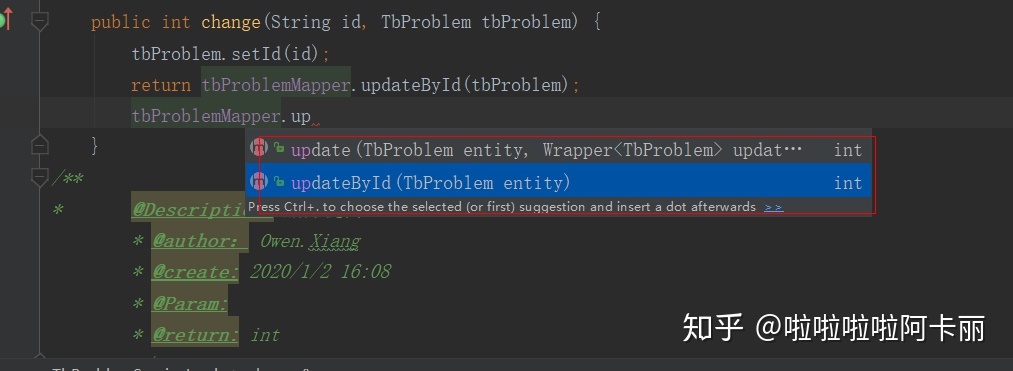
//serviceImpl 实现类中的方法: 传入一个String id;实体类 TbProblem return BaseMapper的updateById方法
 @Override
    public int change(String id, TbProblem tbProblem) {
        tbProblem.setId(id);
        return tbProblemMapper.updateById(tbProblem);
    }
//controller
PUT请求
前端传入String id,实体类 Tbproblem
调用service中的UpdateById(查询ID方法)
返回状态码,不返回数据集
  @RequestMapping(value = "/{problemId}", method = RequestMethod.PUT)
    public Result change(@PathVariable("problemId") String id, @RequestBody TbProblem tbProblem) {
        tbProblemService.change(id, tbProblem);
        return new Result(true, StatusCode.OK, "修改成功");
    }
//postman 测试 + 日志显示
[DEBUG] 2020-01-06 16:35:54,167 com.aowin.take_qa.dao.TbProblemMapper.updateById - ==>  Preparing: UPDATE tb_problem SET title=? WHERE id=?
[DEBUG] 2020-01-06 16:35:54,167 com.aowin.take_qa.dao.TbProblemMapper.updateById - ==> Parameters: that is 一个问题(String), 1(String)
[DEBUG] 2020-01-06 16:35:54,172 com.aowin.take_qa.dao.TbProblemMapper.updateById - <==    Updates: 1
//postman
{
    "flag": true,
    "code": 20000,
    "message": "修改成功",
    "data": null
}- 删除
deleteById: 传入String id ,返回int
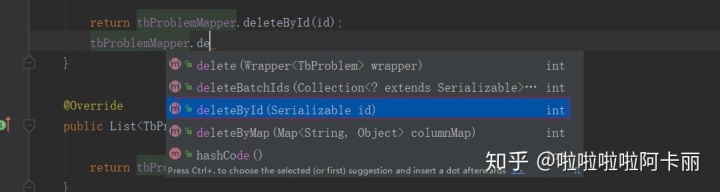
//serviceImpl 实现类中的方法: 传入一个String idreturn BaseMapper的deleteById方法
    @Override
    public int delete(String id){

        return tbProblemMapper.deleteById(id);

    }
//controller
DELETE请求
前端传入String id
调用service中的 deleteById(删除ID方法)
返回状态码,不返回数据集
 @RequestMapping(value = "/{problemId}", method = RequestMethod.DELETE)
    public Result delete(@PathVariable("problemId") String id) {
        tbProblemService.delete(id);
        return new Result(true, StatusCode.OK, "删除成功");
    }
//postman 测试 + 日志显示
[DEBUG] 2020-01-06 16:43:14,864 com.aowin.take_qa.dao.TbProblemMapper.deleteById - ==>  Preparing: DELETE FROM tb_problem WHERE id=?
[DEBUG] 2020-01-06 16:43:14,865 com.aowin.take_qa.dao.TbProblemMapper.deleteById - ==> Parameters: 3(String)
[DEBUG] 2020-01-06 16:43:14,867 com.aowin.take_qa.dao.TbProblemMapper.deleteById - <==    Updates: 1

//postman
{
    "flag": true,
    "code": 20000,
    "message": "删除成功",
    "data": null
}
三、分页工具
mybatisPlus 官网文档中写了,做分页需要有一个拦截器
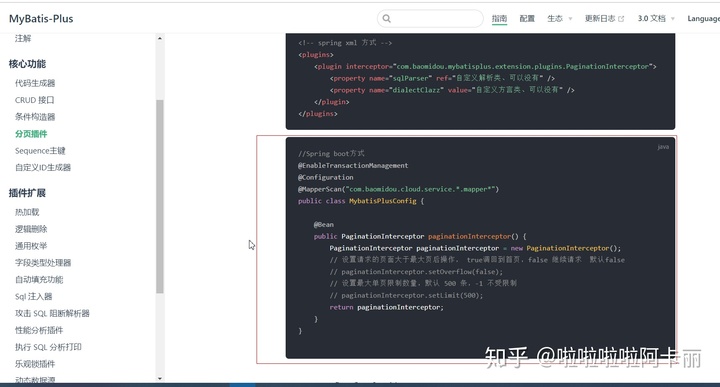
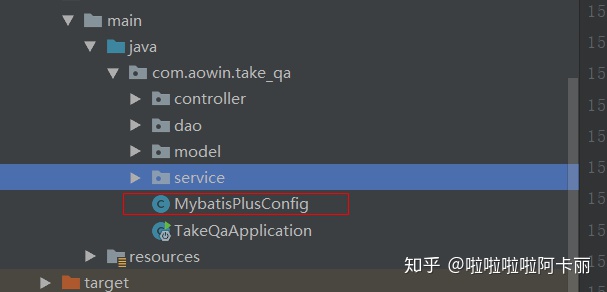
package com.aowin.take_qa;

import com.baomidou.mybatisplus.extension.plugins.PaginationInterceptor;
import org.mybatis.spring.annotation.MapperScan;
import org.springframework.context.annotation.Bean;
import org.springframework.context.annotation.Configuration;

/**
 * @ClassName MybatisPlusConfig
 * @Description: 配置类
 * @Author Owen.Xiang
 * @Date 2019/12/29 15:40
 * @Version 1.0
 **/

@Configuration

public class MybatisPlusConfig {
    @Bean
   /**
    * @Author pwen.xiang
    * @Description  配置分页插件
    * @Date
    * @Param
    * @return
    **/
    public PaginationInterceptor paginationInterceptor(){
        return new PaginationInterceptor();
    }

}
这个时候我们就可以使用MP中的分页工具。老规矩我们还是举例子
- 分页查询
selectPage: 传入: 1, page 分页查询条件 2.queryWrapper 实体对象封装操作类 (这个就是MP 3.0.7后新出的条件构造器,个人理解 就是sql语句中 拼接 where后面的内容 可能简单粗暴一点,但是好记)
返回的是IPage。
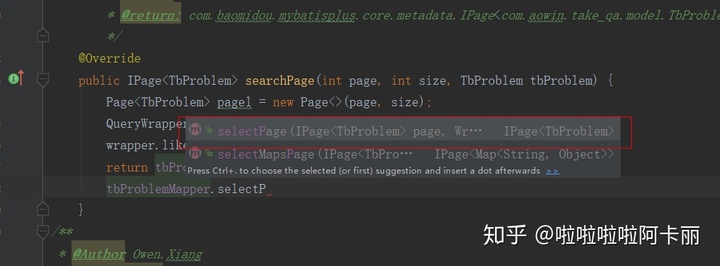
//serviceImpl 实现类中的方法: 传入一个int page ,int size,实体类 TbProblem BaseMapper的selectPage方法
like 语句
传入两个参数(“数据库中字段名称”,实际传入的参数
like("title", "问题")--->title like '%问题%
还有很多(eq,isNull...orderBy...等等)具体在这里
https://mp.baomidou.com/guide/wrapper.html#abstractwrapper
     @Override
    public IPage<TbProblem> searchPage(int page, int size, TbProblem tbProblem) {
// page 分页查询条件  page,size传入进去
        Page<TbProblem> pagel = new Page<>(page, size);
//条件构造器
        QueryWrapper<TbProblem> wrapper = new QueryWrapper<>();
//like 语句  like("title", "问题")--->name like '%问题%

        wrapper.like("title", tbProblem.getTitle());
        return tbProblemMapper.selectPage(pagel, wrapper);

    }
//controller
POST请求
前端传入int page ,int size , 实体类
调用service中的 searchPage(分页查询方法)
返回状态码,返回几条 还有数据集
  @RequestMapping(value = ("search/{page}/{size}"), method = RequestMethod.POST)
    public Result searchPage(@PathVariable("page") Integer page, @PathVariable("size") Integer size, @RequestBody TbProblem tbProblem) {
        IPage<TbProblem> tbProblemIPage = tbProblemService.searchPage(page, size, tbProblem);

        return new Result(true, StatusCode.OK, "分页查询成功",
                new PageResult<TbProblem>(tbProblemIPage.getTotal(), tbProblemIPage.getRecords()));
    }
//postman 测试 + 日志显示
[DEBUG] 2020-01-06 17:29:38,976 com.aowin.take_qa.dao.TbProblemMapper.selectPage - ==>  Preparing: SELECT COUNT(1) FROM tb_problem WHERE title LIKE ?
[DEBUG] 2020-01-06 17:29:38,976 com.aowin.take_qa.dao.TbProblemMapper.selectPage - ==> Parameters: %问题%(String)
[DEBUG] 2020-01-06 17:29:38,987 com.aowin.take_qa.dao.TbProblemMapper.selectPage - ==>  Preparing: SELECT id,title,content,createtime,updatetime,userid,nickname,visits,thumbup,reply,solve,replyname,replytime FROM tb_problem WHERE title LIKE ? LIMIT ?,?
[DEBUG] 2020-01-06 17:29:38,988 com.aowin.take_qa.dao.TbProblemMapper.selectPage - ==> Parameters: %问题%(String), 0(Long), 1(Long)
[DEBUG] 2020-01-06 17:29:38,990 com.aowin.take_qa.dao.TbProblemMapper.selectPage - <==      Total: 1

//postman
{
    "flag": true,
    "code": 20000,
    "message": "分页查询成功",
    "data": {
        "total": 1,
        "rows": [
            {
                "id": "1",
                "title": "that is 一个问题",
                "content": "代码调试不通咋办?",
                "createtime": "2018-01-08T11:50:50",
                "updatetime": "2018-01-09T11:50:54",
                "userid": "2",
                "nickname": null,
                "visits": 101,
                "thumbup": null,
                "reply": 1,
                "solve": null,
                "replyname": null,
                "replytime": "2020-01-01T14:17:02"
            }
        ]
    }