解决“注册、登录、修改密码”里面一些共通的问题:
- 加入反馈信息,操作失败或者成功都会产生提示。
- 解决成功登录以后的重定向问题,会跳转到之前的页面而不是永远跳转首页。
1、注册成功以后……提示成功并跳转

(一个简单的js计时器)
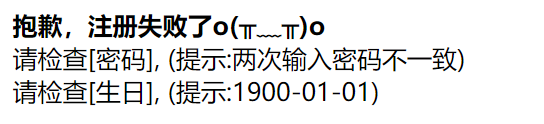
2、注册失败以后……提示原因

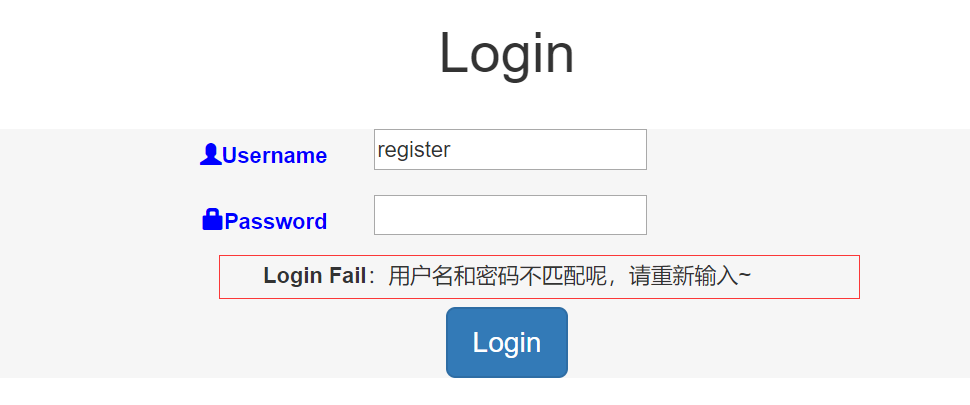
3、login失败并弹出提示,直接刷新了页面,有误导……
由于这个视图使用的是内置auth app现成的东西:
url(r'^new-login/$', auth_views.LoginView.as_view(template_name="account/login.html"), name="user_login"),于是去修改定制的模板,大概是这样:
{% if form.errors %}
<p>Your username and password didn't match. Please try again.</p>
{% endif %}

{% if next %}
    {% if user.is_authenticated %}
    <p>Your account doesn't have access to this page. To proceed,
    please login with an account that has access.</p>
    {% else %}
    <p>Please login to see this page.</p>
    {% endif %}
{% endif %}
(参考了Using the Django authentication system)
4、登录成功以后,重定向总是固定的到首页,而不是登录之前的next……
按照文档说法,LoginView成功后重定向到next,而这里看到URL里面也是有next的,为什么失败?

因为html的表单里面没有将next一起提交,所以LoginView收到的post请求里面并没有next这个参数,于是补上:
<input type="hidden" name="next" value="{{ next }}">但这时有新的问题:

也就是说,具体为那篇文章点赞无从得知。
在原页面,点赞也是提交到这个path,另外有articleid放在form data里面一起提交,以此区分是那篇文章。但是现在经过login跳转之后的重定向的post不会带form data,所以出错。
而login成功之后重定向到哪个url,这是由点赞页调用重定向时传入的next参数决定的:
return HttpResponse('/account/new-login/?next=%s' % request.path)如果保持这个next参数不变,那么就需要点赞页把form data 一起交给login页,而login页的设定并不准备接收和处理额外的参数。
另一种解决:登录成功后跳转到文章详情也页,而不是点赞页。
为此点赞时需要传递页面的URL(用js获取并放入form data):
"article_url":window.location.href然后点赞页收到post以后,如果判断用户未登录,则跳转login页,并取出以上URL作为login成功后的跳转目标:
else:
	article_path = request.POST.get("article_url")
        return HttpResponse('/account/new-login/?next=%s' % article_path)
5、修改密码,无论失败成功都应该有提示……
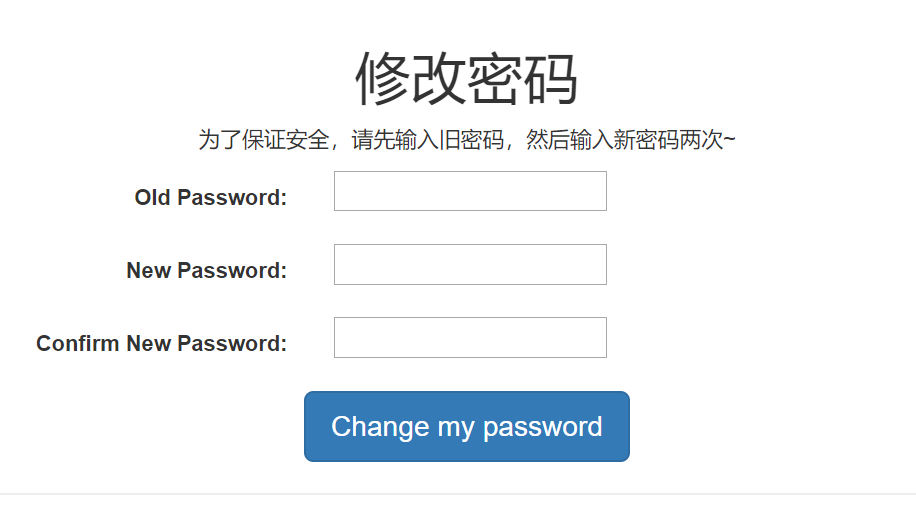
原本使用的时内置模块auth_views.PasswordChangeView,要求新密码必须满足一些规则,且不成功时没有提示。于是重新自己写一个有提示的视图,且允许输入简单密码。
首先判断2次新密码一不一致,再判断旧密码对不对,如果都通过,就可以执行修改,然后返回成功的页面……否则,返回出错的原因,比如:


124 @login_required(login_url='/account/login/')
125 def password_change(request):
126     if request.method == "POST":
127         user_form = PasswordChangeForm(request.POST)
128         if user_form.is_valid():
129             cd = user_form.cleaned_data
130             user = authenticate(username=request.user.username, password=cd["old_password"])
131             if user:
132                 user.set_password(cd['new_password2'])
133                 user.save()
134                 return render(request, 'account/password_change_done.html',)
135             else:
136                 return render(request, "account/password_change_fail.html", {"mistake":"旧密码输入错误"})
137         else:
138             return render(request, "account/password_change_fail.html", {"mistake":"两次输入密码不一致"})
139     else:
140         # user_form = UserForm(instance=request.user)
141         user_form = PasswordChangeForm()
142         return render(request, "account/password_change_form.html", {"form":user_form})
为了方便,其中的表单也没有采用内置,自己写(这个表单纯粹传递数据,所以不与任何Model绑定。它的类型是Form而不是ModelForm,后面页没有class Meta……)
 23 class PasswordChangeForm(forms.Form):
 24     old_password = forms.CharField(label="Old Password", widget=forms.PasswordInput)
 25     new_password1 = forms.CharField(label="New Password", widget=forms.PasswordInput)
 26     new_password2 = forms.CharField(label="Confirm New Password", widget=forms.PasswordInput)
 27
 28     def clean_new_password2(self):
 29         cd = self.cleaned_data
 30         if cd['new_password1'] != cd['new_password2']:
 31             raise forms.ValidationError("Passwords do not match.")
32 return cd['new_password2']clean_newpassword2,将在form.is_valid()执行时被调用。