以前有分享win环境安装1.2版本的seata,大家可以先参考一下:
seata 1.2 版本分布式事务的配置使用_nandao158的博客-CSDN博客_查看seata版本
今天分享Linux环境下载安装Seata1.5版本:
1、下载seata 相关的几个命令:
wget https://github.com/seata/seata/releases/download/v1.5.1/seata-server-1.5.1.tar.gz
tar -xvf seata-server-1.4.2.tar.gz
ll
cd seata
2、进入usr/local 目录:
cd local/开始下载:
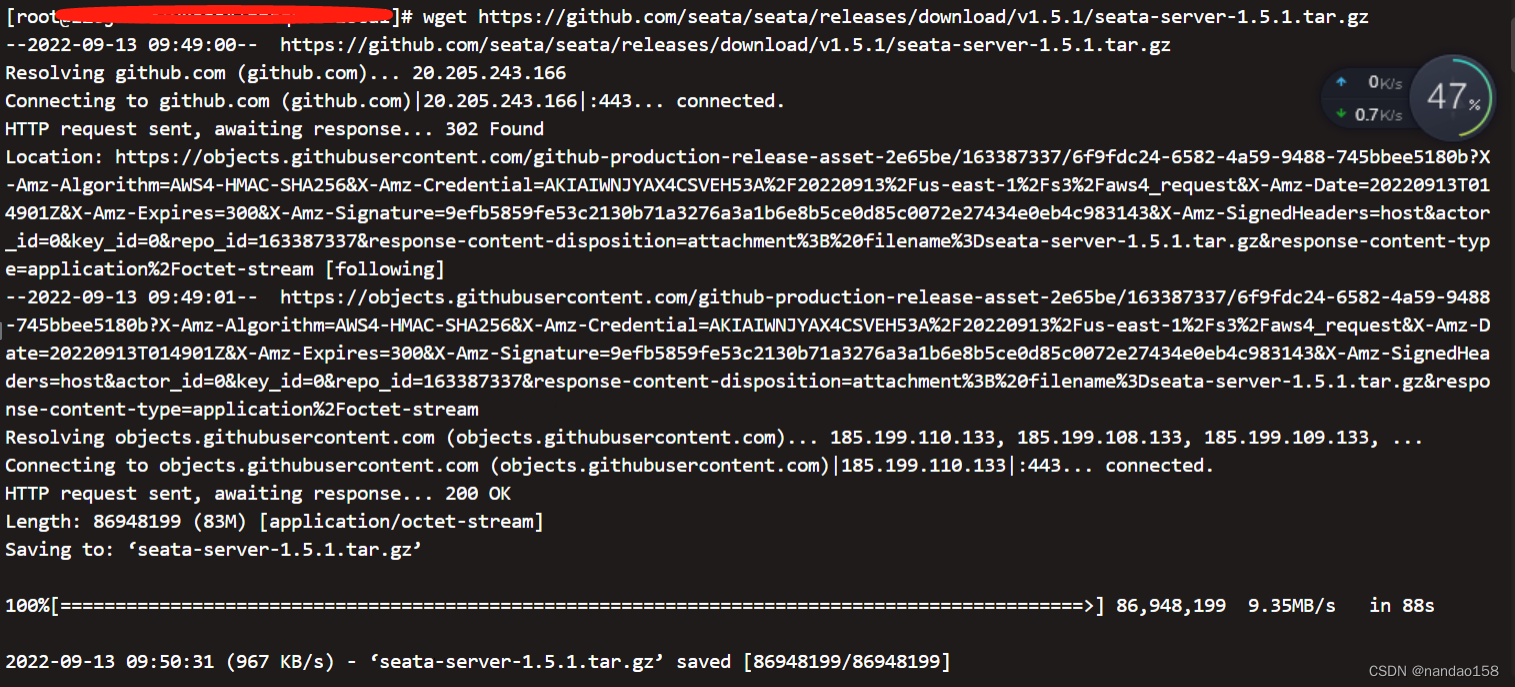
解压:
 3、进入 cd seata/conf 然后 ls

4、编辑 vim application.yml 默认为file模式,这里我们改为nacos模式,从注册中心动态获取相关配置,改成如下配置:
server:
  port: 7091

spring:
  application:
    name: seata-server

logging:
  config: classpath:logback-spring.xml
  file:
    path: ${user.home}/logs/seata
  extend:
    logstash-appender:
      destination: 127.0.0.1:4560
    kafka-appender:
      bootstrap-servers: 127.0.0.1:9092
      topic: logback_to_logstash

console:
  user:
    username: seata
    password: seata

seata:
  config:
    # support: nacos 、 consul 、 apollo 、 zk  、 etcd3
    type: nacos
    nacos:
      server-addr: 18.10.1.10:80
      namespace: test-seata
      group: SEATA_GROUP
      username: nacos
      password: nacos
      ##if use MSE Nacos with auth, mutex with username/password attribute
      #access-key: ""
      #secret-key: ""
      data-id: seataServer.properties  #nacos 里这个文件可以配置数据库信息

  registry:
    # support: nacos 、 eureka 、 redis 、 zk  、 consul 、 etcd3 、 sofa
    type: nacos
    nacos:
      application: seata-server
      server-addr: 18.10.1.10:80
      group: SEATA_GROUP
      namespace: test-seata
      cluster: default
      username: nacos
      password: nacos
      ##if use MSE Nacos with auth, mutex with username/password attribute
      #access-key: ""
      #secret-key: ""

  store:
    # support: file 、 db 、 redis
    mode: db
    db:
      datasource: druid
      db-type: mysql
      driver-class-name: com.mysql.cj.jdbc.Driver
      #driver-class-name: com.mysql.jdbc.Driver 5版本以下用此驱动
      url: jdbc:mysql://127.0.0.1:3306/seata?useSSL=false&allowMultiQueries=true&characterEncoding=UTF-8&zeroDateTimeBehavior=convertToNull&&useJDBCCompliantTimezoneShift=true&useLegacyDatetimeCode=false&serverTimezone=Asia/Shanghai&allowPublicKeyRetrieval=true
      user: root
      password: root
      min-conn: 5
      max-conn: 100
      global-table: global_table
      branch-table: branch_table
      lock-table: lock_table
      distributed-lock-table: distributed_lock
      query-limit: 100
      max-wait: 5000

#  server:
#    service-port: 8091 #If not configured, the default is '${server.port} + 1000'
  security:
    secretKey: SeataSecretKey0c382ef121d778043159209298fd40bf3850a017
    tokenValidityInMilliseconds: 1800000
    ignore:
      urls: /,/**/*.css,/**/*.js,/**/*.html,/**/*.map,/**/*.svg,/**/*.png,/**/*.ico,/console-fe/public/**,/api/v1/auth/login
application 是注册到nacos的seata服务名称,默认即可
serverAddr 是 nacos 服务地址
group 是 seata 在 nacos上注册服务的分组
namespace 是 nacos 命名空间ID(如果使用默认的 public 命名空间,可以注掉这行)
username和password是nacos验证,没有开启就可以注掉
5、服务端和客户端数据等脚本配置可以参考上面的1.2版本
6、启动seata服务端:
cd /seata/bin
./seata-server.sh

#后台启动
nohup ./seata-server.sh >log.out 2>1 &
如下图:
 7、去/usr/local/seata/logs/start.out 查看启动日志
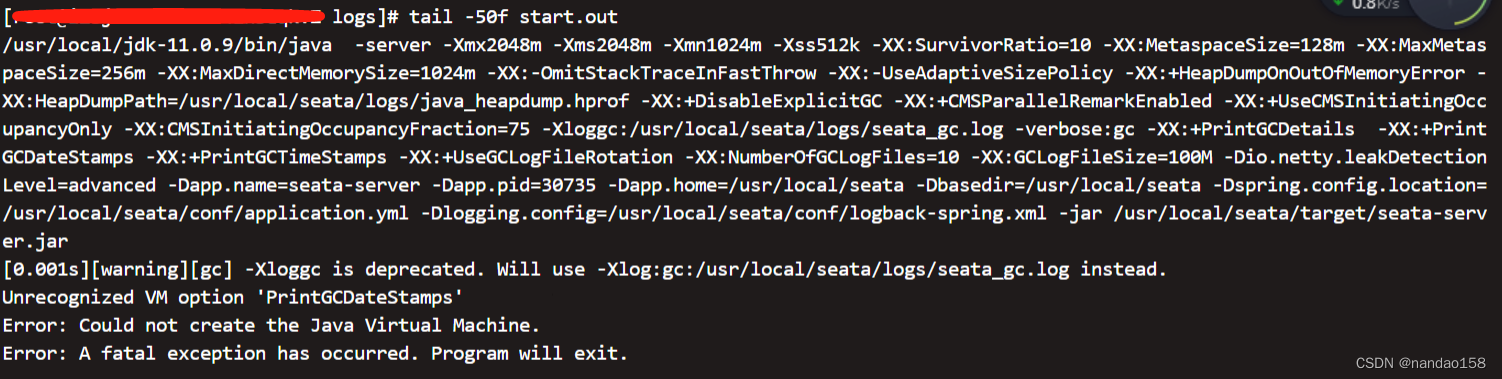
哦,发现启动报错!!! 原因是JDK版本和seata版本不兼容导致的!
8、解决方案如下:
查看此环境的JDK版本:

显示11版本。
1)、换成seata1.4.2版本后,配置完成后启动:

显然此环境没有足够的空间, 进入日志文件:tail -100f hs_err_pid31777.log 可以查看详情。
删除没用的垃圾文件后再次启动。
seata 1.2 版本实战过程踩坑记_nandao158的博客-CSDN博客
到此、Linux环境下载安装Seata1.5分享完毕,后期我们会分享此版本新的特性和解决的问题,敬请期待!