安装Echarts并渲染Demo表图
第一种:
npm指令:
npm install echarts --save
第二种:
在vue-ui中选择安装运行依赖 直接搜索echarts然后点击安装即可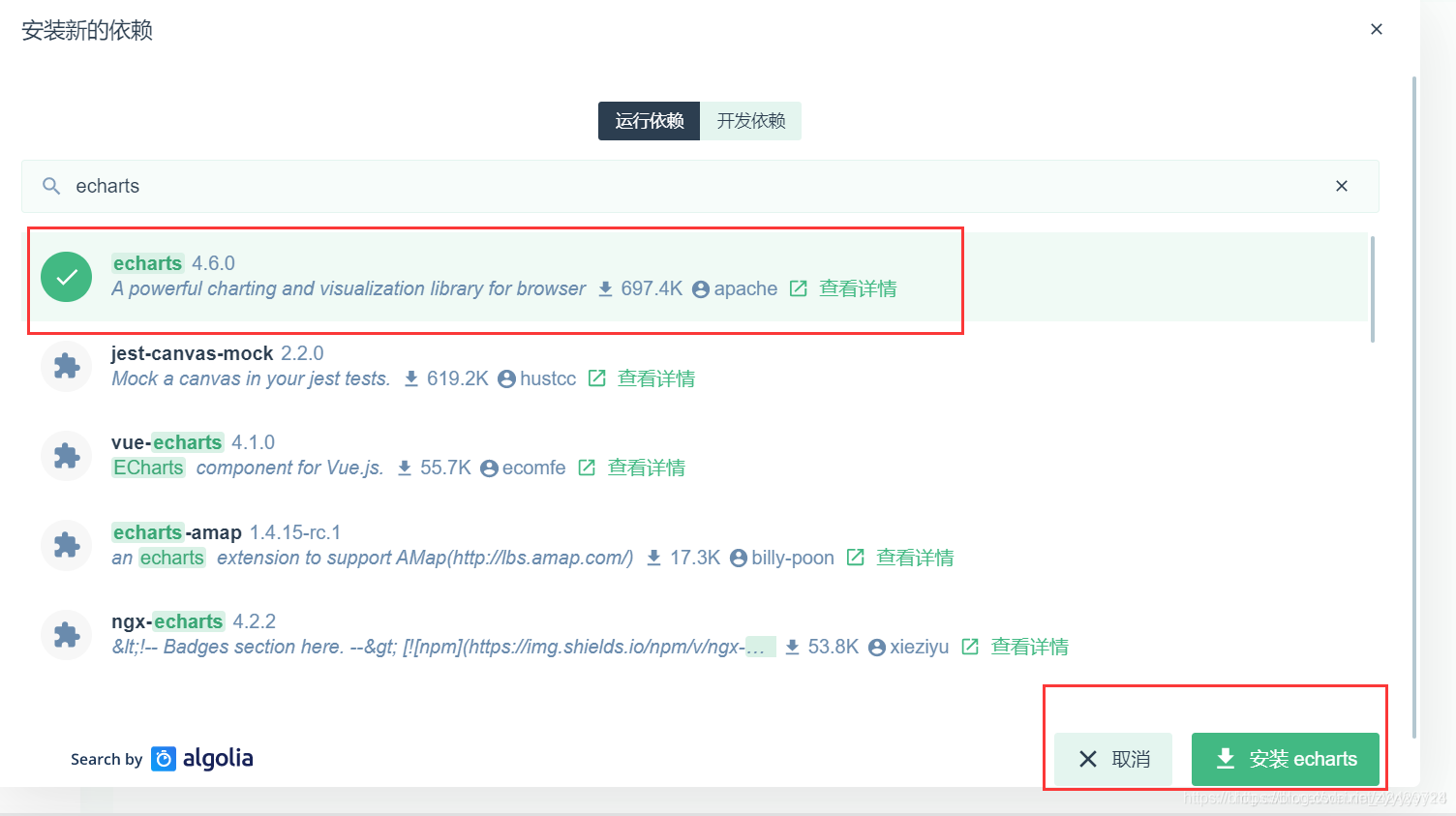
获取折线图并渲染图表

源码
<template>
    <div>
      <!-- 面包屑导航区 -->
        <el-breadcrumb separator="/">
            <el-breadcrumb-item :to="{ path: '/' }">首页</el-breadcrumb-item>
            <el-breadcrumb-item>订单管理</el-breadcrumb-item>
            <el-breadcrumb-item>订单列表</el-breadcrumb-item>
        </el-breadcrumb>

        <!-- 卡片试图区 -->
        <el-card>
          <!--1.为echats准备长宽高的dom -->
          <div id="main" style="width:750px;height:400px;"></div>
        </el-card>
    </div>
</template>

<script>
//2.导入echarts
import * as echarts from 'echarts'
import _ from 'lodash'

export default {
  data () {
    return {
      // 需要合并的数据
      options: {
        title: {
          text: '用户来源'
        },
        tooltip: {
          trigger: 'axis',
          axisPointer: {
            type: 'cross',
            label: {
              backgroundColor: '#E9EEF3'
            }
          }
        },
        grid: {
          left: '3%',
          right: '4%',
          bottom: '3%',
          containLabel: true
        },
        xAxis: [
          {
            boundaryGap: false
          }
        ],
        yAxis: [
          {
            type: 'value'
          }
        ]
      }
    }
  },
  created () {

  },
  // 此时,页面上的元素,已经被渲染完毕了
  async mounted () {
    // 3.基于准备好的dom,初始化echarts实例
    var myChart = echarts.init(document.getElementById('main'))
    const { data: res } = await this.$http.get('reports/type/1')
    if (res.meta.status !== 200) return this.$message('获取折线图数据失败!')
    // 4.准备数据项和配置项
    // 指定图表的配置项和数据
    // var option = {
    //   title: {
    //     text: 'ECharts 入门示例'
    //   },
    //   tooltip: {},
    //   legend: {
    //     data: ['销量']
    //   },
    //   xAxis: {
    //     data: ['衬衫', '羊毛衫', '雪纺衫', '裤子', '高跟鞋', '袜子']
    //   },
    //   yAxis: {},
    //   series: [{
    //     name: '销量',
    //     type: 'bar',
    //     data: [5, 20, 36, 10, 10, 20]
    //   }]
    // }
    // 数据合并
    const result = _.merge(res.data, this.options)
    // 5.展示数据
    myChart.setOption(result)
  },
  methods: {

  }
}
</script>

<style lang="less" scoped>

</style>
版权声明:本文为zyyyyyy24原创文章,遵循CC 4.0 BY-SA版权协议,转载请附上原文出处链接和本声明。