SpringBoot(51)整合Thymeleaf实现图片上传并显示
直接上代码
1.代码结构
2.导入Thymeleaf依赖
<dependency>
    <groupId>org.springframework.boot</groupId>
    <artifactId>spring-boot-starter-thymeleaf</artifactId>
</dependency>
3.index页面
<!DOCTYPE html>
<html lang="en" xmlns:th="http://www.w3.org/1999/xhtml">
<head>
    <meta charset="UTF-8">
<!--    <link rel="stylesheet" href="../css/bootstrap.css">-->
    <title>Title</title>
</head>
<body>
<form action="../upload" method="post" enctype="multipart/form-data">
    <input type="file" name="file" accept="image/*">
    <input type="submit" value="上传" class="btn btn-success">
</form>
[[${filename}]]
<br>
<img th:src="@{${filename}}" alt="图片">
</body>
</html>
4.yml文件配置
server:
  port: 8082

spring:

  thymeleaf:
    mode: LEGACYHTML5
  freemarker:
    template-loader-path: classpath:/templates
  mvc:
    static-path-pattern: /static/**

file:
  upload:
    path: E://img/
    relative: /img/**
5.创建一个MyWebAppConfigurer java文件实现WebMvcConfigurer接口, 配置资源映射路径
import org.springframework.beans.factory.annotation.Value;
import org.springframework.context.annotation.Configuration;
import org.springframework.web.servlet.config.annotation.ResourceHandlerRegistry;
import org.springframework.web.servlet.config.annotation.WebMvcConfigurer;

/**
 * 资源映射路径
 */
@Configuration
public class MyWebAppConfigurer implements WebMvcConfigurer {

    /**上传地址*/
    @Value("${file.upload.path}")
    private String filePath;
    /**显示相对地址*/
    @Value("${file.upload.relative}")
    private String fileRelativePath;

    @Override
    public void addResourceHandlers(ResourceHandlerRegistry registry) {
        registry.addResourceHandler(fileRelativePath).
                addResourceLocations("file:/" + filePath);
    }
}
6.接口
import org.springframework.beans.factory.annotation.Value;
import org.springframework.stereotype.Controller;
import org.springframework.ui.Model;
import org.springframework.web.bind.annotation.RequestMapping;
import org.springframework.web.bind.annotation.RequestParam;
import org.springframework.web.multipart.MultipartFile;

import java.io.File;
import java.io.IOException;

@Controller
public class FileUploadController {

    /**上传地址*/
    @Value("${file.upload.path}")
    private String filePath;

    // 跳转上传页面
    @RequestMapping("/index")
    public String test() {
        return "index";
    }

    // 执行上传
    @RequestMapping("/upload")
    public String upload(@RequestParam("file") MultipartFile file, Model model) {
        // 获取上传文件名
        String filename = file.getOriginalFilename();
        // 定义上传文件保存路径
        String path = filePath+"rotPhoto/";
        // 新建文件
        File filepath = new File(path, filename);
        // 判断路径是否存在,如果不存在就创建一个
        if (!filepath.getParentFile().exists()) {
            filepath.getParentFile().mkdirs();
        }
        try {
            // 写入文件
            file.transferTo(new File(path + File.separator + filename));
        } catch (IOException e) {
            e.printStackTrace();
        }
        // 将src路径发送至html页面
        model.addAttribute("filename", "/img/rotPhoto/"+filename);
        return "index";
    }
}
7.访问http://localhost:8082/index 跳转到index页面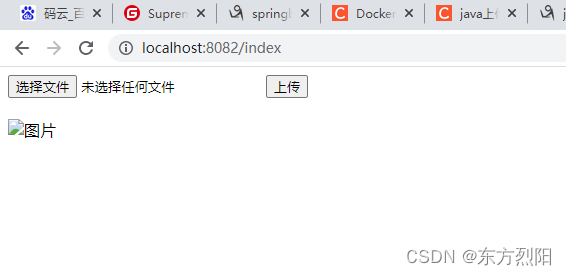
8.选择文件点击上传后效果
本地文件及对应路径也有上传的图片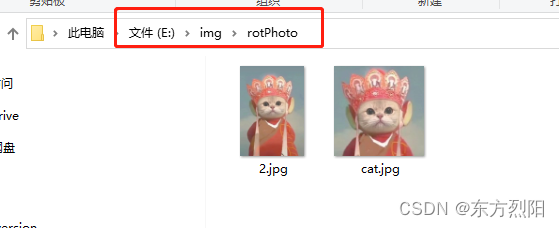
demo码云连接https://gitee.com/dongbingya/springboot
版权声明:本文为qq_43025316原创文章,遵循CC 4.0 BY-SA版权协议,转载请附上原文出处链接和本声明。