方法
在Xilinx SDK软件中,当工程中的代码层次较多时,如下图,手动添加工程的include路径比较繁琐,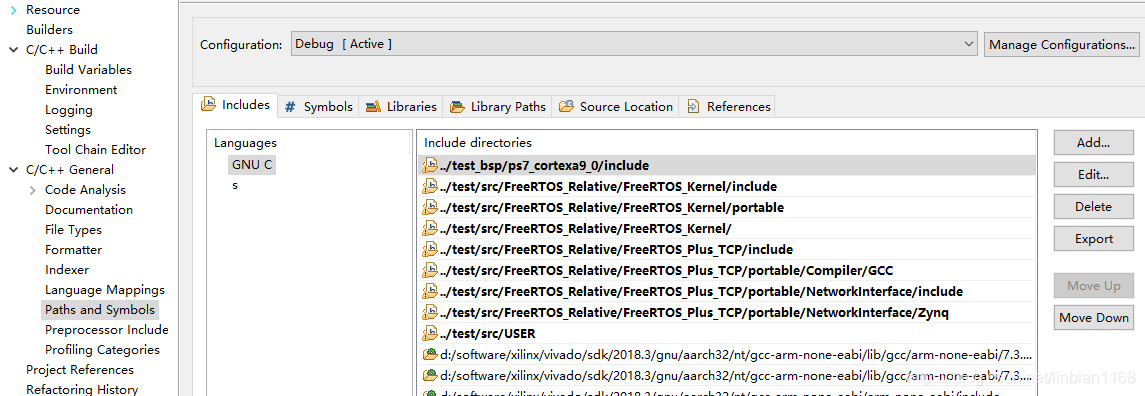
可以通过编辑xml文件的方式,将include路径导入到SDK中,
<?xml version="1.0" encoding="UTF-8"?>
<cdtprojectproperties>
<section name="org.eclipse.cdt.internal.ui.wizards.settingswizards.IncludePaths">
<language name="s">

</language>
<language name="c,S">
<includepath>../test/src/FreeRTOS_Relative/FreeRTOS_Kernel/include</includepath>
<includepath>../test/src/FreeRTOS_Relative/FreeRTOS_Kernel/portable</includepath>
<includepath>../test/src/FreeRTOS_Relative/FreeRTOS_Kernel/</includepath>
<includepath>../test/src/FreeRTOS_Relative/FreeRTOS_Plus_TCP/include</includepath>
<includepath>../test/src/FreeRTOS_Relative/FreeRTOS_Plus_TCP/portable/Compiler/GCC</includepath>
<includepath>../test/src/FreeRTOS_Relative/FreeRTOS_Plus_TCP/portable/NetworkInterface/include</includepath>
<includepath>../test/src/FreeRTOS_Relative/FreeRTOS_Plus_TCP/portable/NetworkInterface/Zynq</includepath>
<includepath>../test/src/USER</includepath>

</language>
<language name="Object File">

</language>
<language name="ld">

</language>
</section>
</cdtprojectproperties>
说明
使用导入的方式批量设置include路径时,有时会出现下述错误,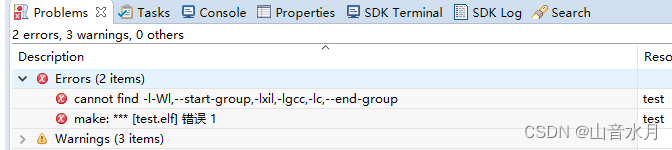
对比了一下出错前后的工程设置,发现在导入之后,C/C++ Build Setting中的设置发生了变化,下述篮框中的设置消失了,再手动添加也无济于事,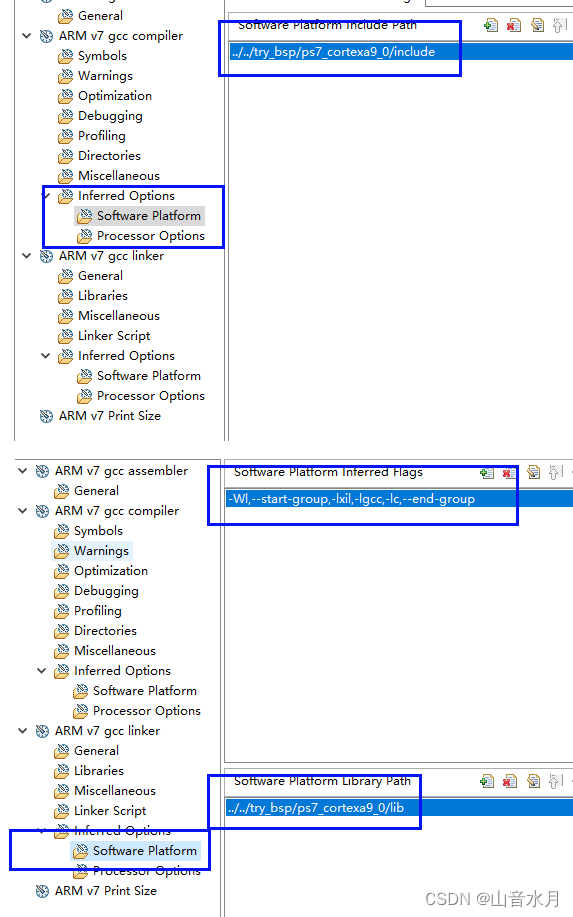
58295 - 14.7 SDK - An error occurs when attempting to add a user library to the build
上述链接中提到,当在C/C++ General中设置路径时,可能会导致makefile文件corrupting,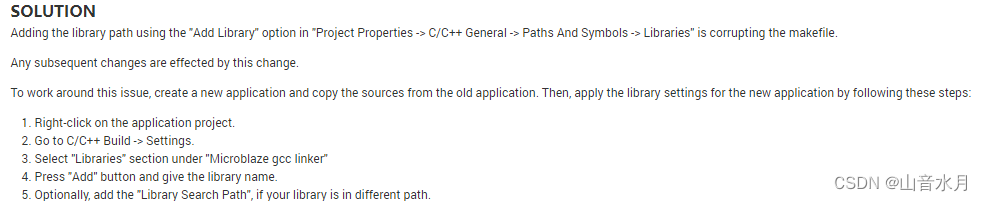
由于SDK中makefile一般是工程自动管理的,因此最好还是手动逐一添加include路径吧(/ □ )
其他
有时,在SDK中添加了include路径后,编译时依然会报找不到路径的错误;此时,一种可能的原因是include path没有全部添加。要注意,如果A文件夹下有A01、A02、A03几个文件夹,即使A文件夹下没有h文件,依然需要将A文件夹添加到路径中,而不能仅仅添加A01、A02、A03这几个子文件夹。
版权声明:本文为linbian1168原创文章,遵循CC 4.0 BY-SA版权协议,转载请附上原文出处链接和本声明。