Vue时间戳转时间
一、效果展示
二、步骤如下
1.在common/utils.js下写入转换条件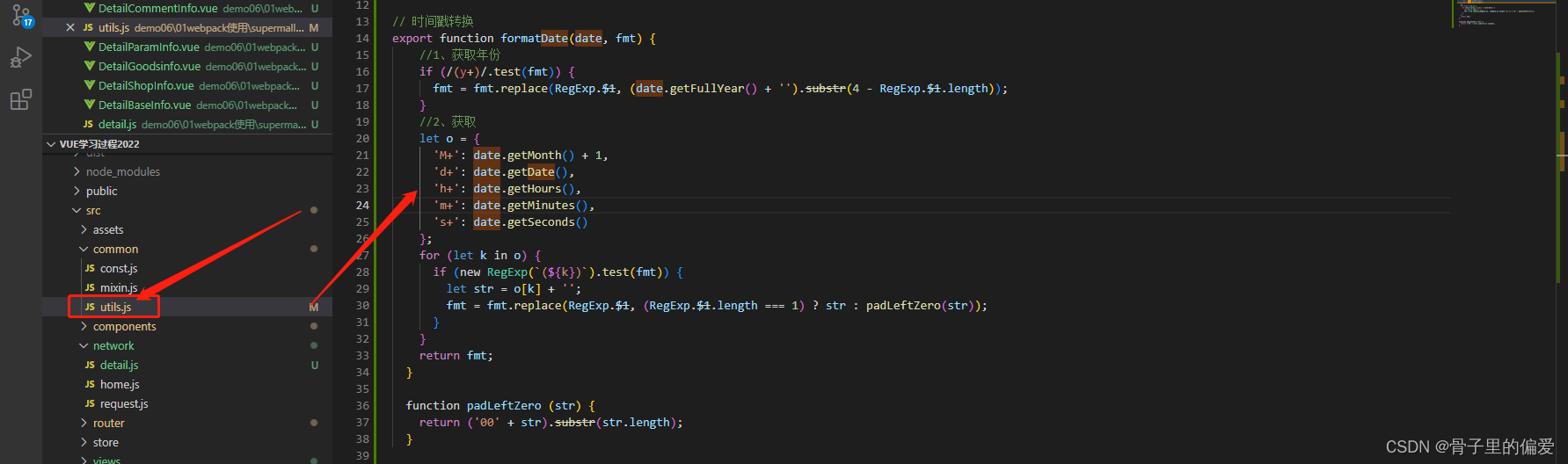
// 时间戳转换
export function formatDate(date, fmt) {
    //1、获取年份
    if (/(y+)/.test(fmt)) {
      fmt = fmt.replace(RegExp.$1, (date.getFullYear() + '').substr(4 - RegExp.$1.length));
    }
    //2、获取
    let o = {
      'M+': date.getMonth() + 1,
      'd+': date.getDate(),
      'h+': date.getHours(),
      'm+': date.getMinutes(),
      's+': date.getSeconds()
    };
    for (let k in o) {
      if (new RegExp(`(${k})`).test(fmt)) {
        let str = o[k] + '';
        fmt = fmt.replace(RegExp.$1, (RegExp.$1.length === 1) ? str : padLeftZero(str));
      }
    }
    return fmt;
  }

  function padLeftZero (str) {
    return ('00' + str).substr(str.length);
  }
2.在此处引入,并传入样式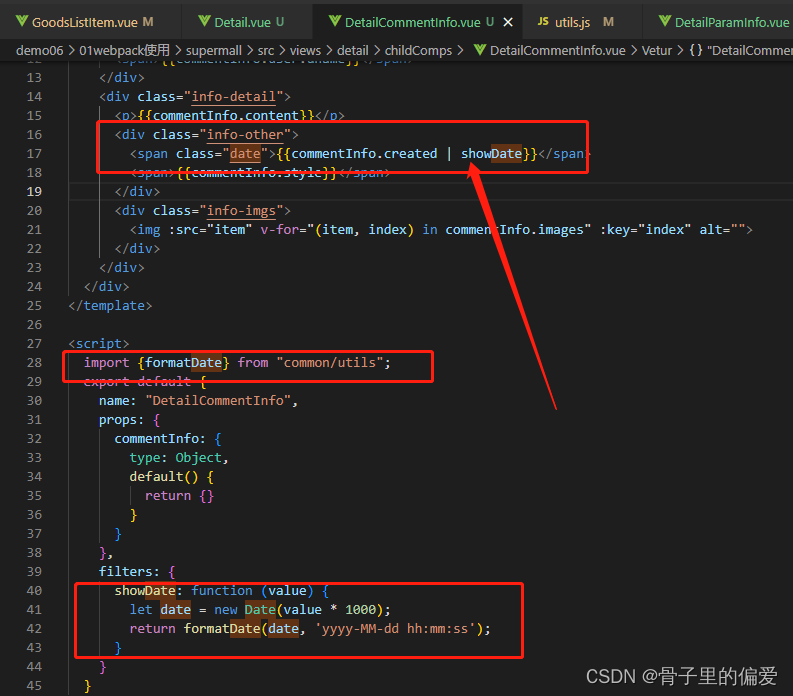
<script>
  import {formatDate} from "common/utils";
  export default {
    name: "DetailCommentInfo",
    props: {
      commentInfo: {
        type: Object,
        default() {
          return {}
        }
      }
    },
    filters: {
      showDate: function (value) {
        let date = new Date(value * 1000);
        return formatDate(date, 'yyyy-MM-dd hh:mm:ss');
      }
    }
  }
</script>
获取的数据,转换并显示
     <div class="info-other">
        <span class="date">{{commentInfo.created | showDate}}</span>
        <span>{{commentInfo.style}}</span>
      </div>
css样式:
.info-detail .info-other {
    font-size: 12px;
    color: #999;
    margin-top: 10px;
  }
  .info-other .date {
    margin-right: 8px;
  }
如何通过父传子的方法传递给孩子数据: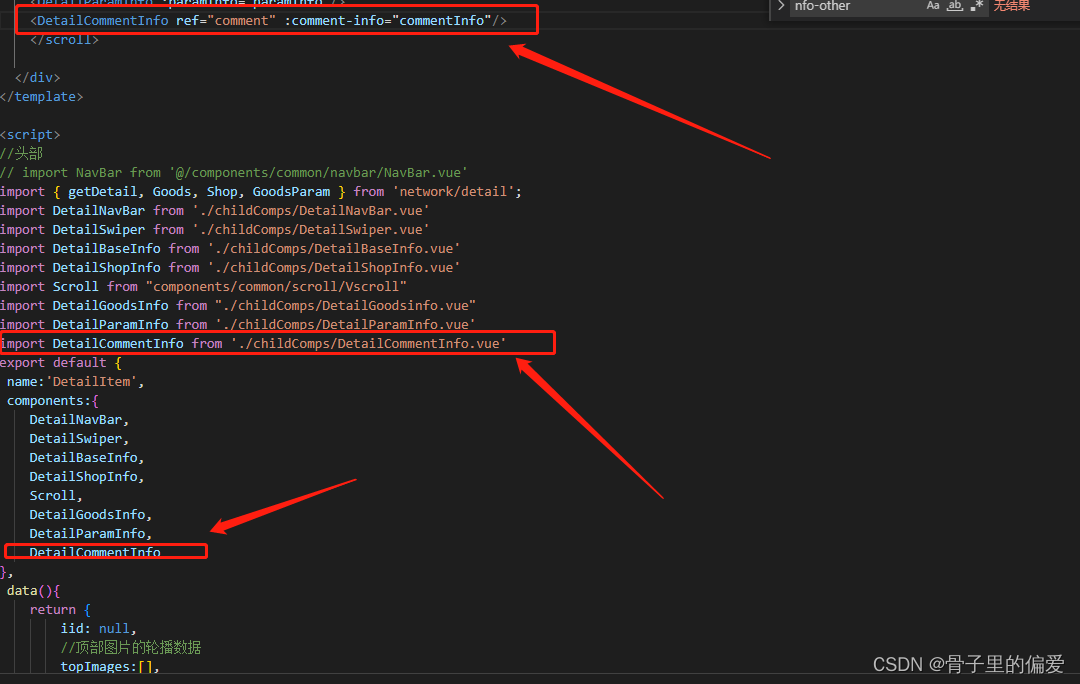
获取请求的数据: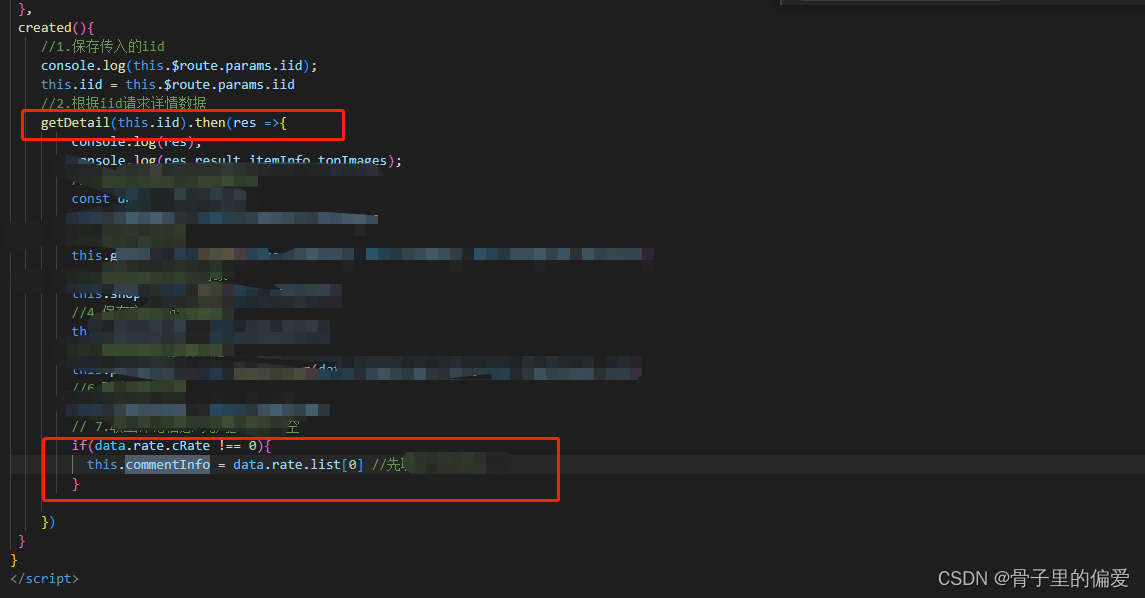

版权声明:本文为weixin_41823246原创文章,遵循CC 4.0 BY-SA版权协议,转载请附上原文出处链接和本声明。