Author mogd 2022-06-14
Update mogd 2022-06-14
AdageLife is like riding a bicycle. To keep your balance you must keep moving.
目录
zabbix 使用 elasticsearch 来存储历史数据
一、前言
需求
目前 zabbix 使用 mysql 作为存储,很占用数据盘,磁盘不易于扩容,并且数据量很大导致查找的效率不高。设想通过 elasticsearch 来展示监控图表,能够快速检索想要查看的信息
坑点
笔者是实验完才意识到的,其实这个坑点在认真阅读官方文档说明并且了解 zabbix 的历史数据表结构就很容易意识到
Elasticsearch setup
zabbix 支持使用 elasticsearch 替代数据库存储历史数据,但其他数据还是存储在数据库。
如果读者看过 zabbix 历史数据的表结果就会很快意识到:
- elasticsearch 只是存储了历史数据,那么索引记录的只是 itemid、clock、value 和 ns,这样在 Kibana 上做图表时,还是不清楚对应的 item 名称和 key,只是知道一个 itemid,反而更加不利于运维人员管理了
- elasticsearch 存储了历史数据后,数据库里面将不再存有历史数据,也就是 zabbix 前端的图表监控基本上都无法正常使用
新方案
- 写一个转换程序,建立新索引,将 zabbix server 发送到 elasticsearch 的索引按指定格式重写到新索引
监控的主机成千上万台,一分钟的数据量都很大,重写索引,速度慢,会导致 Kibana 图表的数据不是最新的,而在停机维护时,需要很精确的数据来检测
- zabbix 的监控项使用 Prometheus check
官方有说明,待测试,下一篇文章会整理部署过程、测试结果和一些坑点
- 修改 zabbix_server 源码,将发送的格式更改为指定格式
指定格式: 主机名,item项,clock,value, ns
指定格式需要联合查询数据库,数据量太多,频繁查询数据库会加大数据库负担,并且多表查询也会导致延迟
源码是 C 语言写的,笔者不太熟悉,不好改,还不如重写
二、zabbix 配置
2.1 zabbix server
修改 zabbix server 的配置文件 zabbix_server.conf,修改完成后重启 zabbix server
### Option: HistoryStorageURL
# History storage HTTP[S] URL.
#
# Mandatory: no
# Default:
# HistoryStorageURL=
### Option: HistoryStorageTypes
# Comma separated list of value types to be sent to the history storage.
#
# Mandatory: no
# Default:
# HistoryStorageTypes=uint,dbl,str,log,text
HistoryStorageURL=http://localhost:9200
HistoryStorageTypes=uint,dbl,str,log,text
索引跟数据库对应关系
| Item value type | Database table | Elasticsearch type |
|---|---|---|
| Numeric (unsigned) | history_uint | uint |
| Numeric (float) | history | dbl |
| Character | history_str | str |
| Log | history_log | log |
| Text | history_text | text |
2.2 Zabbix fronted (conf/zabbix.conf.php)
// Official example
// Elasticsearch url (can be string if same url is used for all types).
// $HISTORY['url']   = [
//       'uint' => 'http://localhost:9200',
//       'text' => 'http://localhost:9200'
// ];
// Value types stored in Elasticsearch.
// $HISTORY['types'] = ['uint', 'text'];

$HISTORY['url']   = 'http://test.elasticsearch.lan:9200';
$HISTORY['types'] = ['str', 'text', 'log', 'uint', 'dbl'];
在 zabbix.conf.php 文件的开头添加全局变量
// Zabbix GUI configuration file.
global $DB, $HISTORY;
修改完成后重启前端,httpd 或 nginx
ElasticSearch 配置
Elasticsearch installation guide
笔者使用的 docker 方式安装
在 elasticsearch 成功运行后,需要创建对应的类型映射,否则 zabbix server 会一直报错
elasticsearch version is not compatible with zabbix server. _scroll_id tag is absent
创建映射 text, uint, dbl, str, log
curl -X PUT \
http://localhost:9200/text \
-H 'content-type:application/json' \
-d '{
    "settings": {
        "index": {
        "number_of_replicas": 1,
        "number_of_shards": 5
        }
    },
    "mappings": {
        "properties": {
        "itemid": {
            "type": "long"
        },
        "clock": {
            "format": "epoch_second",
            "type": "date"
        },
        "value": {
            "fields": {
                "analyzed": {
                    "index": true,
                    "type": "text",
                    "analyzer": "standard"
                }
            },
            "index": false,
            "type": "text"
        }
        }
    }
}'
创建 uint 模板 (其他类型类似)
创建模板建议在 Kibana 网页的开发工具执行
curl -X PUT \
http://localhost:9200/_template/uint_template \
-H 'content-type:application/json' \
-d '{
    "index_patterns": [
        "uint*"
    ],
    "settings": {
        "index": {
        "number_of_replicas": 1,
        "number_of_shards": 5
        }
    },
    "mappings": {
        "properties": {
        "itemid": {
            "type": "long"
        },
        "clock": {
            "format": "epoch_second",
            "type": "date"
        },
        "value": {
            "type": "long"
        }
        }
    }
}'
uint 索引创建管道
curl -X PUT \
http://localhost:9200/_ingest/pipeline/uint-pipeline \
-H 'content-type:application/json' \
-d '{
    "description": "daily uint index naming",
    "processors": [
        {
        "date_index_name": {
            "field": "clock",
            "date_formats": [
                "UNIX"
            ],
            "index_name_prefix": "uint-",
            "date_rounding": "d"
        }
        }
    ]
}'
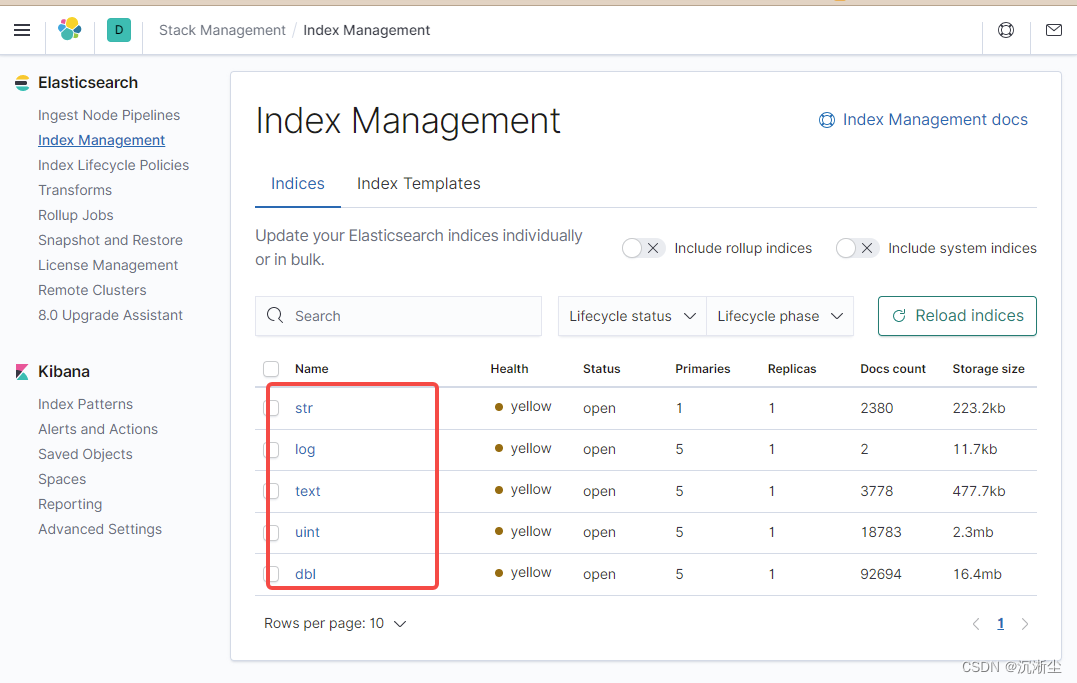
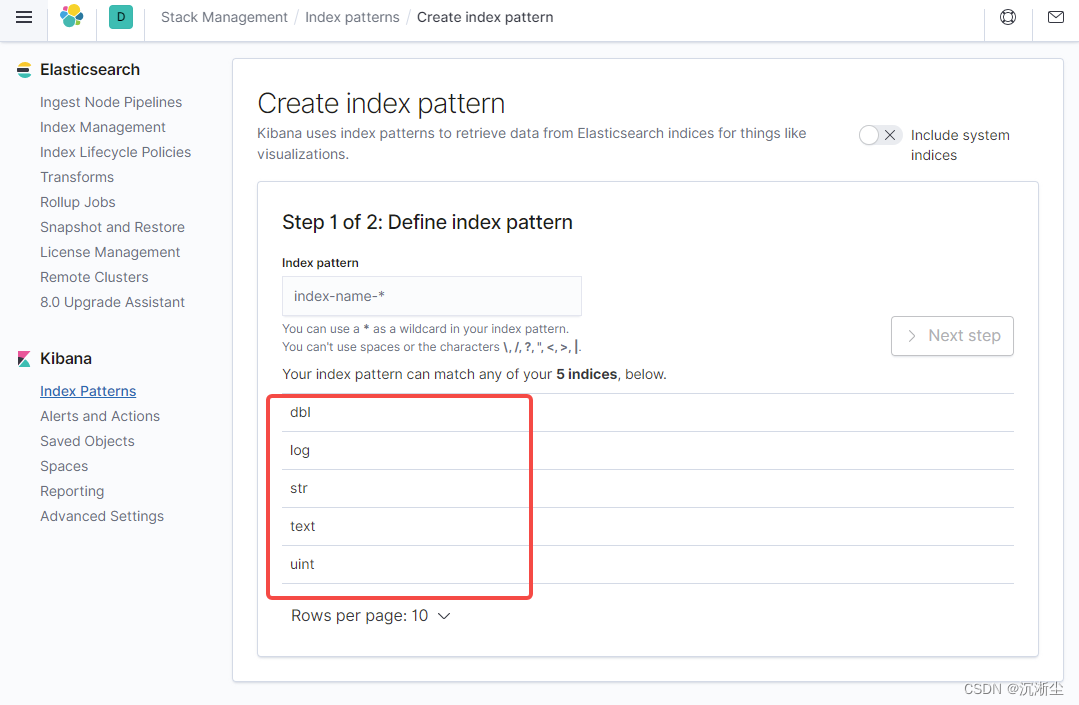
三、结果截图