简介:
vue的销毁,销毁的不是相关元素,甚至vue实例也没有被销毁,而是数据与dom关系。
销毁调用的方法:
触发销毁的函数,调vue实例对象的$destroy函数即可。
<!DOCTYPE html>
<html lang="en">
<head>
	<meta charset="UTF-8">
	<title>vueTest</title>
	<script src="https://cdn.jsdelivr.net/npm/vue/dist/vue.js"></script>
</head>
<body>
	<div id="test">
	</div>
	<script type="text/javascript">
		Vue.config.productionTip = false;
		var test = new Vue({
			el: '#test',
			data:{
				message: 'Hello Vue!',
			},
			methods: {
				messageChange(){
					console.log('函数 messageChange')
					this.message = 'hi, $destroy';
				},
				$destroyChange() {
					console.log('函数 $destroyChange')
					this.$destroy();
				},
			},
			template: `
				<div>
					<h1>{{message}}</h1>
					<button v-on:click='messageChange'>更改文本</button>
					<button v-on:click='$destroyChange'>销毁</button>
				</div>
			`,
			beforeCreate: function(){
				console.log('创建之前');
			},
			created: function(){
				console.log('创建');
			},
			beforeMount: function(){
				console.log('挂载之前');
			},
			mounted: function(){
				console.log('挂载');
			},
			beforeUpdate: function(){
				console.log('更新之前');
			},
			updated: function(){
				console.log('更新');
			},
			beforeDestroy: function(){
				console.log('销毁之前');
			},
			destroyed: function(){
				console.log('销毁');
			},
		});
	</script>
</body>
</html>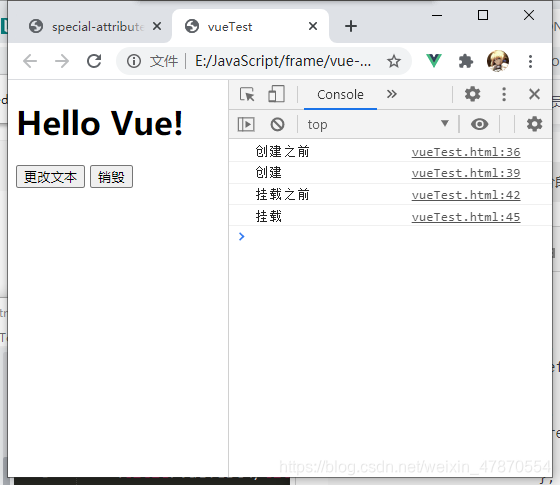
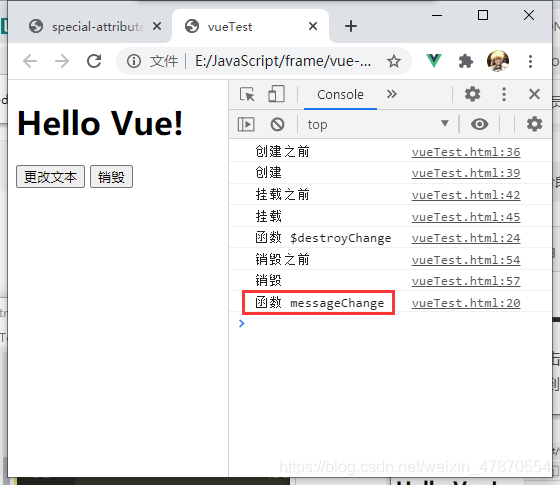
点击更改文本,Hello Vue!被更改;点击销毁,触发销毁生命周期。
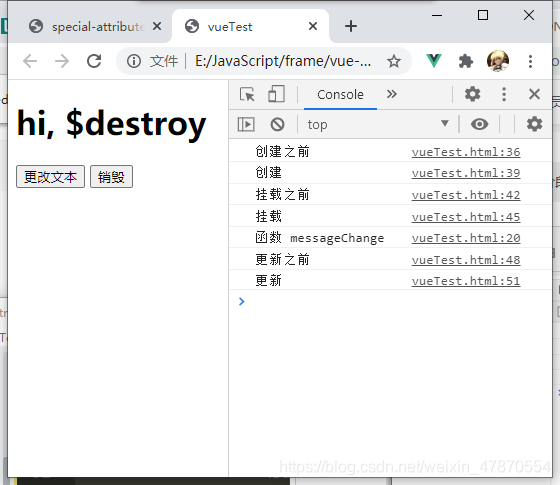
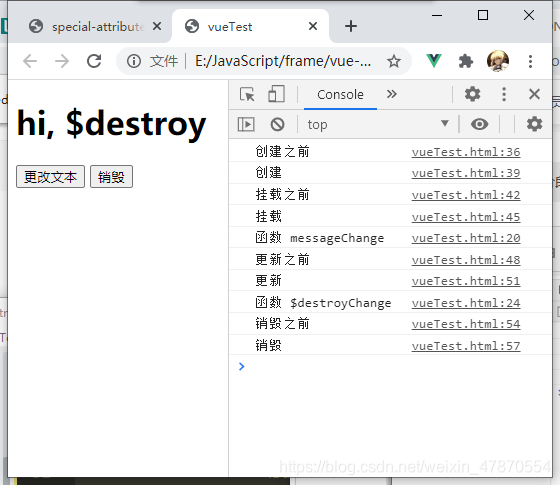
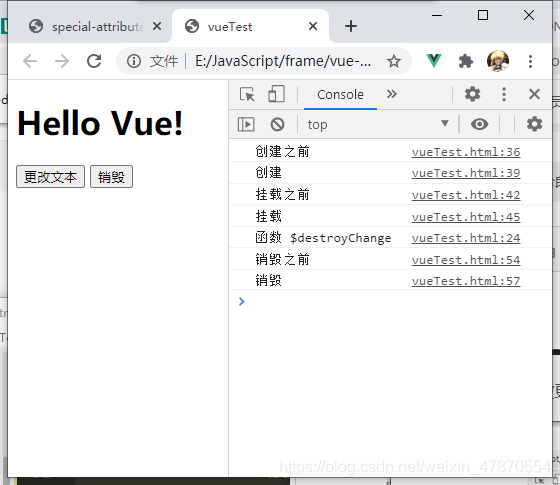
反过来操作,可以发现,点击按钮的话,函数虽然被销毁了,但是函数会被触发,只是与dom元素的响应式关系已经被销毁了,数据的改变,已经无法影响到dom元素了。
特殊属性key与生命周期:
在vue中,对元素的渲染,有一个特殊属性,key来表示元素的独一无二。如果对key进行更改的话,触发的生命周期,会是销毁还是更新?代码如下:
<!DOCTYPE html>
<html lang="en">
<head>
	<meta charset="UTF-8">
	<title>vueTest</title>
	<script src="https://cdn.jsdelivr.net/npm/vue/dist/vue.js"></script>
</head>
<body>
	<div id="test">
	</div>
	<script type="text/javascript">
		Vue.config.productionTip = false;
		var keyEle ,
			test = new Vue({
			el: '#test',
			data:{
				message: 'Hello Vue!',
				key: 0,
			},
			methods: {
				ifEqual(){
					alert(keyEle === document.getElementById('key'));
				},
				keyChange(){
					console.log('函数 keyChange')
					this.key ++;
				},
				messageChange(){
					console.log('函数 messageChange')
					this.message = 'hi, $destroy';
				},
				$destroyChange() {
					console.log('函数 $destroyChange')
					this.$destroy();
				},
			},
			template: `
				<div>
					<h1 id='key' v-bind:key='key'>{{message}}</h1>
					<button v-on:click='keyChange'>更改key</button>
					<button v-on:click='messageChange'>更改文本</button>
					<button v-on:click='$destroyChange'>销毁</button>
					<button v-on:click='ifEqual'> == ?</button>
				</div>
			`,
			beforeCreate: function(){
				console.log('创建之前');
			},
			created: function(){
				console.log('创建');
			},
			beforeMount: function(){
				console.log('挂载之前');
			},
			mounted: function(){
				console.log('挂载');
				keyEle = document.getElementById('key');
			},
			beforeUpdate: function(){
				console.log('更新之前');
			},
			updated: function(){
				console.log('更新');
			},
			beforeDestroy: function(){
				console.log('销毁之前');
			},
			destroyed: function(){
				console.log('销毁');
			},
		});
	</script>
</body>
</html>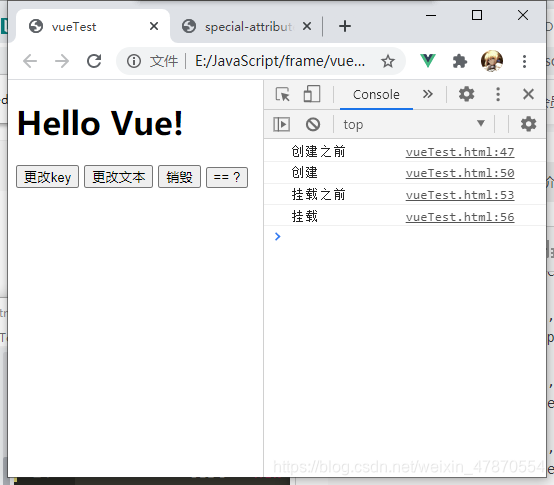
点击‘== ?’按钮,判断元素是否变化,点击‘更改key’按钮,之后再点击‘== ?’按钮。
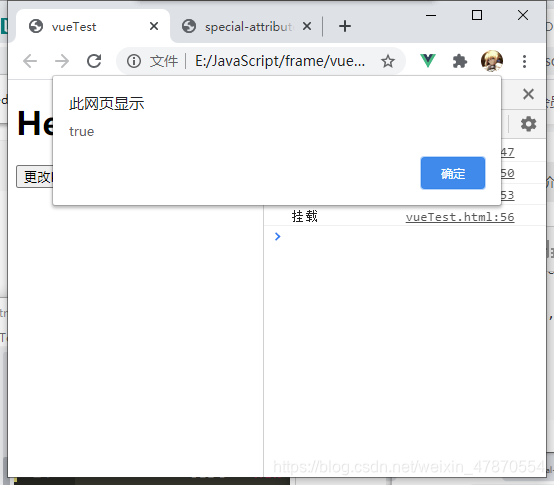
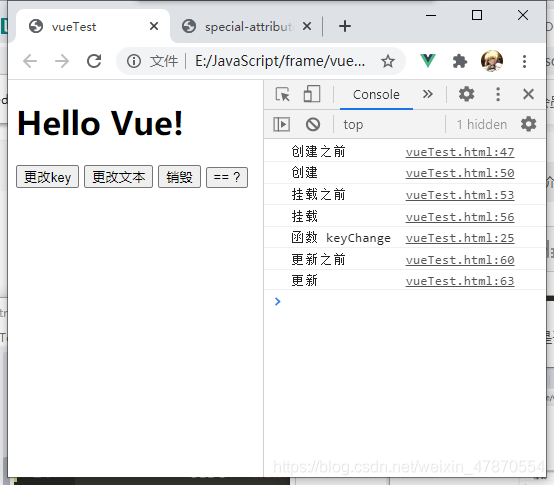
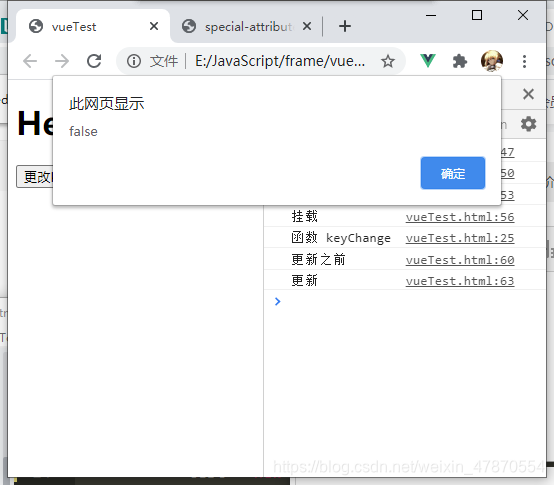
可以看到,只触发了updated生命周期,更改key之后,dom元素发生了变化,但是vue实例只是更新而非销毁重建。所以,key正对的独一无二只是dom元素,而非vue实例。
版权声明:本文为weixin_47870554原创文章,遵循CC 4.0 BY-SA版权协议,转载请附上原文出处链接和本声明。