使用命令提示符输入conda create -n tensorflow python=3.6报错Unavailable InvalidChannel: The channel is not accessible or is invalid
提示:已安装pycharm,python3.6,anaconda 3,Windows10系统
问题描述:
提示:Tensorflow安装中需要使用命令提示符创建conda环境,使用命令提示符输入conda create -n tensorflow python=3.6报错UnavailableInvalidChannel: The channel is not accessible or is invalid
命令提示符的错误提示为:
Collecting package metadata (current_repodata.json): failed

UnavailableInvalidChannel: The channel is not accessible or is invalid.
  channel name: simple
  channel url: https://pypi.tuna.tsinghua.edu.cn/simple
  error code: 404

You will need to adjust your conda configuration to proceed.
Use `conda config --show channels` to view your configuration's current state,
and use `conda config --show-sources` to view config file locations.
原因分析:
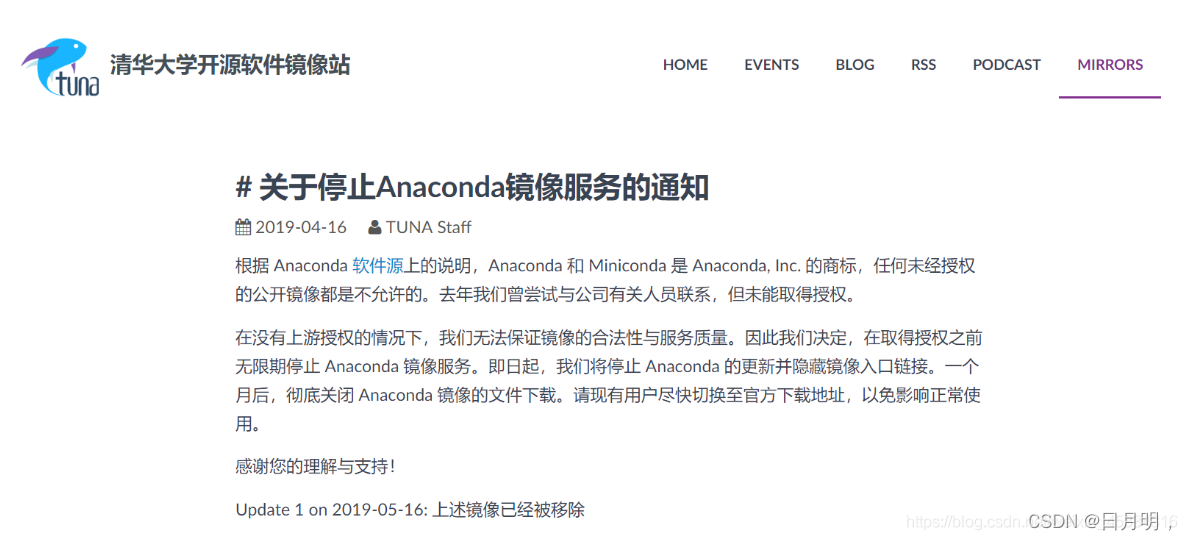
解决方案:
恢复默认源,在命令提示符中输入
conda config --remove-key channels
最后依次输入以下步骤即可完成创建和激活conda环境:
1、使用下面命令查看自己电脑已经安装的python版本号
python --version
2、输入下面命令创建conda环境
conda create -n tensorflow python=3.7.6
3、查看自己电脑上已经安装的环境变量
conda info --envs
4、激活conda环境,有的也称为激活TensorFlow,都是输入以下命令
activate tensorflow
#参考网站有
TensorFlow教程网站:
http://c.biancheng.net/view/1881.html
https://blog.csdn.net/weixin_45884316/article/details/113530349
版权声明:本文为weixin_44521661原创文章,遵循CC 4.0 BY-SA版权协议,转载请附上原文出处链接和本声明。