查看官网 uni.getLocation()方法说明, 可以看到只有在App端才能拿到城市相关信息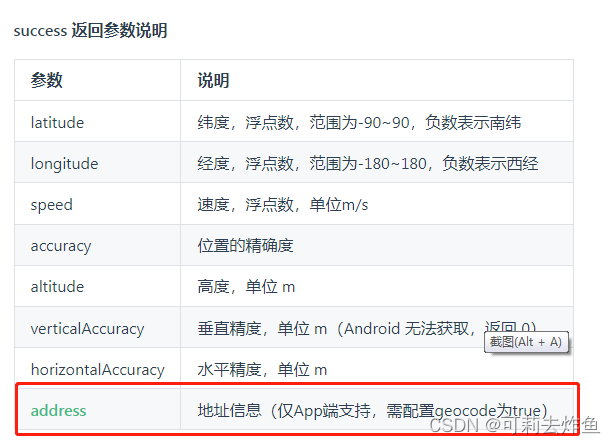
方法如下
// #ifdef APP-PLUS
uni.getLocation({
	type: 'gcj02',
	geocode: true,
	highAccuracyExpireTime: 3000,
	success: (res) => {
		console.log(res)
		// 将自己需要的数据存起来
		this.position.longitude = res.longitude; // 经度
		this.position.latitude = res.latitude; // 纬度
		this.position.city = res.address.city;
		this.position.district = res.address.district;

	},
	fail: (err) => {
		uni.showToast({
			title: "获取位置信息失败",
			icon: "none"
		});
	}
});
// #endif
但是我现在需要在H5端也要拿到城市地址信息,在网上查了一圈,最后采用高德地图的接口,通过刚刚拿到的经纬度去接口获取城市地址信息
// #ifdef H5
uni.getLocation({
	type: 'gcj02',
	geocode: true,
	highAccuracyExpireTime: 3000,
	success: (lb) => {
		console.log('当前位置的经度:' + lb.longitude);
		console.log('当前位置的纬度:' + lb.latitude);
		this.position.latitude = lb.latitude;
		this.position.longitude = lb.longitude;
		let  key = '你的高德地图key';//高德地图key
		uni.request({
			url:'https://restapi.amap.com/v3/geocode/regeo?location='+lb.longitude+ ',' + lb.latitude + '&key='+key,
			success: (res) => {
				console.log('高德地图API接口返回信息',res)
				this.position.city = res.data.regeocode.addressComponent.city;
				this.position.district = res.data.regeocode.addressComponent.district;
			},
			fail: (error) => {
				uni.showToast({
					title: "获取位置信息失败222高德",
					icon: "none"
				});
			}
		})
	},
	fail: (err) => {
		uni.showToast({
			title: "获取位置信息失败33333",
			icon: "none"
		});
	}
})
到这就差不多完成了。不过后面H5项目在微信内置浏览器运行时,获取位置一直失败,后面去查看了uniapp的官网案例,发现他们在h5配置->定位和地图中配置了腾讯地图的key,抱着试一试的态度也去申请了一个key填写了,没想到成功了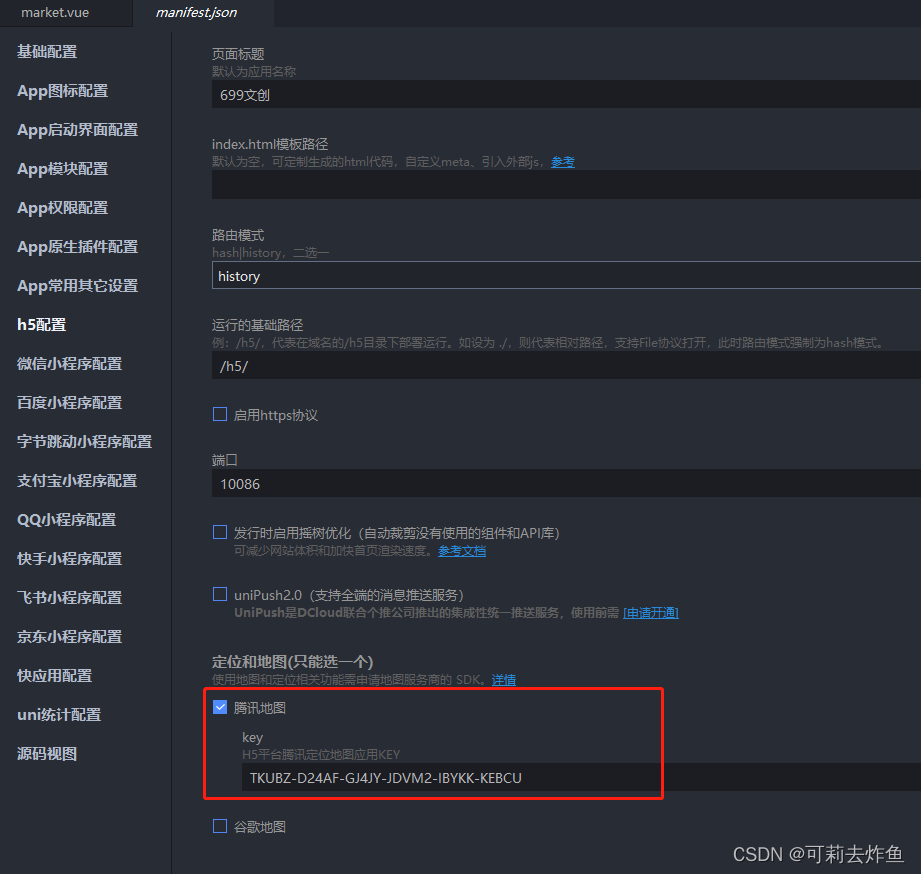
参考链接
https://blog.csdn.net/web17886480312/article/details/123431760
他这里写的很详细,不过我在复制他 h5 高德地图那块代码的时候,header请求参数导致我一直报跨域错误,删掉设置的header头参数就可以了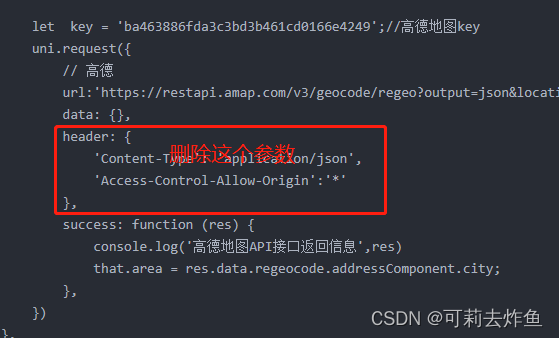
版权声明:本文为qq_43227422原创文章,遵循CC 4.0 BY-SA版权协议,转载请附上原文出处链接和本声明。