ps_color
文章目录
预览效果
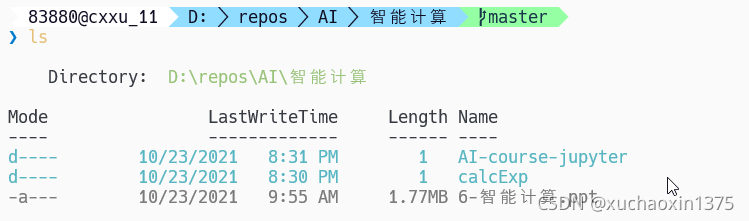
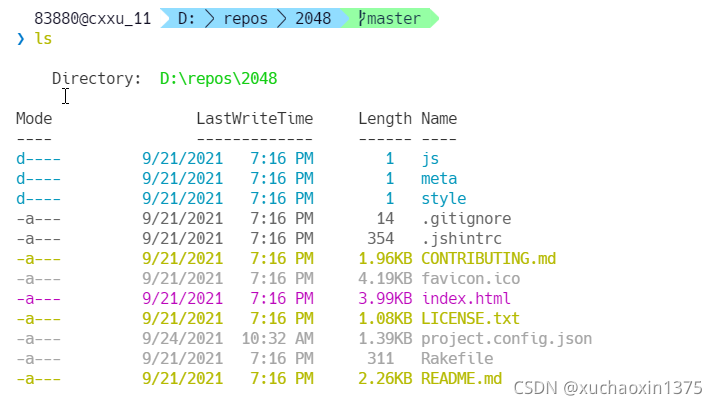
默认情况下
目录为蓝绿色
文本文件为金黄色
二进制文件为灰色
隐藏目录为黑色
可以自行查看数据结构进行修改,后面将提到
安装模块PScolor
Install-Module PSColor
导入并启用着色模块(临时检查效果)
Import-Module PSColor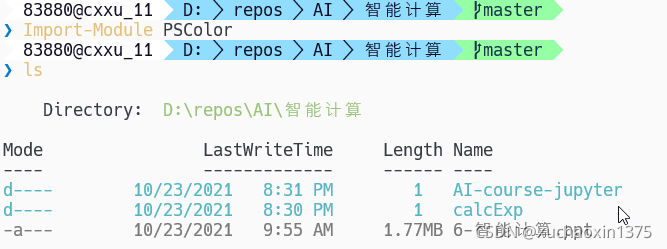
自动导入并启用着色模块
将Import-Module PSColor 写入到$profile文件中
notepad $profile(创建文件)并写入即可(具体可以搜索更多资料)
其他颜色模块
(没有特殊需求的话,第一个就够用了)
pwsh Color
pwsh Gallery
get-ChildItemColor
- pwsh Get-ChildItem
- 个人比较喜欢的配色
- 安装过程
PS C:\Windows\System32> Install-Module -AllowClobber Get-ChildItemColor

Untrusted repository
You are installing the modules from an untrusted repository. If you trust this repository, change its
InstallationPolicy value by running the Set-PSRepository cmdlet. Are you sure you want to install the modules from
'PSGallery'?
[Y] Yes  [A] Yes to All  [N] No  [L] No to All  [S] Suspend  [?] Help (default is "N"): y
启用该模块
Import-Module Get-ChildItemColor
基于Get-ChildItemColor自定义颜色
references
- [Change PowerShell console syntax highlighting colors of PSReadLine – 4sysops](https://4sysops.com/wiki/change-powershell-console-syntax-highlighting-colors-of-psreadline/#:~:text=And if you want to replace the red,Blue%2C Green%2C Cyan%2C Red%2C Magenta%2C Yellow%2C and White.)
- 获取颜色查看模块:
Install-Module -Name TMOutput- 执行
help TMOutput尝试获取相关命令 - 发现执行
show-TMoutputColor可以获取颜色列表
- 执行
- 获取颜色查看模块:
github文档有相关的讨论,不过有C友表示方法不生效,我稍加测试,
发现变量
$GetChildItemColorTable已经变化了PS D:\repos\web\webLearn> $GetChildItemColorTable Name Value ---- ----- File {.sh, .rb, .fasl, .cdxml…} Match {LineNumber, Default, Line, Path} Service {Stopped, Default, Running}PS D:\repos\web\webLearn> $GetChildItemColorTable.File|head Name Value ---- ----- .sh Green .rb DarkYellow .fasl DarkYellow .cdxml DarkYellow .dll DarkGreen .css DarkYellow .bat Green
默认的文件颜色种类分布
PS C:\Users\cxxu> $GetChildItemColorTable.File.Values|group
                                                                                           Count Name                      Group
----- ----                      -----
    1 Blue                      {Blue}
    1 Cyan                      {Cyan}
    2 DarkGreen                 {DarkGreen, DarkGreen}
  104 DarkYellow                {DarkYellow, DarkYellow, DarkYellow, DarkYellow…}
    6 Gray                      {Gray, Gray, Gray, Gray…}
    6 Green                     {Green, Green, Green, Green…}
    5 Red                       {Red, Red, Red, Red…}
    6 Yellow                    {Yellow, Yellow, Yellow, Yellow…}
- (该变量类型是hashtable)
- 检测方法:
$GetChildItemColorTable|gm,第一行将提示变量类型
- 检测方法:
$GetChildItemColorTable.File[".html"]="Magenta"
下图中,左侧是可用的颜色参考(名称和对照);右侧展示大概的修改方法(临时)
如果想要永久修改,将语句收集,并写入$profile文件中(如果没有则创建之)
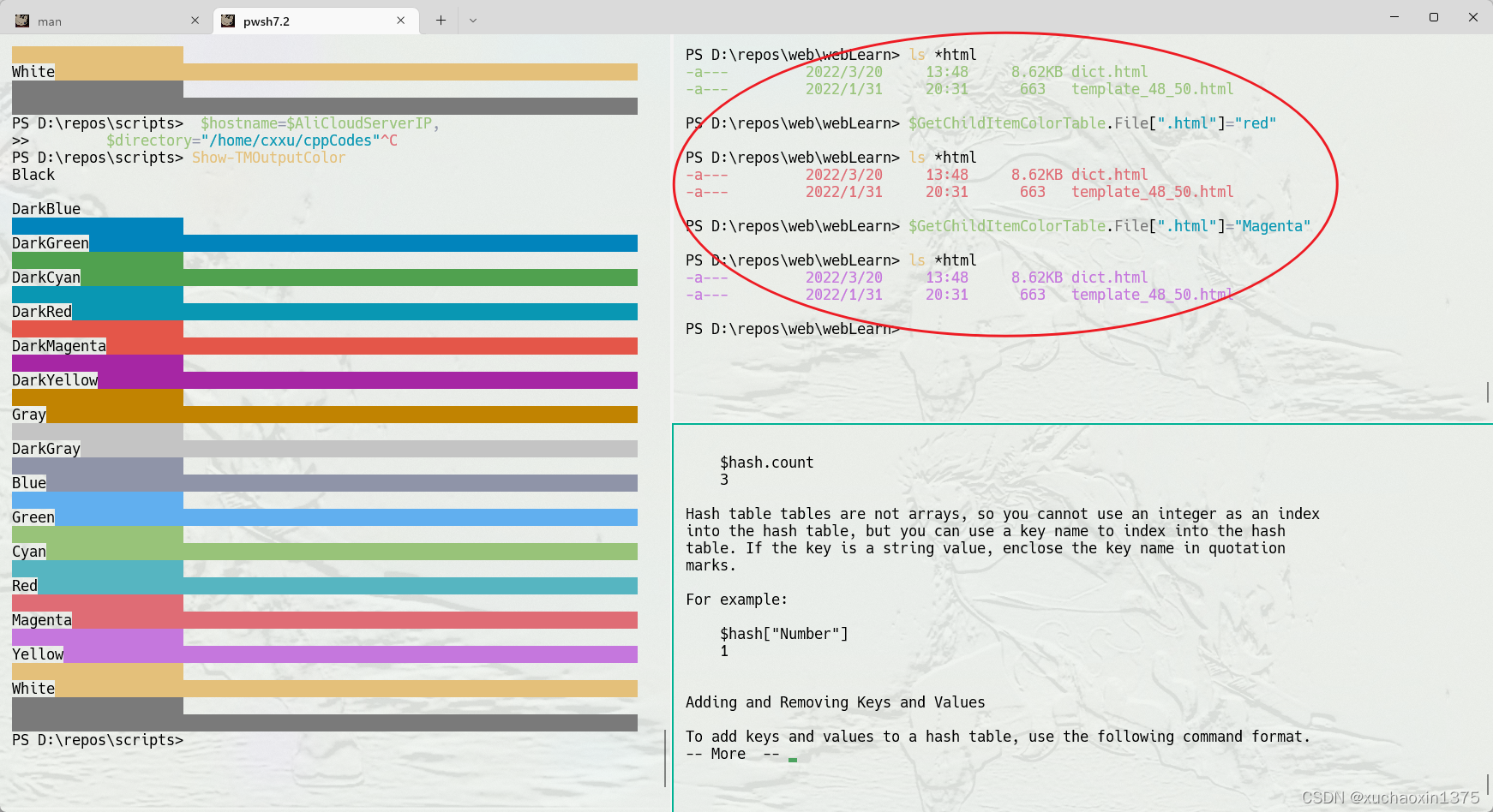
了解如何操作hashtable of powershell
help about_hash_tables- 获取内建的参考手册
版权声明:本文为xuchaoxin1375原创文章,遵循CC 4.0 BY-SA版权协议,转载请附上原文出处链接和本声明。