SMB Signing not required
操作系统版本:Windows Server 2012 R2
Description
Signing is not required on the remote SMB server. An unauthenticated, remote attacker can exploit this to conduct man-in-the-middle attacks against the SMB server.
Solution
Enforce message signing in the host’s configuration. On Windows, this is found in the policy setting ‘Microsoft network server: Digitally sign communications (always)’. On Samba, the setting is called ‘server signing’. See the ‘see also’ links for further details.
See Also
http://www.nessus.org/u?df39b8b3
http://technet.microsoft.com/en-us/library/cc731957.aspx
http://www.nessus.org/u?74b80723
https://www.samba.org/samba/docs/current/man-html/smb.conf.5.html
http://www.nessus.org/u?a3cac4ea
Output
No output recorded.
操作步骤
配置本地安全策略
通过Windows+R打开运行或在Windows Terminal、Windows PowerShell中打开本地安全策略
secpol.msc
安全设置–>本地策略–>安全选项–>Microsoft 网络服务器:对通信进行数字签名(始终)–>已启用–>确定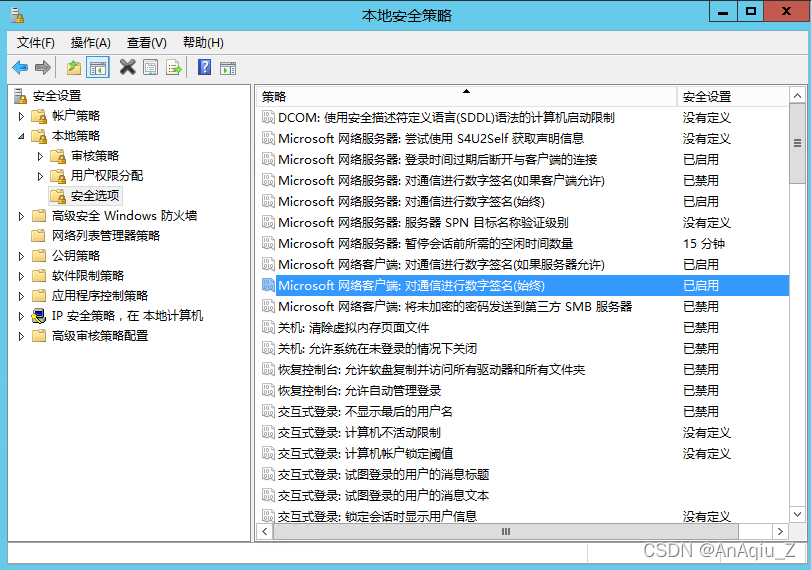
或通过Windows+R打开运行或在Windows Terminal、Windows PowerShell中打开注册表
regedit
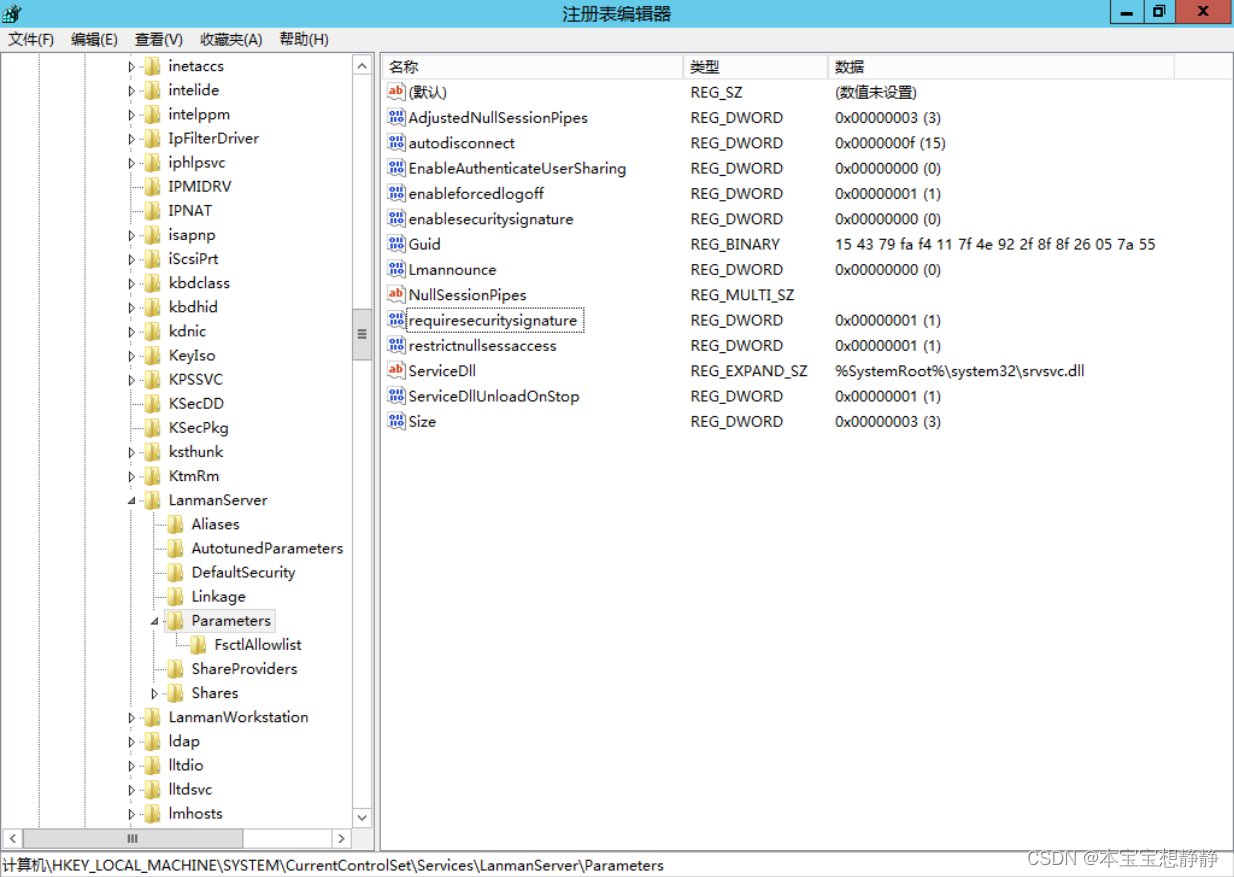
修改注册表RequireSecuritySignature值为1
路径:HKEY_LOCAL_MACHINE\SYSTEM\CurrentControlSet\Services\LanManServer\Parameters
名称: RequireSecuritySignature
类型: REG_DWORD
值:1
验证
通过Nessus再次扫描验证是否未出现SMB Signing not required