前言
在前面的几篇文章中已经介绍了如何建立机械臂模型,如何进行机械臂在ROS里面仿真运动。本篇文章主要对实体机械臂进行运动控制。
我的环境:虚拟机VM+Ubuntu18.04+melodic
一、ROS配置
机械臂为UR5e,需要最新的驱动包Universal_Robots_ROS_Driver,点我下载,此驱动包也可以驱动UR5系列的;
1、创建工作区间:
# source global ros
$ source /opt/ros/<your_ros_version>/setup.bash

# create a catkin workspace
$ mkdir -p catkin_ws/src && cd catkin_ws

# clone the driver
$ git clone https://github.com/UniversalRobots/Universal_Robots_ROS_Driver.git src/Universal_Robots_ROS_Driver

# clone fork of the description. This is currently necessary, until the changes are merged upstream.
$ git clone -b calibration_devel https://github.com/fmauch/universal_robot.git src/fmauch_universal_robot

# install dependencies
$ sudo apt update -qq
$ rosdep update
$ rosdep install --from-paths src --ignore-src -y

# build the workspace
$ catkin_make

# activate the workspace (ie: source it)
$ source devel/setup.bash
二、硬件配置
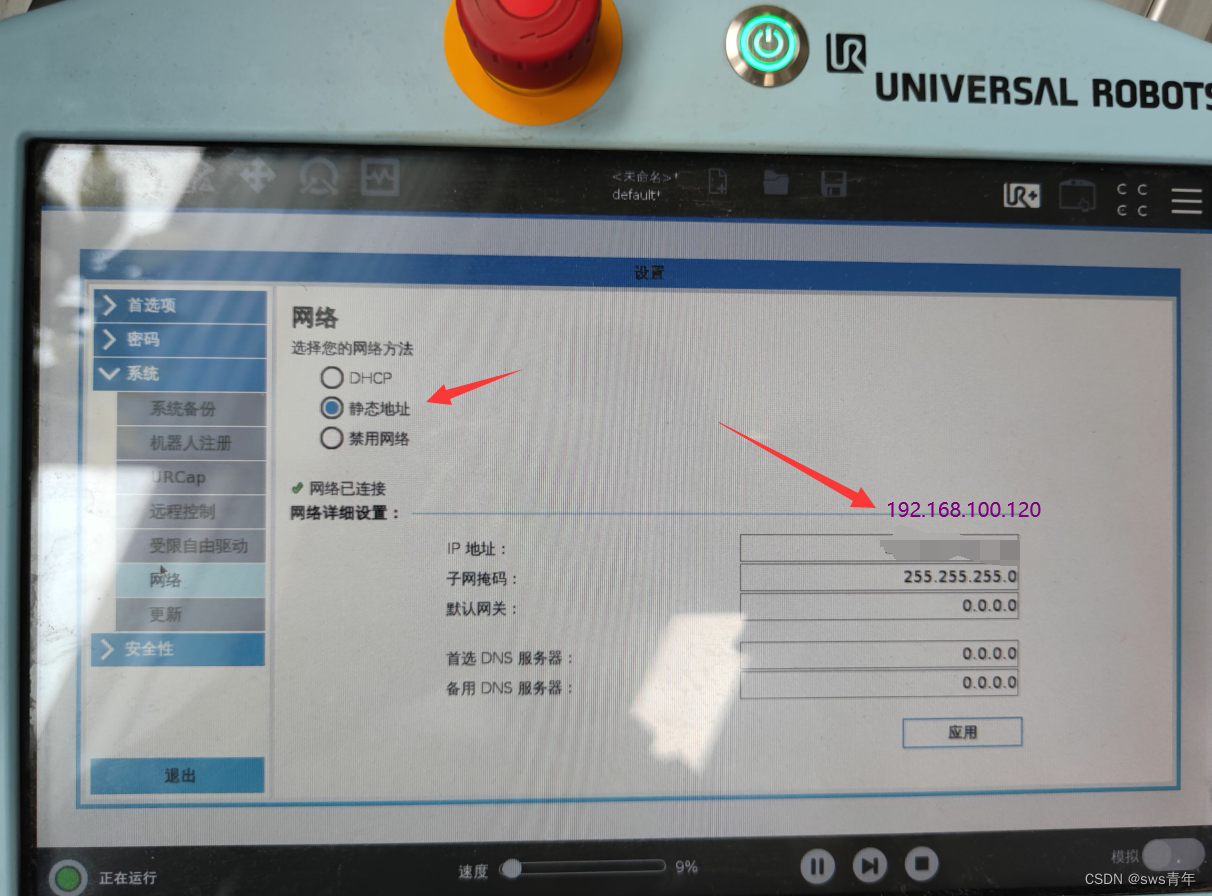
1、
配置示教器1
2、
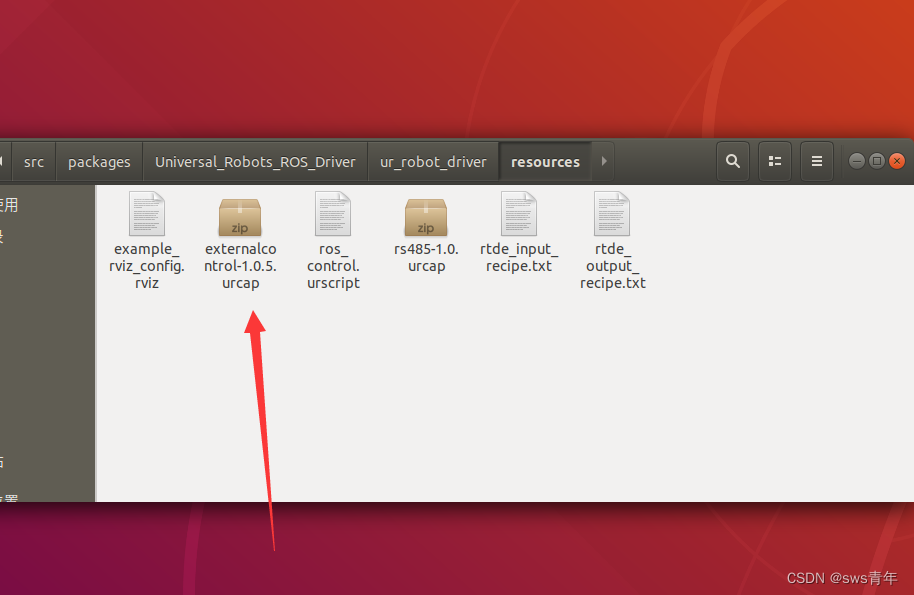
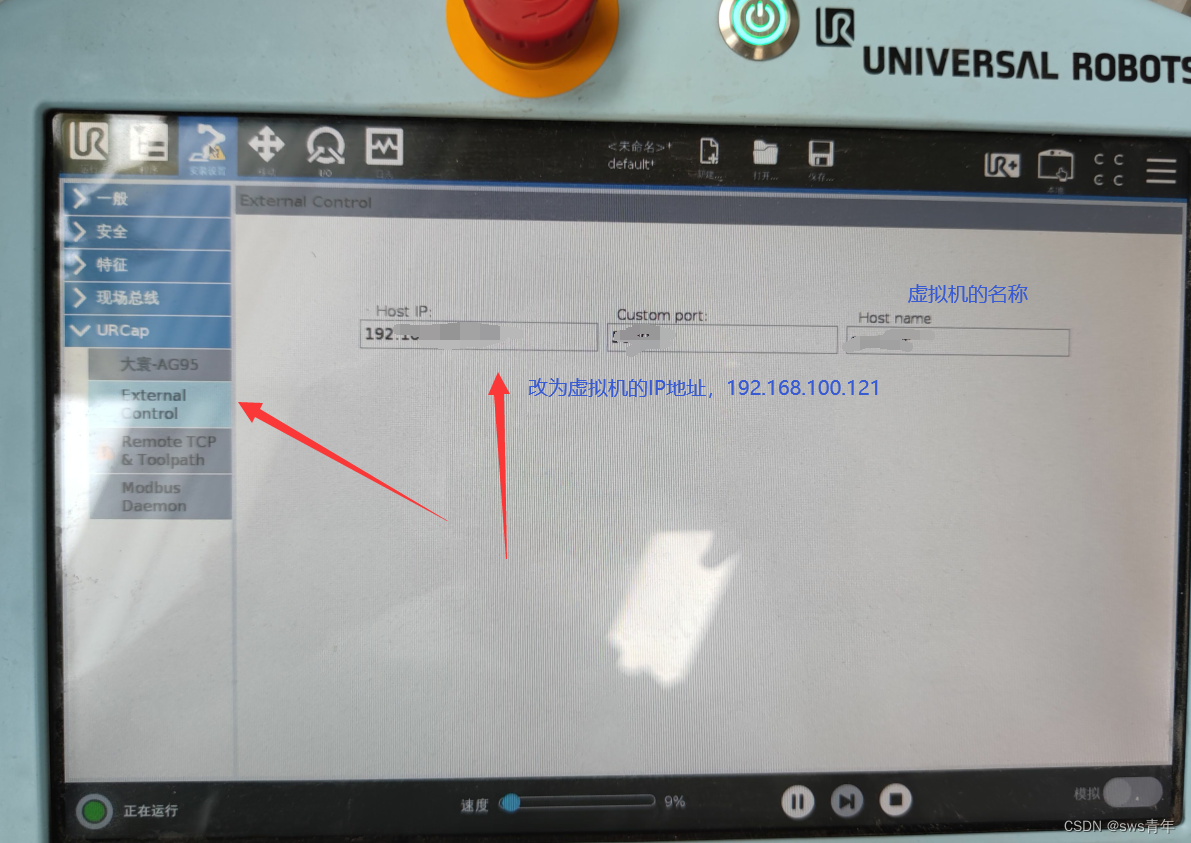
配置示教器2
将Universal_Robots_ROS_Driver中的externalcontrol-1.0.5.urcap压缩包拷贝到示教器并且安装,进行如下配置;
3、
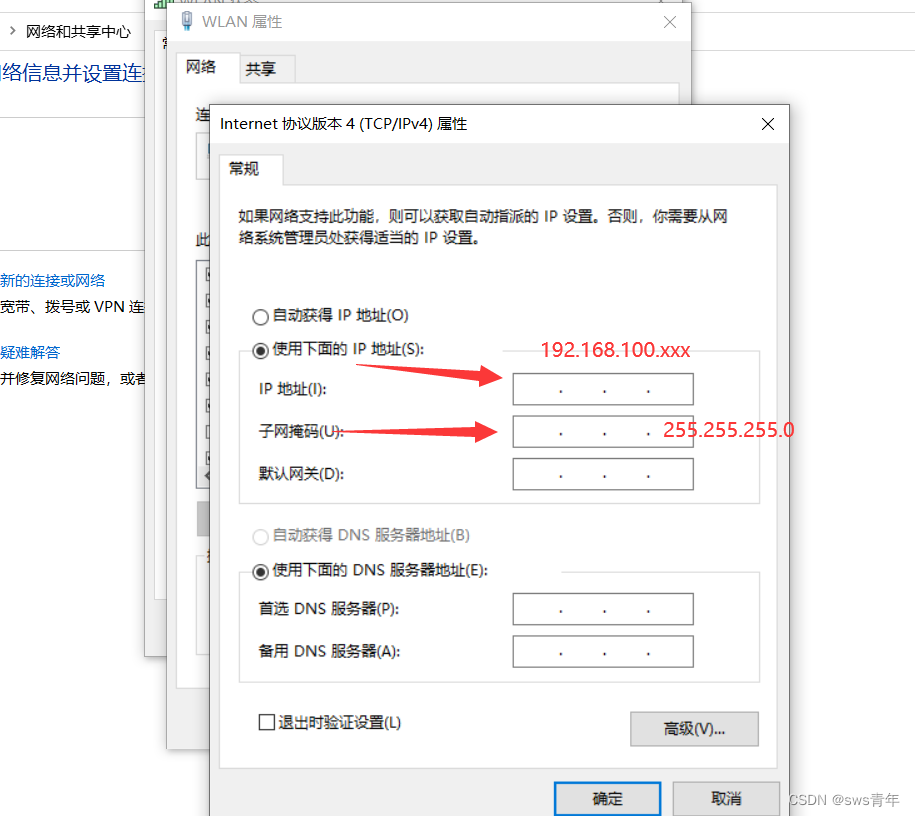
配置PC,通过网线将机械臂与PC连接,IP地址的前三位需要和机械臂的IP地址保持一样,最后一位任意,如设置为192.168.100.121
4、
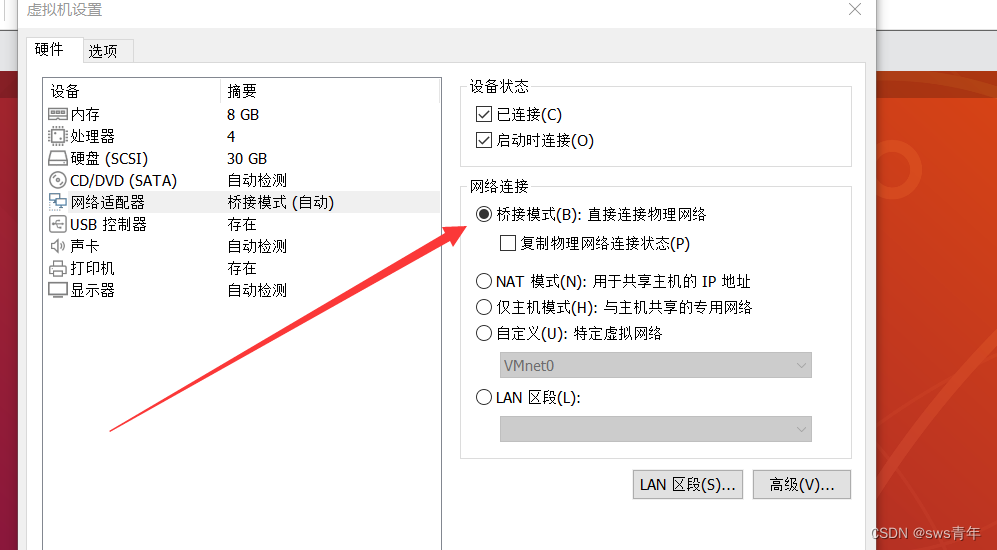
配置虚拟机,首先将虚拟机网络设置为桥接模式;
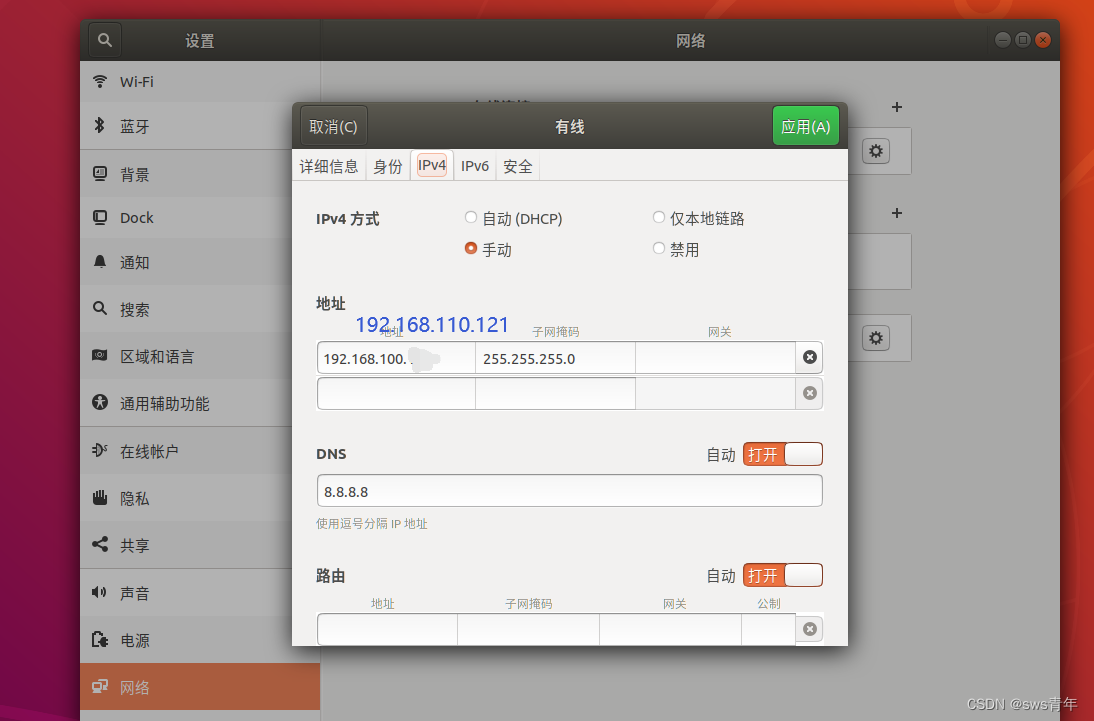
再将虚拟机网络IP地址设置为192.168.100.121;
设置完成后重启虚拟机生效;
5、
验证是否与机械臂建立连接,ping 机械臂IP地址,如在本文中为ping 192.168.100.120
三、运行命令
按照上述步骤配置完成后,
1、执行标定命令,target_filename文件保存路径可以修改为自己的;
roslaunch ur_calibration calibration_correction.launch \
robot_ip:=192.168.100.120 target_filename:="${HOME}/ur5e/my_robot_calibration.yaml"
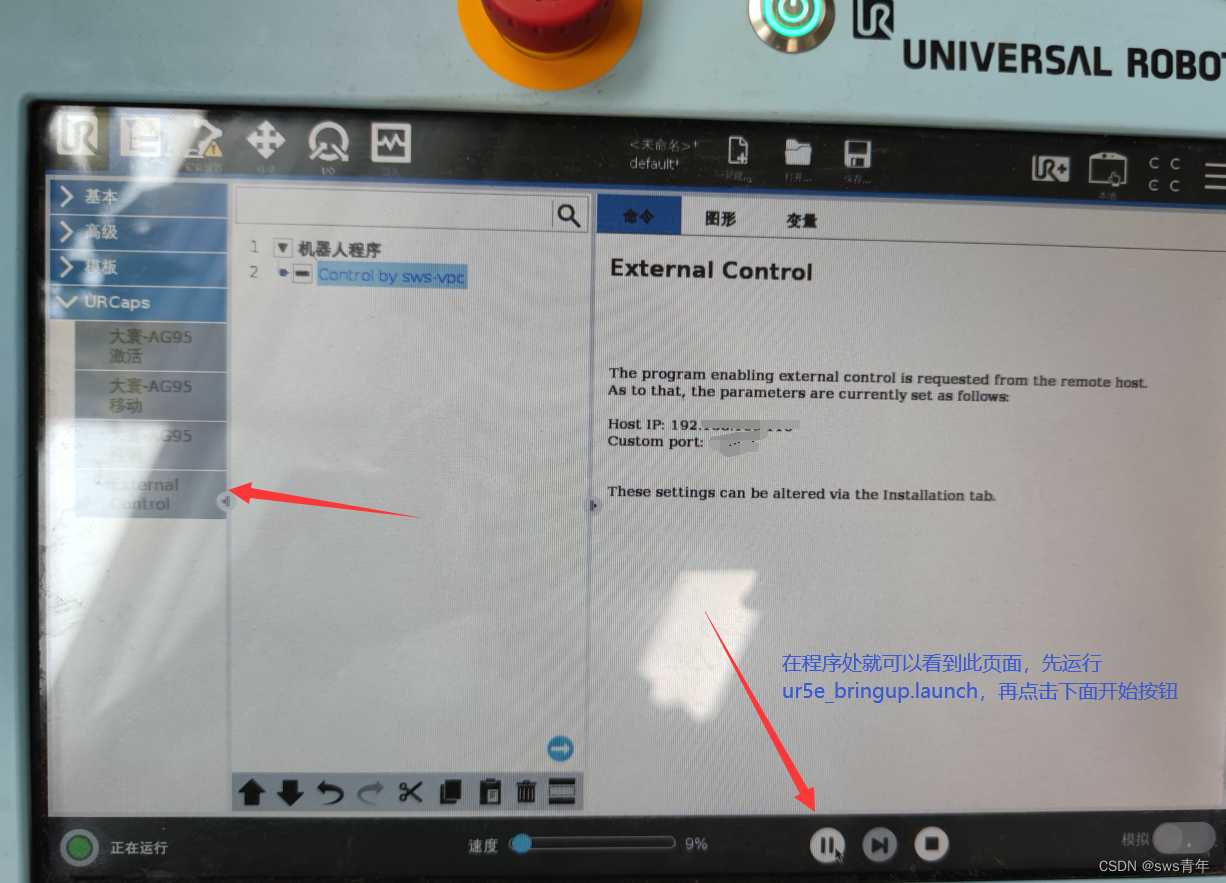
2、启动机械臂;
roslaunch ur_robot_driver ur5e_bringup.launch robot_ip:=192.168.100.120\
kinematics_config:=${HOME}/ur5e/my_robot_calibration.yaml
点击上面 2、配置示教器2中的按钮
3、执行路径规划命令;
roslaunch ur5e_moveit_config ur5e_moveit_planning_execution.launch limited:=true
4、执行可视化命令;
roslaunch ur5e_moveit_config moveit_rviz.launch rviz_config:=$(rospack find ur5e_moveit_config)/launch/moveit.rviz
此时可以看到rviz中的机械臂姿态和实体机械臂的姿态一样,在rviz中拖动机械臂,实体的机械臂也会运动。
四、运动控制
1、单个关节控制
rosrun rqt_joint_trajectory_controller rqt_joint_trajectory_controller
通过此命令可以改变关节角进行机械臂的运动控制
2、python脚本控制
编写相应的脚本可实现机械臂连续运动,在本次实验中实现了机械臂推动物体。
五、视频演示
机械臂运动
参考文章
[1] https://github.com/UniversalRobots/Universal_Robots_ROS_Driver#alternative-all-source-build
[2] :https://blog.csdn.net/gyxx1998/article/details/118153079
[3] :https://blog.csdn.net/weixin_40541846/article/details/106930146