1. 简介
HTML一行代码,可以实现表格编辑/分页/表格内/外按钮操作/行内文字变色/动态字典展示/filters格式化数据/排序/显示隐藏表格内操作按钮等
点击查看文档实例demo
2022-08-24 TTable组件单选框新增取消选中功能(再次点击取消选中)
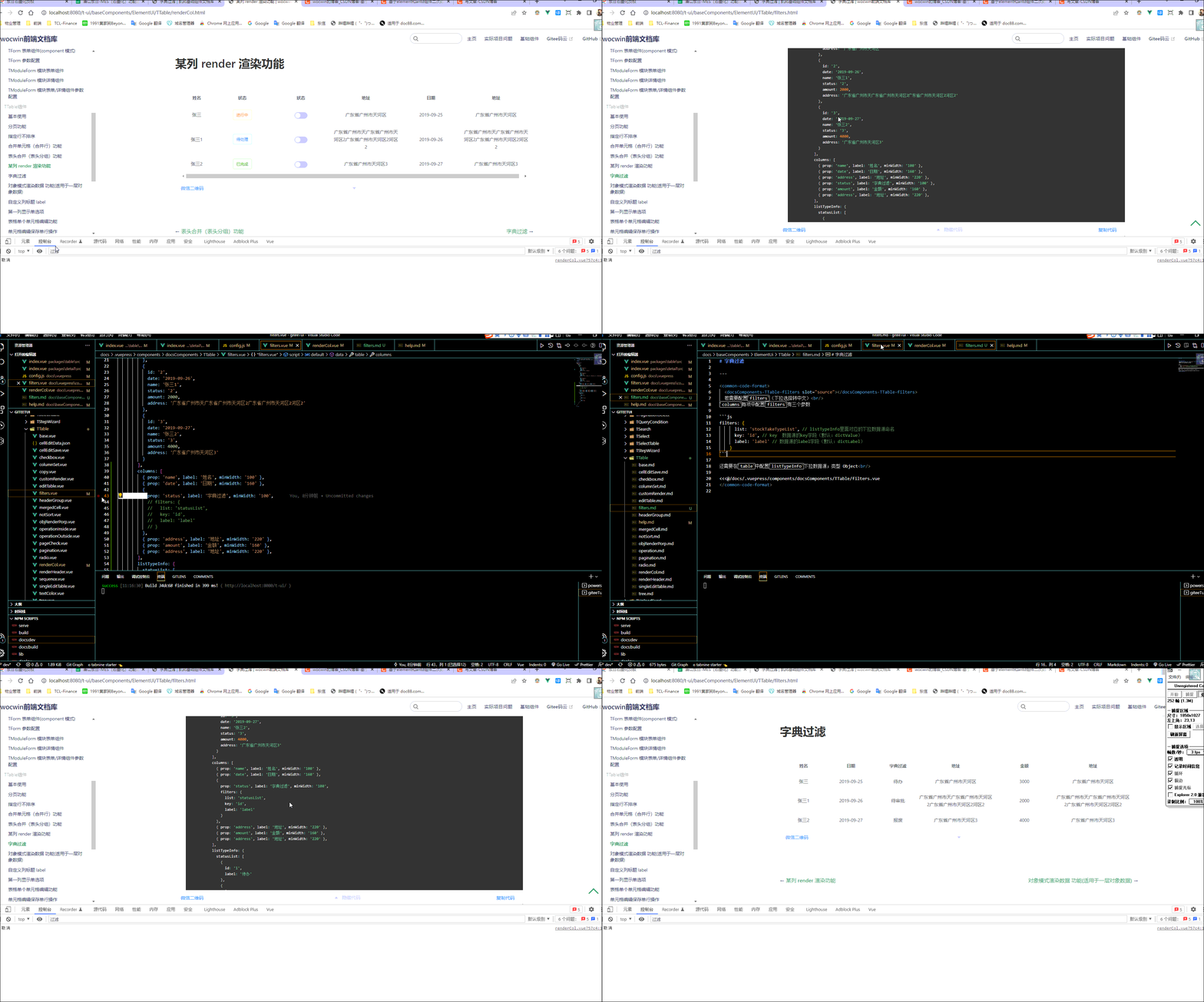
2022-08-19 新增TTable 字典过滤功能
代码示例:
     <t-table
          :table="table"
          :columns="columns"
          @size-change="handlesSizeChange"
          @page-change="handlesCurrentChange"
        />
2、events 其他事件按照el-table直接使用(如sort-change排序事件)
| 事件名 | 说明 | 返回值 |
|---|---|---|
| page-change | 当前页码 | 当前选中的页码 |
| add | 新增按钮 | - |
| save | 保存按钮 | 编辑后的所有数据 |
| handleEvent | 单个输入触发事件 | configEdit 中的 event 值和对应输入的 value 值 |
Methods 方法
| 事件名 | 说明 | 参数 |
|---|---|---|
| clearSelection | 用于多选表格,清空用户的选择 | - |
| save | 保存方法(返回编辑后的所有数据) | - |
3、配置参数(Table Attributes)
| 参数 | 说明 | 类型 | 是否必须 |
|---|---|---|---|
| table | 表格数据对象 | Object | 是 |
| —data | 展示数据 | Array | 是 |
| —toolbar | 表格外操作栏选中表格某行,可以将其数据传出 | Array | 否 |
| —operator | 表格内操作栏数据 | Array | 否 |
| -------show | 表格内操作栏根据状态显示 | Object | 否 |
| -------noshow | 表格内操作栏根据多种状态不显示 | Array | 否 |
| -------resCode | 表格内操作栏按钮权限资源(路由 path) | String | 否 |
| —operatorConfig | 表格内操作栏样式 | Object | 否 |
| —changeColor | 整行文字颜色样式控制 | Object | 否 |
| —firstColumn | 表格首列(序号 index,复选框 selection,单选 radio)排列 | object | 否 |
| —total | 数据总条数 | Number | 否 |
| —pageSize | 页数量 | Number | 否 |
| —currentPage | 是否需要显示切换页条数 | Number | 否 |
| columns | 表头信息 | Array | 是 |
| ----sort | 排序 (设置:sort:true) | Boolean | 否 |
| ----headerRequired | 是否显示表头必填’*’ | Boolean | 否 |
| ----renderHeader | 列标题 Label 区域渲染使用的 Function(h, { column, $index }) 可以用 jsx 方式 | Function | 否 |
| ----bind | el-table-column Attributes | Object | 否 |
| ----noShowTip | 是否换行 (设置:noShowTip:true) | Boolean | 否 |
| ----filters | filters 转义(后台返回数字转中文,时间戳转时间) | Object | 否 |
| ----customRender | 配置 render | Object | 否 |
| --------comps | 配置 customRender | Array | 否 |
| ----------- comp | 组件标签 | String | 否 |
| ----------- text | 组件标签文案 | String | 否 |
| ----------- bind | 标签属性 | Object | 否 |
| ----------- event | 标签事件,参数为点击 当前行数据 | Function | 否 |
| ----------- child | 标签里面标签 | Array | 否 |
| ----slotName | 插槽显示此列数据(其值是具名作用域插槽) | String | 否 |
| ----------param | 具名插槽获取此行数据必须用解构接收{param} | Object | 否 |
| ----canEdit | 是否开启单元格编辑功能 | Boolean | 否 |
| ----configEdit | 表格编辑配置(开启编辑功能有效) | Object | 否 |
| ----------label | placeholder 显示 | String | 否 |
| ----------editComponent | 组件名称可直接指定全局注册的组件,也可引入’element/abtd’如:‘a-input/el-input’ | String | 否 |
| ----------bind | 第三方 UI 的 Attributes,如 el-input 中的 clearable 清空功能 | Object | 否 |
| ----------event | 触发 handleEvent 事件的标志 | String | 否 |
| ----------type | 下拉或者复选框显示(select-arr/select-obj/checkbox) | String | 否 |
| ----------list | 下拉选择数据源名称 | String | 否 |
| ----------arrLabel | type:select-arr 时对应显示的中文字段 | String | 否 |
| ----------arrKey | type:select-arr 时对应显示的数字字段 | String | 否 |
| listTypeInfo | 下拉选择数据源 | Object | 否 |
| footer | 底部操作区(默认隐藏,使用插槽展示“保存”按钮) | slot | 否 |
| isShowFooterBtn | 是否显示保存按钮 | Boolean | 否 |
| isEditCell | 是否开启编辑模式 开启 add 事件激活 | Boolean | 否 |
| isShowTips | 开启单元格编辑时鼠标移入是否显示“单击可编辑”tips | Boolean | 否 |
| columnSetting | 是否显示设置(隐藏/显示列) | Boolean | 否 |
| name | 组件唯一标记,类似 Key 值,用于缓存组件数据 | String | 否 |
| title | 表格左上标题 | String /slot | 否 |
| isShowPagination | 是否显示分页(默认显示分页) | Boolean | 否 |
| isTableColumnHidden | 是否开启合计行隐藏复选框/单选框 | Boolean | 否 |
| isMergedCell | 是否开启合并单元格 | Boolean | 否 |
| mergeCol | 第几列合并进行行合并(默认第一列) | Number | 否 |
| isCopy | 是否允许双击单元格复制 | Boolean | 否 |
4、 部分具体代码——代码较多,可以结合文档案例使用
 <template v-for="(item,index) in renderColumns">
        <el-table-column
          :key="index+'i'"
          :type="item.type"
          :label="item.label"
          :prop="item.prop"
          :min-width="item['min-width'] || item.minWidth || item.width"
          :sortable="item.sort"
          :align="item.align || 'center'"
          :show-overflow-tooltip="item.noShowTip"
          v-bind="$attrs"
          v-on="$listeners"
        >
          <template slot-scope="scope">
          <!--非编辑模式-->
            <template v-if="!isEditCell">
             <!-- render渲染 -->
              <template v-if="item.customRender">
                <OptComponent
                  v-for="(comp, i) in item.customRender.comps"
                  :key="scope.$index + i.toString()"
                  v-bind="comp"
                  :scope="scope"
                />
              </template>
              <!--自定义作用域插槽-->
              <template v-if="item.slotName">
                <slot :name="item.slotName" :param="scope"></slot>
              </template>
               <!-- 单个单元格编辑 -->
              <template v-if="item.canEdit">
                <single-edit-cell
                  :canEdit="item.canEdit"
                  :configEdit="item.configEdit"
                  v-model="scope.row[scope.column.property]"
                  v-on="$listeners"
                  v-bind="$attrs"
                  ref="editCell"
                >
                  <template v-for="(index, name) in $slots" :slot="name">
                    <slot :name="name" />
                  </template>
                </single-edit-cell>
              </template>
               <!--常见的filters(金额/百分比)-->
              <div
                v-if="!item.filters&&!item.slotName&&!item.customRender"
                :style="{color:txtChangeColor(scope)}"
              >{{scope.row[item.prop]}}</div>
              <div v-if="item.filters" :style="{color:txtChangeColor(scope)}">
              <!--常见的字典过滤-->
                <span
                  v-if="item.filters.param"
                >{{scope.row[item.prop] |constantKey2Value(item.filters.param)}}</span>
                <span
                  v-if="!item.filters.param&&item.filters.method==='¥'"
                >{{scope.row[item.prop] |currencyFilter}}</span>
                <span
                  v-if="!item.filters.param&&item.filters.method==='%'"
                >{{scope.row[item.prop] |percentFilter}}</span>
              </div>
            </template>
            <!--开启编辑模式-->
            <template v-else>
              <edit-cell
                :configEdit="item.configEdit"
                v-model="scope.row[scope.column.property]"
                v-bind="$attrs"
                v-on="$listeners"
                ref="editCell"
              >
                <template v-for="(index, name) in $slots" :slot="name">
                  <slot :name="name" />
                </template>
              </edit-cell>
            </template>
          </template>
        </el-table-column>
      </template>
5、源码地址
相关文章
版权声明:本文为cwin8951原创文章,遵循CC 4.0 BY-SA版权协议,转载请附上原文出处链接和本声明。