#上传软件包
[root@localhost ~] ll /opt/node_exporter-0.18.1.linux-amd64.tar.gz
-rw-r--r--. 1 root root 8083296 May 12 20:21 /opt/node_exporter-0.18.1.linux-amd64.tar.gz
#解压缩
[root@localhost opt] tar -zxvf node_exporter-0.18.1.linux-amd64.tar.gz
[root@localhost opt] cp -rf node_exporter-0.18.1.linux-amd64 /usr/local/node_exporter
#启动
[root@localhost opt] cd /usr/local/node_exporter/
[root@localhost node_exporter] ./node_exporter
浏览器访问 ip:9100/
写一个启动脚本
[root@localhost ~]# cat /usr/lib/systemd/system/node_exporter.service
[Unit]
Description=node_exporter
Documentation=https://prometheus.io/
After=network-online.target

[Service]
Type=simple
User=root
Group=root
ExecStart=/usr/local/node_exporter/node_exporter
Restart=on-failure

[Install]
WantedBy=multi-user.target
systemctl daemon-reload
systemctl stop node_exporter
systemctl start node_exporter
systemctl restart node_exporter
修改prometheus.yml的配置文件,targets就是不熟node_exporter的地址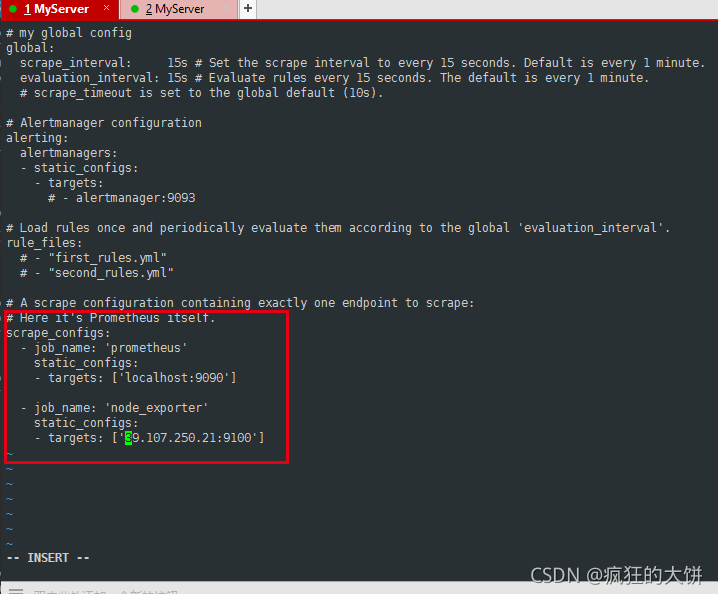
重启
systemctl restart prometheus
已经添加进来了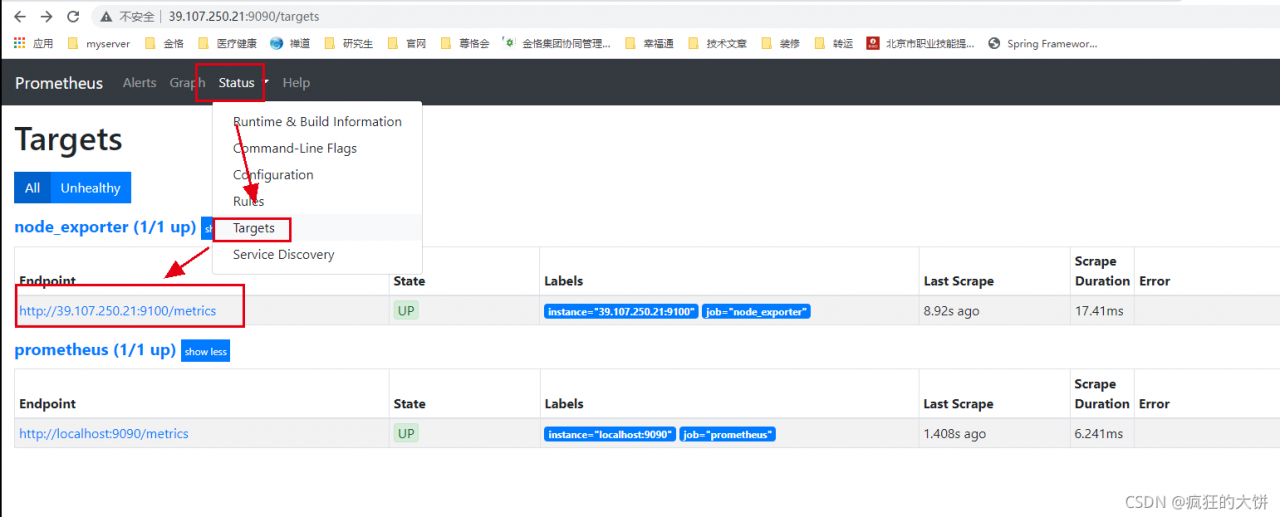
如查看CPU命令
(1-(sum(increase(node_cpu_seconds_total{mode=“idle”}[1m]))by(instance))/(sum(increase(node_cpu_seconds_total[1m]))by(instance)))*100

版权声明:本文为u011417723原创文章,遵循CC 4.0 BY-SA版权协议,转载请附上原文出处链接和本声明。