场景
SpringBoot+Vue整合WebSocket实现前后端消息推送:
SpringBoot+Vue整合WebSocket实现前后端消息推送_的博客-CSDN博客
在上面集成Websocket实现消息推送的基础上。
除给web端页面进行推送数据,还需要给Android端推送数据。
在特殊的业务场景下,Android会经常性断网和关机,SpringBoot后台jar包部署在Windows服务器上。
当终端过多且累计一段时间后,因频繁断网和关机导致的与后台jar包tcp连接数不会关闭,
当超过最大连接数时(8000),则该服务会提示拒绝连接。
Windows上查看连接数除了使用命令之外,还可以借助于其它第三方工具比如Cports端口扫描工具等。
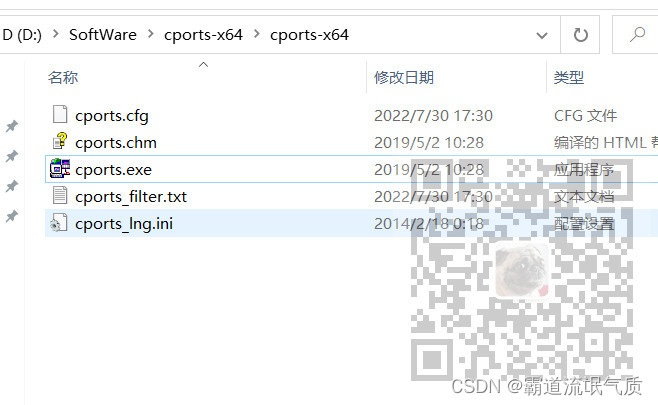
在jar包所在服务上运行exe,如果该服务器上还有其他端口服务存在,可进行筛选指定端口的连接

比如只筛选7777端口,在筛选器中输入
include:both:tcp:7777

注:
博客:
https://blog.csdn.net/badao_liumang_qizhi?
关注公众号
霸道的程序猿
获取编程相关电子书、教程推送与免费下载。
实现
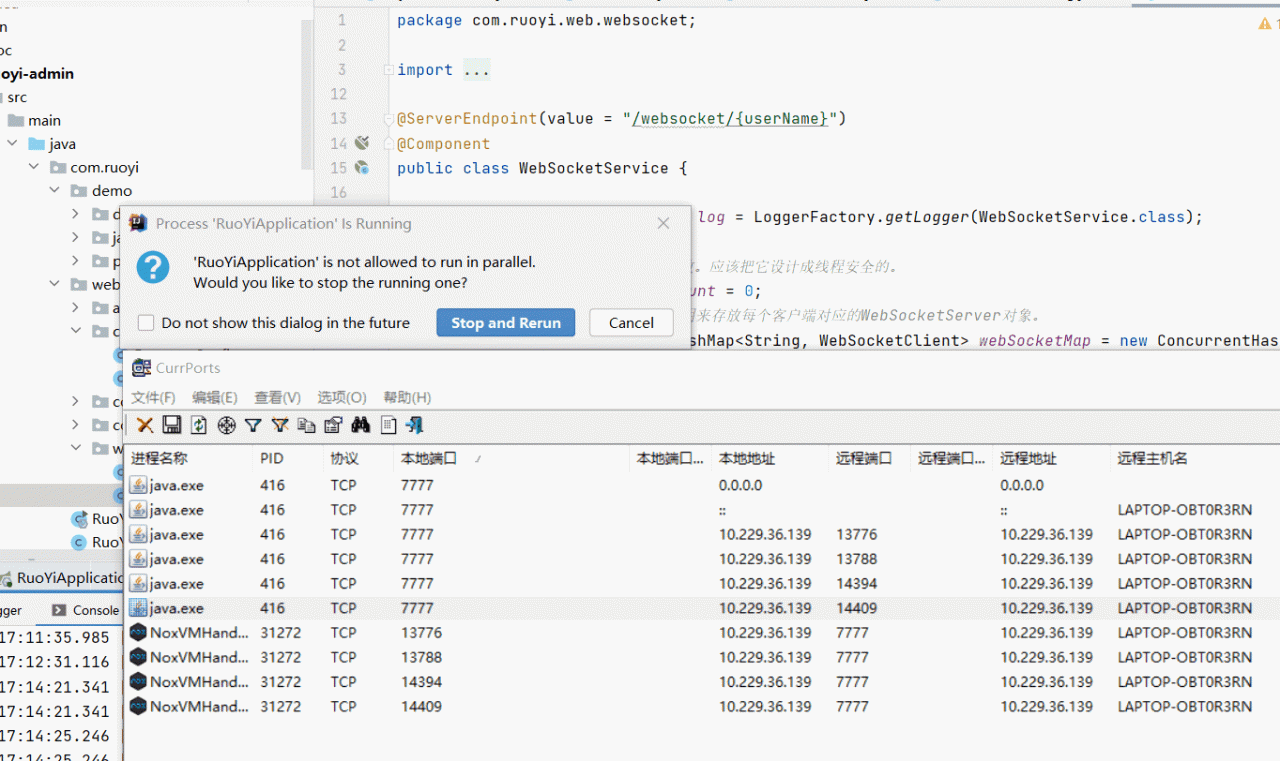
1、用Android模拟器以及websocket测试软件来模拟上面异常关闭连接(断网)连接数不变的情况
首先建立起多个连接,可以看到连接数会增多。
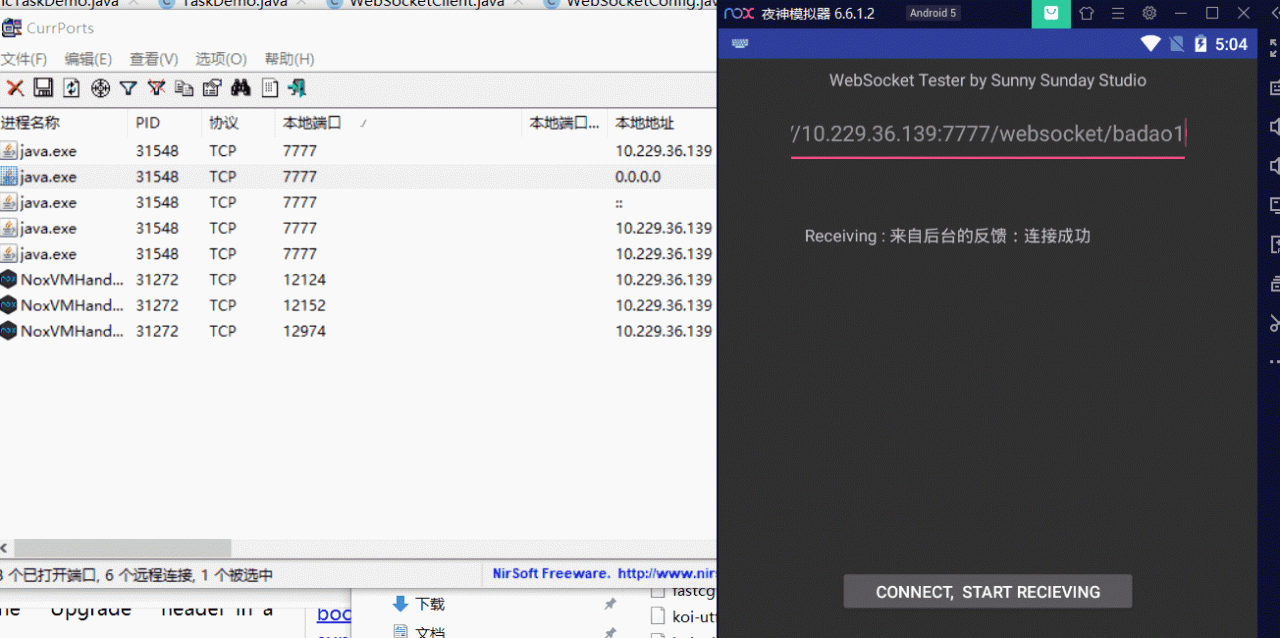
然后将APP的网络突然断掉,此时可以看到连接数并不会被关掉
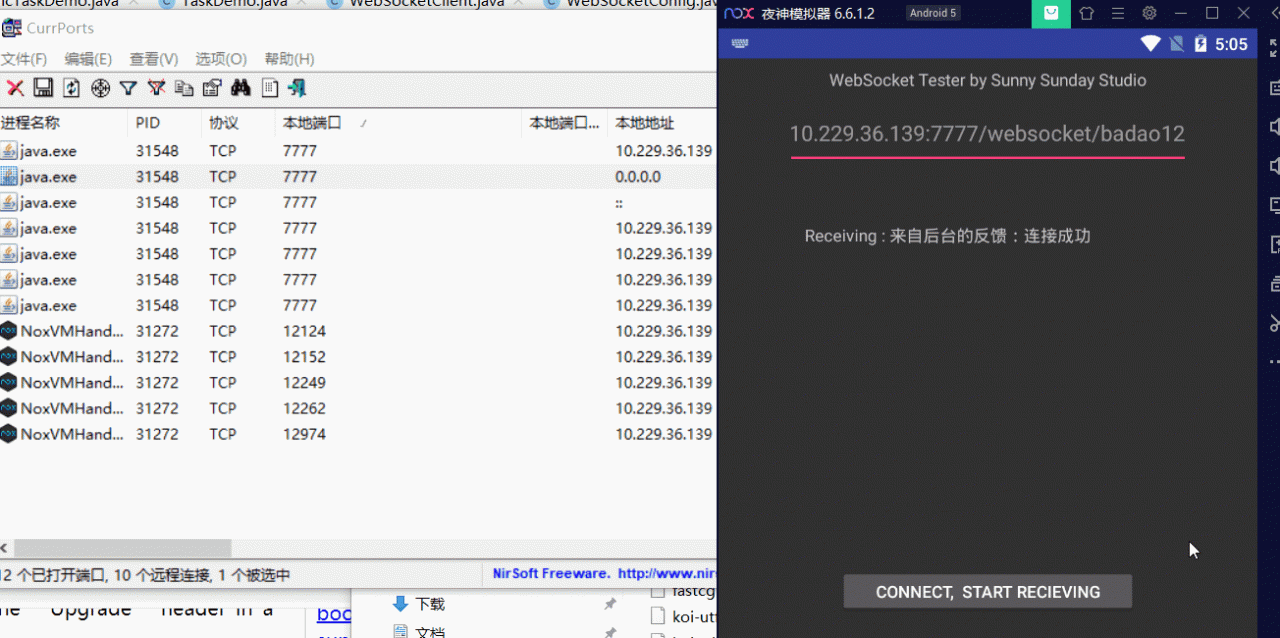
当网络再次恢复时,连接数会持续增多
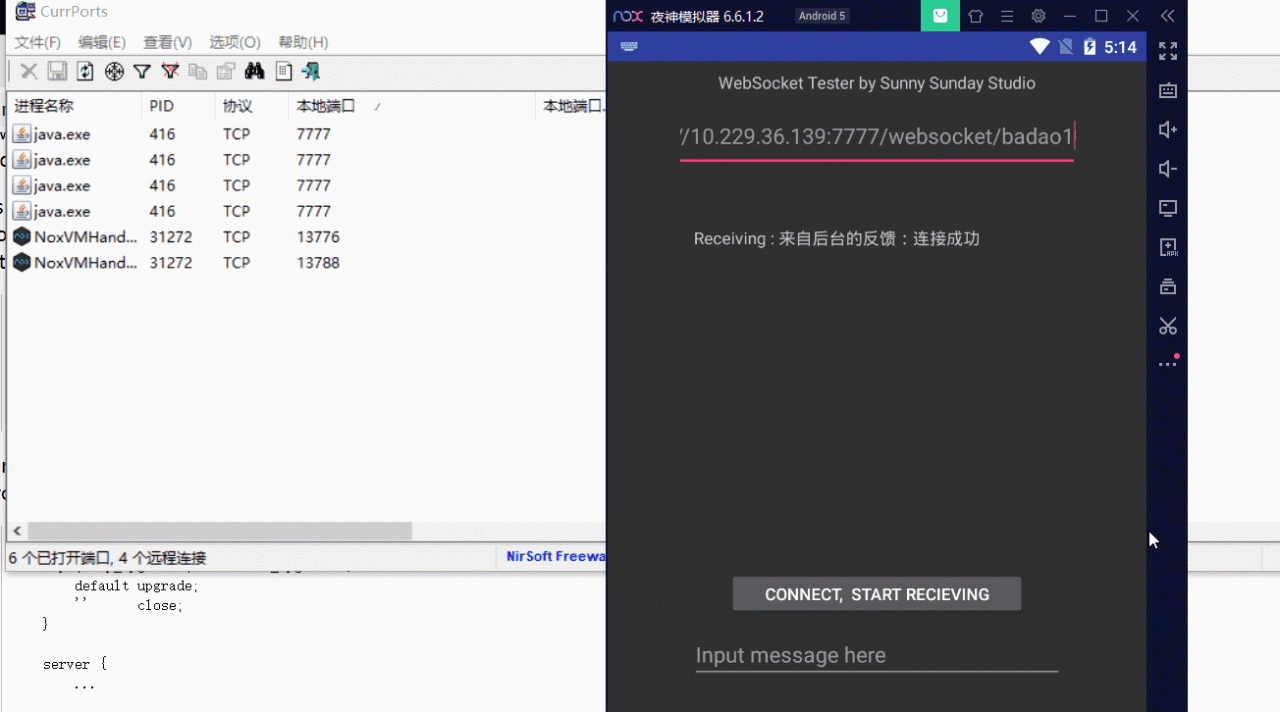
此时可以通过cports工具选中连接数并关闭

或者直接重启后台jar包,则连接会断开
2、Nginx配置Websocket代理
可以参考官网文档
To turn a connection between a client and server from HTTP/1.1 into WebSocket, the protocol switch mechanism available in HTTP/1.1 is used.
There is one subtlety however: since the “Upgrade” is a hop-by-hop header, it is not passed from a client to proxied server. With forward proxying, clients may use the CONNECT method to circumvent this issue. This does not work with reverse proxying however, since clients are not aware of any proxy servers, and special processing on a proxy server is required.
Since version 1.3.13, nginx implements special mode of operation that allows setting up a tunnel between a client and proxied server if the proxied server returned a response with the code 101 (Switching Protocols), and the client asked for a protocol switch via the “Upgrade” header in a request.
As noted above, hop-by-hop headers including “Upgrade” and “Connection” are not passed from a client to proxied server, therefore in order for the proxied server to know about the client’s intention to switch a protocol to WebSocket, these headers have to be passed explicitly:
?
location /chat/ {
??? proxy_pass http://backend;
??? proxy_http_version 1.1;
??? proxy_set_header Upgrade $http_upgrade;
??? proxy_set_header Connection "upgrade";
}

?
A more sophisticated example in which a value of the “Connection” header field in a request to the proxied server depends on the presence of the “Upgrade” field in the client request header:
?
http {
??? map $http_upgrade $connection_upgrade {
??????? default upgrade;
??????? ''????? close;
??? }

??? server {
??????? ...

??????? location /chat/ {
??????????? proxy_pass http://backend;
??????????? proxy_http_version 1.1;
??????????? proxy_set_header Upgrade $http_upgrade;
??????????? proxy_set_header Connection $connection_upgrade;
??????? }
??? }

?
By default, the connection will be closed if the proxied server does not transmit any data within 60 seconds. This timeout can be increased with the proxy_read_timeout directive. Alternatively, the proxied server can be configured to periodically send WebSocket ping frames to reset the timeout and check if the connection is still alive.
3、按照官方文档的示例和说明修改nginx的配置文件
按照示例配置,首先需要配置一个上游服务器upstream,示例配置中叫backend,这里叫websocket
?upstream websocket {
??server 10.229.36.139:7777;
?}
添加位置

这里的server指定的是原来的ip和端口。
然后按照示例代码添加其他配置
?
?map $http_upgrade $connection_upgrade {
??????? default upgrade;
??????? ''????? close;
??? }
?
??? #gzip? on;

?upstream websocket {
??server 10.229.36.139:7777;
?}
?
??? server {
??????? listen?????? 88;
??????? server_name? localhost;

??????? #charset koi8-r;

??????? #access_log? logs/host.access.log? main;

??????? location / {
??????????? root?? html;
??????????? index? index.html index.htm;
??????? }
??
??location /websocket/ {
??????????? proxy_pass http://websocket;
??????????? proxy_http_version 1.1;
???proxy_read_timeout 10s;
???proxy_send_timeout 10s;
??????????? proxy_set_header Upgrade $http_upgrade;
??????????? proxy_set_header Connection $connection_upgrade;
??????? }

?
主要添加这两块

与示例代码不同的是,这里还按照官方说明添加了超时的时间设置,这里为10s,意思就是说十秒之内没有任何通讯和消息传输就会关闭该连接。

完整nginx.conf配置文件
?
#user? nobody;
worker_processes? 1;

#error_log? logs/error.log;
#error_log? logs/error.log? notice;
#error_log? logs/error.log? info;

#pid??????? logs/nginx.pid;


events {
??? worker_connections? 1024;
}


http {
??? include?????? mime.types;
??? default_type? application/octet-stream;

??? #log_format? main? '$remote_addr - $remote_user [$time_local] "$request" '
??? #????????????????? '$status $body_bytes_sent "$http_referer" '
??? #????????????????? '"$http_user_agent" "$http_x_forwarded_for"';

??? #access_log? logs/access.log? main;

??? sendfile??????? on;
??? #tcp_nopush???? on;

??? #keepalive_timeout? 0;
??? keepalive_timeout? 65;

?map $http_upgrade $connection_upgrade {
??????? default upgrade;
??????? ''????? close;
??? }
?
??? #gzip? on;

?upstream websocket {
??server 10.229.36.139:7777;
?}
?
??? server {
??????? listen?????? 88;
??????? server_name? localhost;

??????? #charset koi8-r;

??????? #access_log? logs/host.access.log? main;

??????? location / {
??????????? root?? html;
??????????? index? index.html index.htm;
??????? }
??
??location /websocket/ {
??????????? proxy_pass http://websocket;
??????????? proxy_http_version 1.1;
???proxy_read_timeout 10s;
???proxy_send_timeout 10s;
??????????? proxy_set_header Upgrade $http_upgrade;
??????????? proxy_set_header Connection $connection_upgrade;
??????? }

??????? #error_page? 404????????????? /404.html;

??????? # redirect server error pages to the static page /50x.html
??????? #
??????? error_page?? 500 502 503 504? /50x.html;
??????? location = /50x.html {
??????????? root?? html;
??????? }

??????? # proxy the PHP scripts to Apache listening on 127.0.0.1:80
??????? #
??????? #location ~ .php$ {
??????? #??? proxy_pass?? http://127.0.0.1;
??????? #}

??????? # pass the PHP scripts to FastCGI server listening on 127.0.0.1:9000
??????? #
??????? #location ~ .php$ {
??????? #??? root?????????? html;
??????? #??? fastcgi_pass?? 127.0.0.1:9000;
??????? #??? fastcgi_index? index.php;
??????? #??? fastcgi_param? SCRIPT_FILENAME? /scripts$fastcgi_script_name;
??????? #??? include??????? fastcgi_params;
??????? #}

??????? # deny access to .htaccess files, if Apache's document root
??????? # concurs with nginx's one
??????? #
??????? #location ~ /.ht {
??????? #??? deny? all;
??????? #}
??? }


??? # another virtual host using mix of IP-, name-, and port-based configuration
??? #
??? #server {
??? #??? listen?????? 8000;
??? #??? listen?????? somename:8080;
??? #??? server_name? somename? alias? another.alias;

??? #??? location / {
??? #??????? root?? html;
??? #??????? index? index.html index.htm;
??? #??? }
??? #}


??? # HTTPS server
??? #
??? #server {
??? #??? listen?????? 443 ssl;
??? #??? server_name? localhost;

??? #??? ssl_certificate????? cert.pem;
??? #??? ssl_certificate_key? cert.key;

??? #??? ssl_session_cache??? shared:SSL:1m;
??? #??? ssl_session_timeout? 5m;

??? #??? ssl_ciphers? HIGH:!aNULL:!MD5;
??? #??? ssl_prefer_server_ciphers? on;

??? #??? location / {
??? #??????? root?? html;
??? #??????? index? index.html index.htm;
??? #??? }
??? #}

}

?
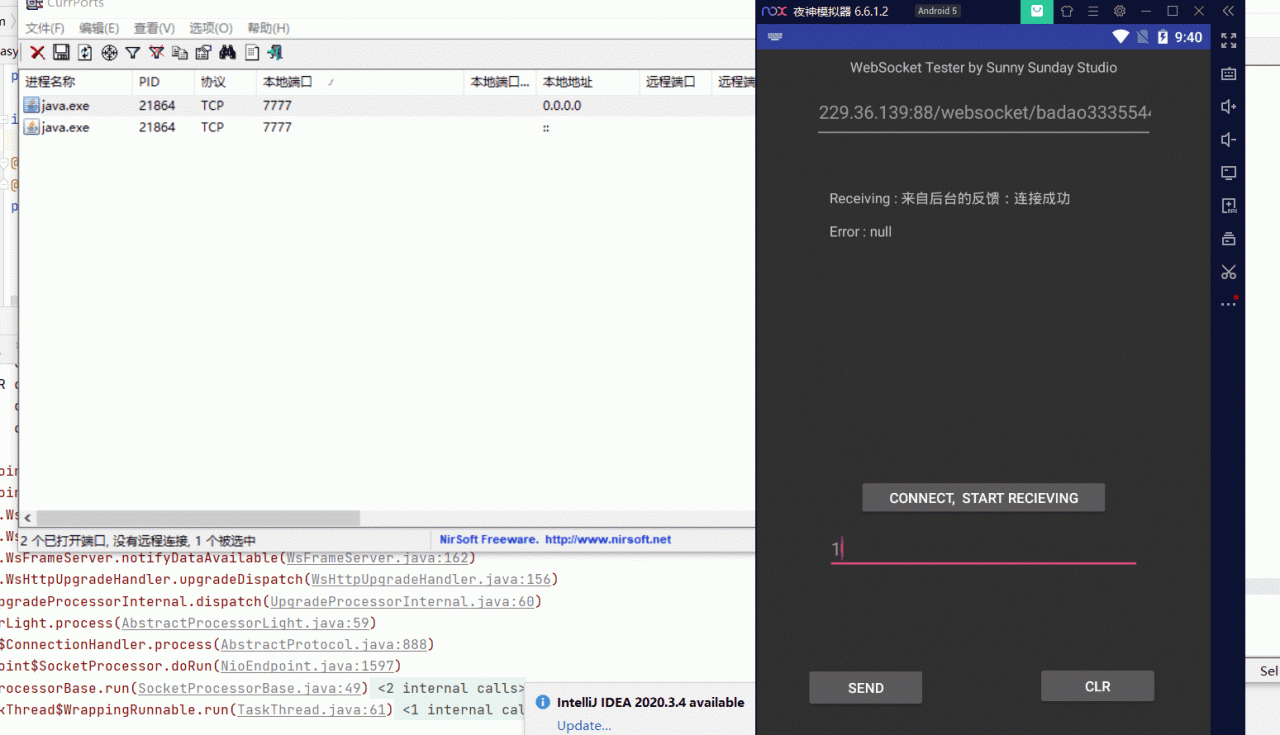
4、配置之后启动Nginx
此时websocket可以通过代理的88端口进行连接
并且在不断网情况下,超过10秒没有消息就会关闭连接。
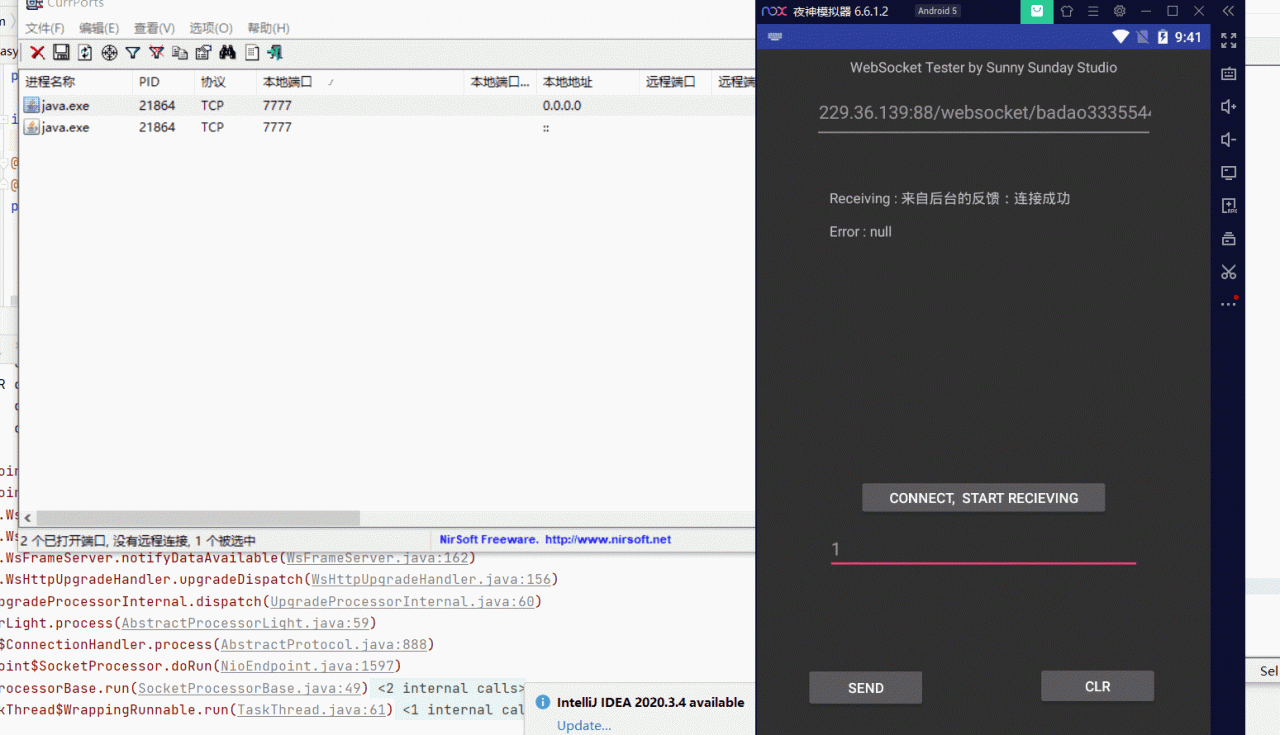
 异常断网的情况也是如此
最后
深知大多数初中级Java工程师,想要提升技能,往往是自己摸索成长或者是报班学习,但对于培训机构动则近万的学费,着实压力不小。自己不成体系的自学效果低效又漫长,而且极易碰到天花板技术停滞不前!
因此收集整理了一份《Java开发全套学习资料》送给大家,初衷也很简单,就是希望能够帮助到想自学提升又不知道该从何学起的朋友,同时减轻大家的负担。
小编已加密:aHR0cHM6Ly9kb2NzLnFxLmNvbS9kb2MvRFVrVm9aSGxQZUVsTlkwUnc==出于安全原因,我们把网站通过base64编码了,大家可以通过base64解码把网址获取下来。