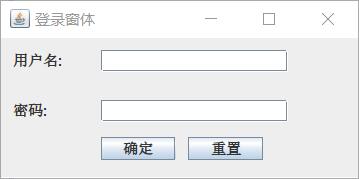
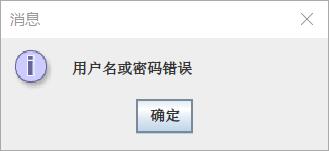
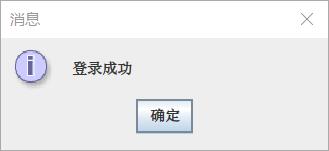
尝试开发一个登录窗体,包括用户名、密码、以及提交和重置按钮,当用户名输入root、密码123456时,弹出登录成功提示对话框。否则提示登陆失败。
import java.awt.*;
import java.awt.event.*;

import javax.swing.*;

public class UseCase3 extends JFrame {
	/**
	 *
	 */
	private static final long serialVersionUID = 1L;

	public UseCase3() {

		setTitle("登录窗体");
		setBounds(300, 200, 300, 150);
		Container cp = getContentPane();
		cp.setLayout(null);
		JLabel jl = new JLabel("用户名:");
		jl.setBounds(10, 10, 200, 18);
		final JTextField name = new JTextField();
		name.setBounds(80, 10, 150, 18);
		JLabel jl2 = new JLabel("密码:");
		jl2.setBounds(10, 50, 200, 18);
		final JPasswordField password = new JPasswordField();
		password.setBounds(80, 50, 150, 18);
		cp.add(jl);
		cp.add(name);
		cp.add(jl2);
		cp.add(password);
		JButton jb = new JButton("确定");
		jb.addActionListener(new ActionListener() {
			public void actionPerformed(ActionEvent arg0) {
				if (name.getText().trim().length() == 0 || new String(password.getPassword()).trim().length() == 0) {
					JOptionPane.showMessageDialog(null, "用户名密码不允许为空");
					return;
				}
				if (name.getText().trim().equals("root")
						&& new String(password.getPassword()).trim().equals("123456")) {
					JOptionPane.showMessageDialog(null, "登录成功");
				} else {
					JOptionPane.showMessageDialog(null, "用户名或密码错误");
				}
			}
		});
		jb.setBounds(80, 80, 60, 18);
		cp.add(jb);

		final JButton button = new JButton();
		button.setText("重置");
		button.addActionListener(new ActionListener() {
			public void actionPerformed(ActionEvent arg0) {
				// TODO 自动生成方法存根
				name.setText("");
				password.setText("");
			}
		});
		button.setBounds(150, 80, 60, 18);
		getContentPane().add(button);

		setDefaultCloseOperation(WindowConstants.DISPOSE_ON_CLOSE);
		setVisible(true);
	}

	public static void main(String[] args) {
		new UseCase3();

	}

}
版权声明:本文为weixin_46322367原创文章,遵循CC 4.0 BY-SA版权协议,转载请附上原文出处链接和本声明。