系列文章目录
前言
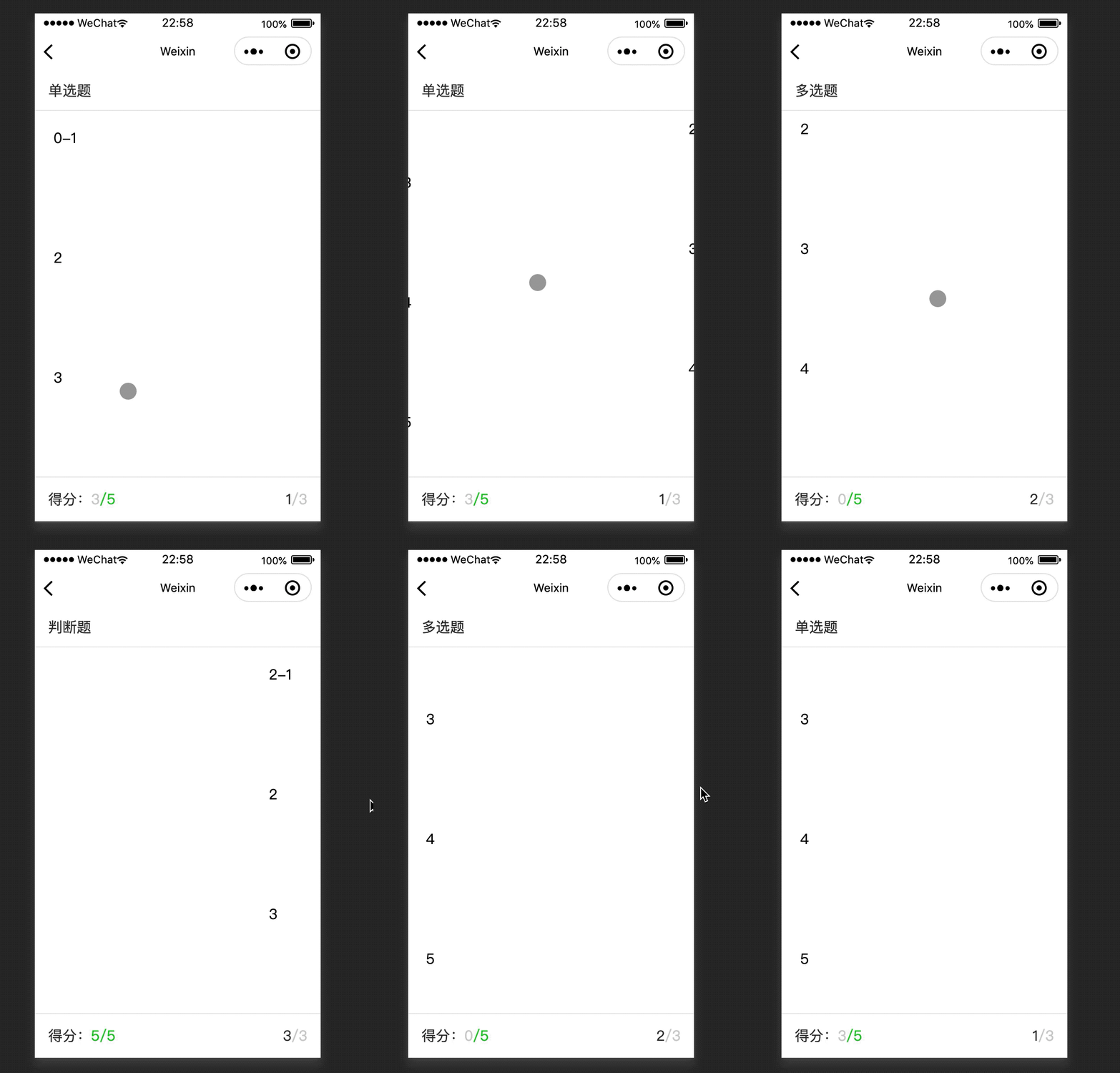
最近需要完成一个小程序页面头部、底部固定;页面中间部分上下滚动、左右滑动的需求,效果如下:
效果
代码
- test.js
// test.js
Component({
  data: {
    quesArr: [
      {
        currentGcolor: '#ccc',
        currentGscore: 3,
        currentFcolor: '#0AC013',
        currentFscore: 5,
        typeName: '单选题'
      },
      {
        currentGcolor: '#ccc',
        currentGscore: 0,
        currentFcolor: '#0AC013',
        currentFscore: 5,
        typeName: '多选题'
      },
      {
        currentGcolor: '#0AC013',
        currentGscore: 5,
        currentFcolor: '#0AC013',
        currentFscore: 5,
        typeName: '判断题'
      },
    ],
    currentTab: 0,
  },
  methods: {
    switchTab (e){
      if (e.detail.source === 'touch') {
        let cur = e.detail.current;
        this.setData({
          currentTab: cur,
        });
      }
    },
  },
})
- test.wxml
<!--test.wxml-->
<view class="top_wrap box flexbox_y flexbox_between">
  {{quesArr[currentTab].typeName}}
</view>
<view class="center_wrap maxw ova">
  <swiper current="{{currentTab}}" bindanimationfinish="switchTab" class="maxh">
    <swiper-item wx:for="{{quesArr}}" wx:for-index="idx" wx:key="subNum">
      <scroll-view scroll-y class="maxh">
        <view class="center_view box">
          <view class="item">{{idx}}-1</view>
          <view class="item">2</view>
          <view class="item">3</view>
          <view class="item">4</view>
          <view class="item">5</view>
          <view class="item">6</view>
          <view class="item">1</view>
          <view class="item">2</view>
          <view class="item">3</view>
          <view class="item">4</view>
          <view class="item">5</view>
          <view class="item">6</view>
        </view>
      </scroll-view>
    </swiper-item>
  </swiper>
</view>
<view class="foot_wrap box flexbox_y flexbox_between">
  <view>得分:<text style="color: {{quesArr[currentTab].currentGcolor}}">{{quesArr[currentTab].currentGscore}}</text><text style="color: {{quesArr[currentTab].currentFcolor}}">/{{quesArr[currentTab].currentFscore}}</text></view>
  <view>{{currentTab + 1}}<text class="sch-ccc">/{{quesArr.length}}</text></view>
</view>
- test.wxss
page{
  position: static;
}
.top_wrap{
  height: 106rpx;
  color: #333;
  padding: 0 36rpx;
  border-bottom: 2rpx solid #E8E8E8;
  position: fixed;
  top: 0;
  width: 100%;
  z-index: 1;
}

.center_wrap{
  position: fixed;
  top: 108rpx;
  bottom: 120rpx;
  z-index: -1;
}

.center_wrap .item{
  height: 300rpx;
  margin: 15rpx;
}

.center_view{
  padding: 30rpx 36rpx;
}

.foot_wrap{
  height: 118rpx;
  color: #333;
  padding: 0 36rpx;
  border-top: 2rpx solid #E8E8E8;
  position: fixed;
  bottom: 0;
  width: 100%;
  z-index: 1;
}


.flexbox_y {
  display: flex;
  align-items: center;
}

.flexbox_between{
  display: flex;
  justify-content: space-between;
}

.maxh{
  height: 100%;
}

.maxw{
  width: 100%;
}

.box{
  box-sizing: border-box;
}

.sch-ccc{
  color: #ccc;
}

.ova{
  overflow: auto;
}
疑问
page标签的默认属性有变化?
调试基础库2.12.1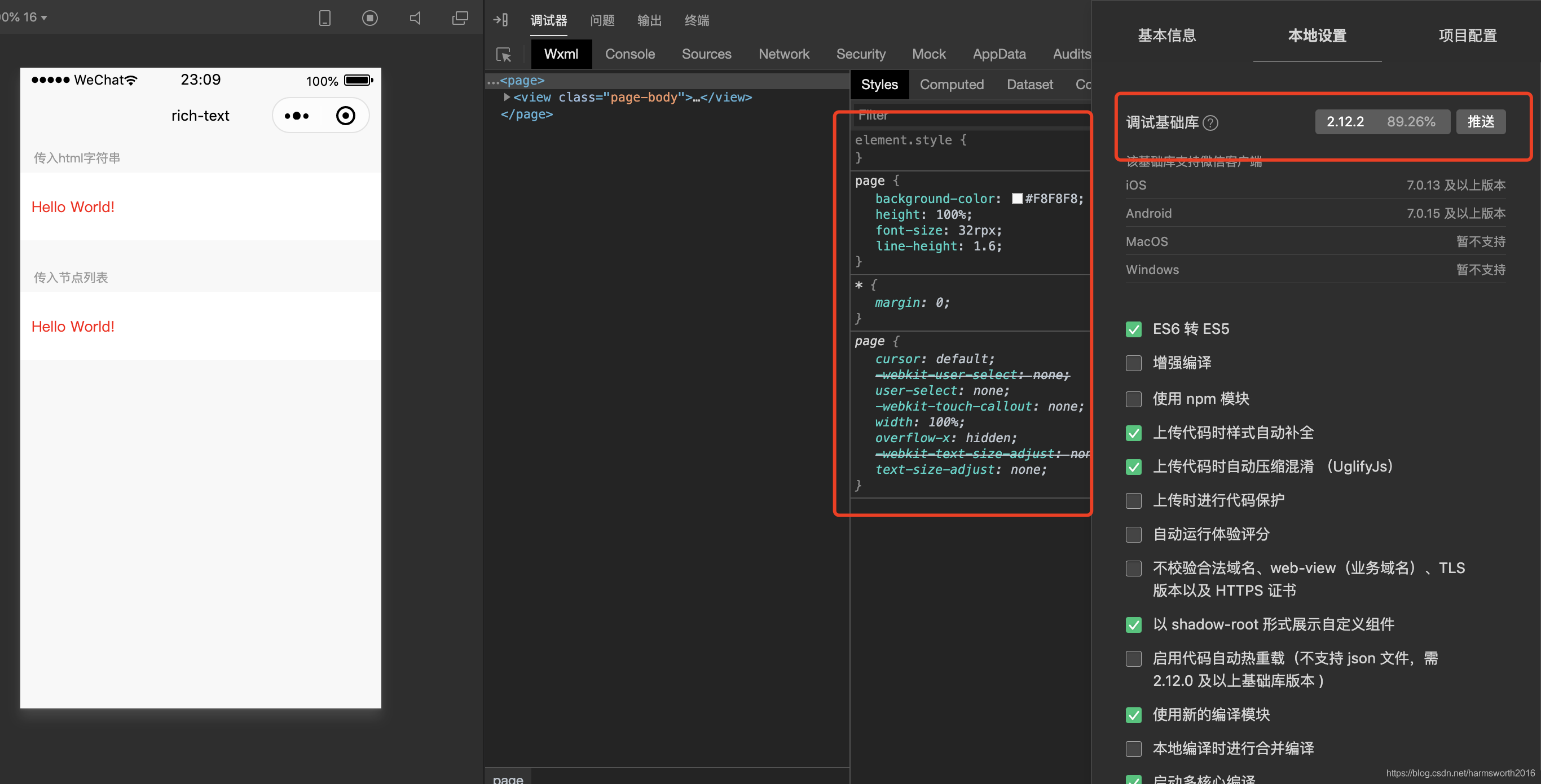](https://code84.com/wp-content/uploads/2022/09/20200917231052273.png)
基础调试库2.12.2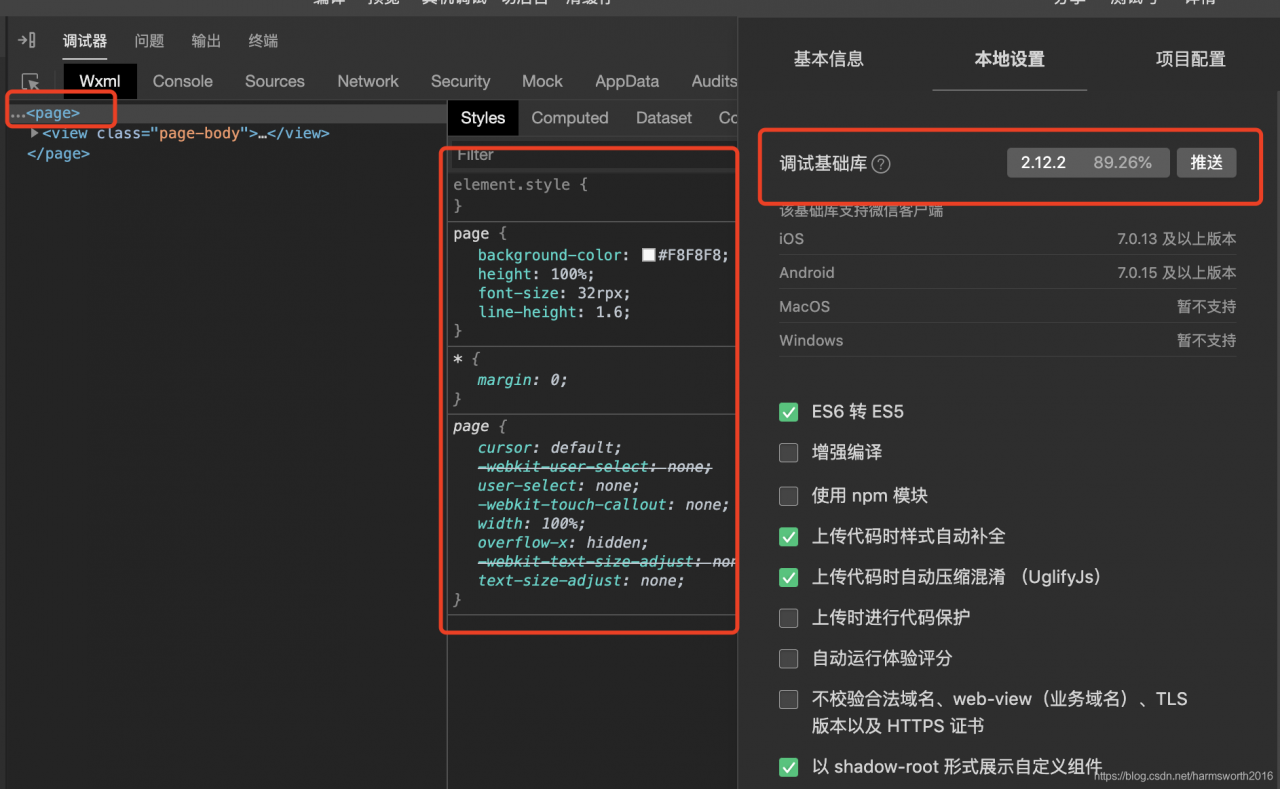
基础调试库2.12.2
因为page标签突然多了几个属性,变成了绝对定位,故修改了page的position属性值为默认值。
总结
- 使用
swiper实现滑动会渲染非常多组件。例如:滑动50个页面,那么需要渲染50个页面,滑动频繁了页面会卡死,而且,渲染50个页面,也很浪费性能,下一节进行讲解并优化。 page出现的属性不同问题,百思不得其解。
版权声明:本文为harmsworth2016原创文章,遵循CC 4.0 BY-SA版权协议,转载请附上原文出处链接和本声明。