前言
hdfs全称hadoop分布式文件系统,是Apach Hadoop的核心子项目。hdfs适合运行在通用硬件上,其在开源大数据技术体系中地位无可替代。
这篇文章记录了用Java读写hdfs中文件的全过程。
搭建hadoop集群
第一步就是要搭建hadoop集群,让hadoop集群能够成功运行。笔者是在windows环境搭建了hadoop 2.7.7,具体步骤参见:Windows下配置Hadoop环境(全过程)
这篇文章写得十分详细,对流程不再赘述,以下只列出几点原作者没有提到的问题:
- tmp文件夹可以不用建,原作者本意是想用tmp文件夹来保存hadoop文件系统依赖的基本配置,如果确实需要这样做,那么建好tmp文件夹后需要在core-site.xml中配置dfs.tmp.dir参数才能起作用;
- hdfs namenode -format作用是对namenode目录格式化,一般只在初次启动前执行,之后启动直接start就可以了,如果多次执行hdfs namenode -format可能会导致datanode无法正常启动的问题,这是由于namenode、datanode的clusterID不一致造成的,解决方法是将datanode\current\VERSION里的clusterID改成namenode\current\VERSION里的clusterID即可;
- 笔者启动过程中出现了9000端口号被其他程序占用的问题,这个问题有两个解决方法:查找并杀死占用9000端口号的进程,或者在core-site.xml中更改hadoop集群的端口号,笔者将端口号改成了9999;
- 使用完成后先用stop命令关闭hadoop集群,再关闭服务器,防止出现问题。
执行hdfs namenode -format: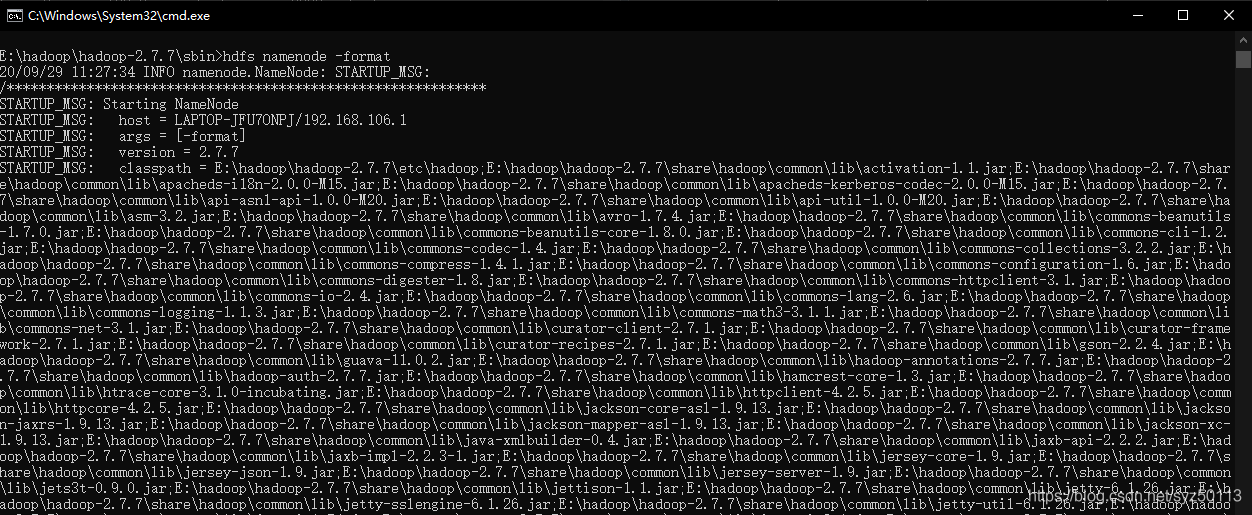
进入sbin目录,start-all启动hadoop集群: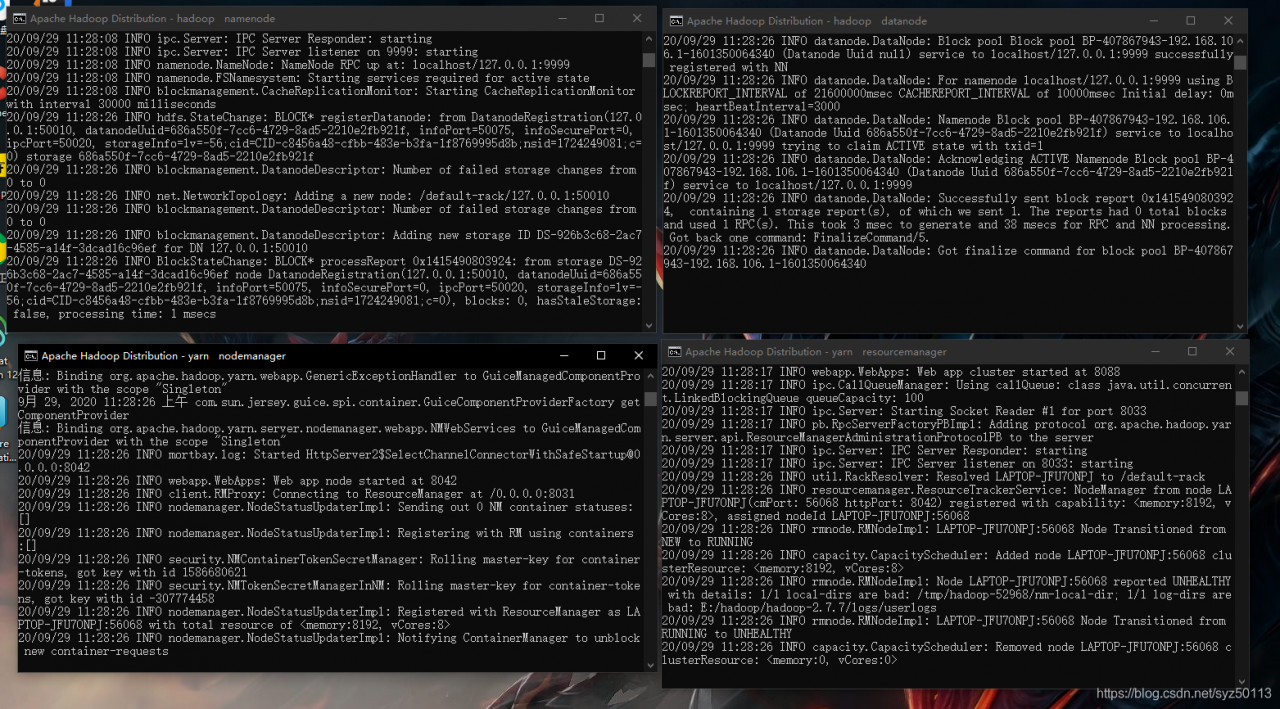
输入jps -,可以查看运行的所有节点:
至此hadoop集群搭建成功。
用Java API读写hdfs中的文件
创建/user/homework目录:
hadoop fs -mkdir /user
hadoop fs -mkdir /user/homework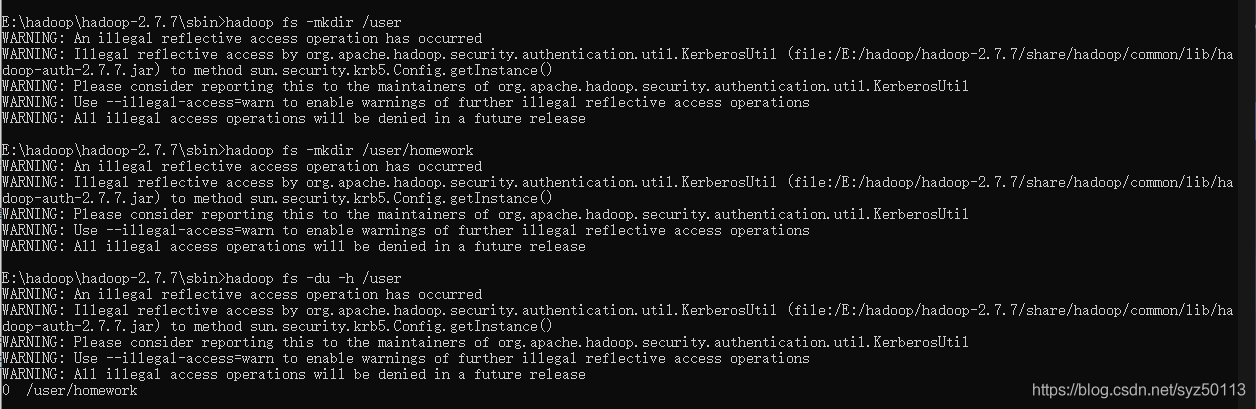
复制一个空文件到/user/homework目录下:
hadoop fs -put E:test.txt /user/homework
完成后使用Java读写该文件,代码如下:
import org.apache.hadoop.fs.*;

import java.io.IOException;

import org.apache.hadoop.conf.Configuration;

public class OperateHdfs {

	public static void main(String[] args) throws IOException {
		String filePath = "hdfs://localhost:9999/user/homework/test.txt";
		writeToHdfs(filePath);
		readFromHdfs(filePath);
	}

	public static void writeToHdfs(String filePath) throws IOException{
		//写
		Configuration conf = new Configuration();
		FileSystem fs = FileSystem.get(conf);
		Path path = new Path(filePath);
		FSDataOutputStream outputStream = fs.create(path);
		outputStream.writeUTF("This is what I want to write!Today is a nice day.");
		outputStream.close();
		System.out.println("写入成功");
	}

	public static void readFromHdfs(String filePath) throws IOException{
		//读
	    Configuration conf = new Configuration();
	    Path inFile = new Path(filePath);
	    FileSystem hdfs = FileSystem.get(conf);
	    FSDataInputStream inputStream = hdfs.open(inFile);
	    System.out.println("读文件: " + inputStream.readUTF());
	    inputStream.close();
	}
}
运行结果为: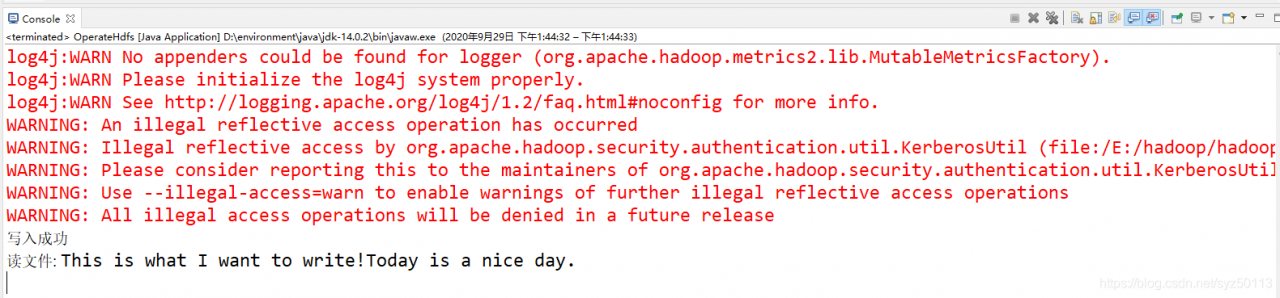
执行hadoop fs -cat /user/homework/test.txt,查看文件内容:
可以看到写入成功!
Ps.
- readUTF方法需要与writeUTF方法结合使用,否则会报错;如果没有使用writeUTF方法,读文件可以用如下方法:
	public static void read(String filePath) throws IOException{
		Configuration conf = new Configuration();
		FileSystem fs = FileSystem.get(conf);

		Path inFile = new Path(filePath);
		FSDataInputStream inputStream = fs.open(inFile);
		//防止中文乱码
		BufferedReader bf=new BufferedReader(new InputStreamReader(inputStream));
		String line = null;

		while ((line = bf.readLine()) != null) {
			System.out.println(line);
		}
		inputStream.close();
        bf.close();
	}
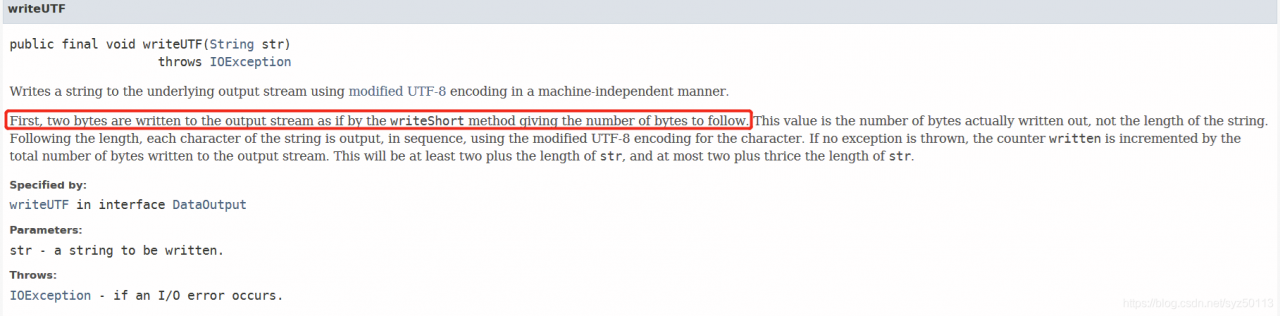
- 使用cat命令查看文件内容时,可以看到文件开头会被插入随机字符,经过查询文档得知writeUTF方法写入时会先写入字符长度:
版权声明:本文为syz50113原创文章,遵循CC 4.0 BY-SA版权协议,转载请附上原文出处链接和本声明。