实验环境:增加两块全新硬盘
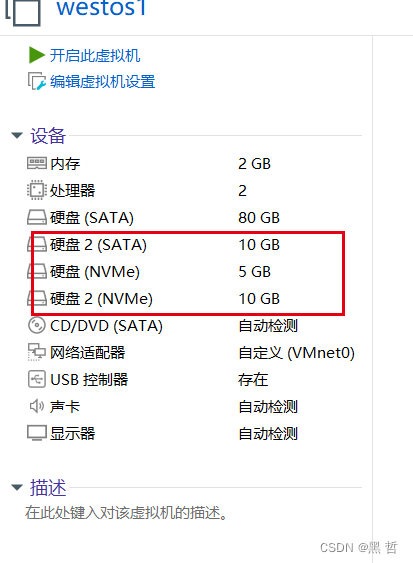
一,设备识别
[root@westos_student50 Desktop]# fdisk -l查看系统中的硬盘
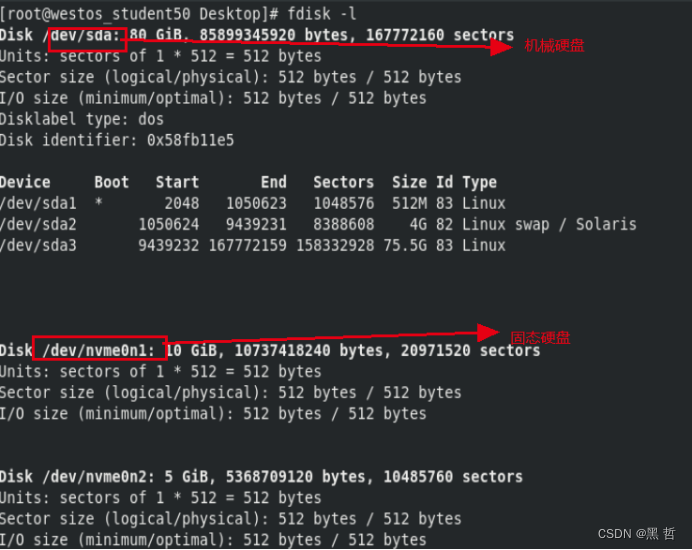
nvme0n1p1固态硬盘第一分区
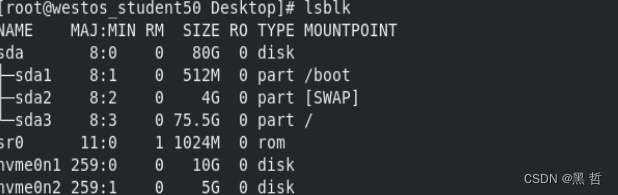
[root@westos_student50 Desktop]# lsblk 查看设备正在被谁使用
[root@westos_student50 Desktop]# blkid 查看设备id

[root@westos_student50 Desktop]# df 查看设备是否被挂载
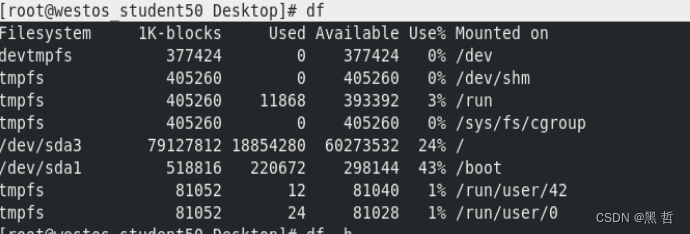
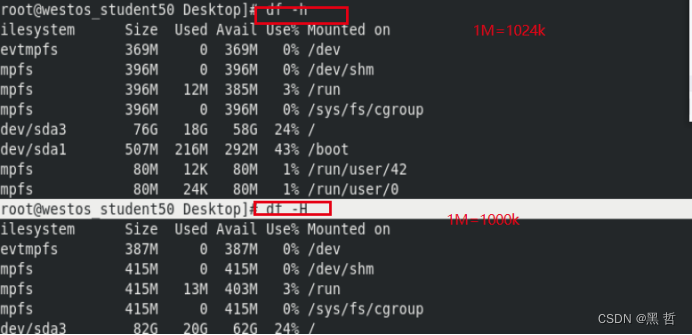
[root@westos_student50 Desktop]# df -h
[root@westos_student50 Desktop]# df -H
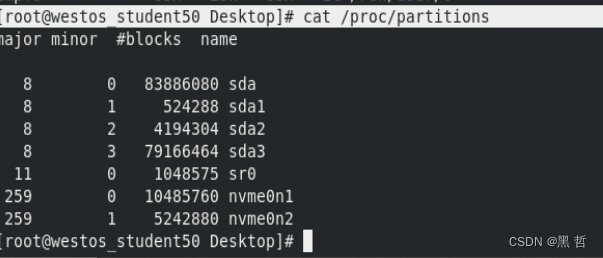
[root@westos_student50 Desktop]# cat /proc/partitions 查看系统识别设备
二,设备挂载
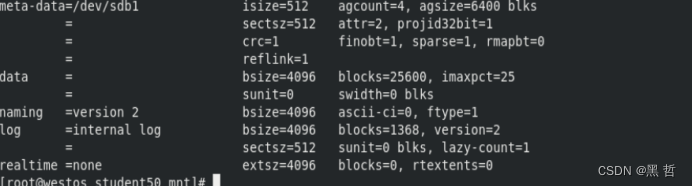
[root@westos_student50 mnt]# mkfs.xfs -K /dev/sdb1 -f 强制格式化
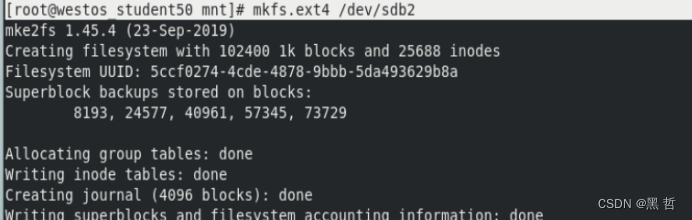
[root@westos_student50 mnt]# mkfs.ext4 /dev/sdb2 ext4格式化
[root@westos_student50 mnt]# blkid 查看硬盘id
[root@westos_student50 mnt]# mount /dev/sdb1 /mnt/ 把/dev/sdb1挂载到/mnt 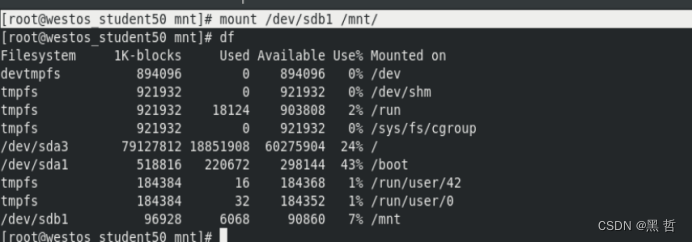
[root@westos_student50 mnt]# umount /mnt 卸载设备
[root@westos_student50 ~]# mount -o ro /dev/sdb1 /mnt 只读挂载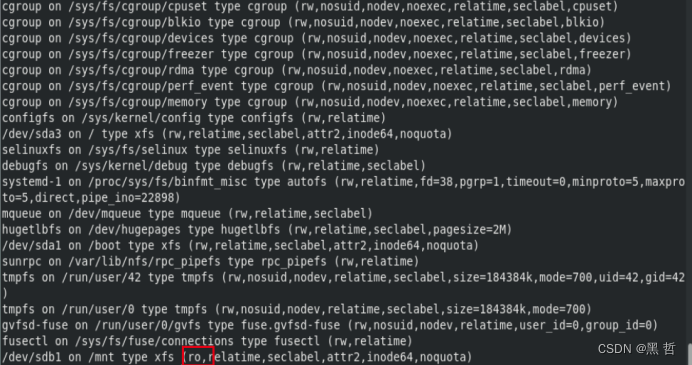 [root@westos_student50 ~]# mount -o remount,rw /mnt 不卸载直接改为读写挂载
以上都是临时挂载,重启后失效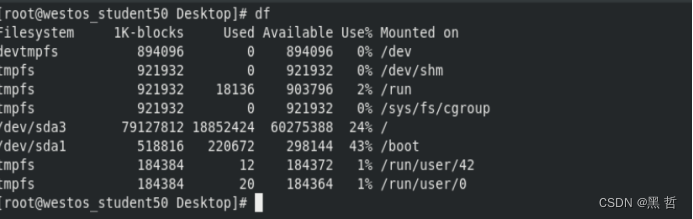
[root@westos_student50 Desktop]# vim /etc/fstab 永久挂载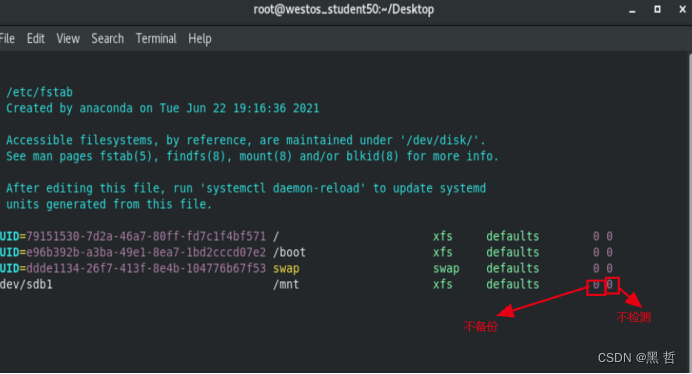
[root@westos_student50 Desktop]# mount -a 识别没有挂载的并挂载
[root@westos_student50 Desktop]# fuser -vm /mnt 查看正在允许的设备
[root@westos_student50 Desktop]# fuser -kvm /mnt 结束所有正在运行设备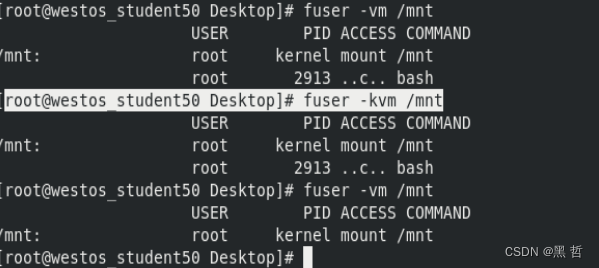
之后就可以正常卸载
三,设备中文件的查找
实验条件:
[root@westos_student50 Desktop]# touch /mnt/westosfile{1..5}
[root@westos_student50 Desktop]# mkdir /mnt/westos
[root@westos_student50 Desktop]# touch /mnt/westos/westostest{1..3}
[root@westos_student50 Desktop]# ls -lR /mnt
/mnt:
total 0
drwxr-xr-x. 2 root root 6 Jun 22 2021 hgfs
drwxr-xr-x. 2 root root 63 Jun 11 20:51 westos
-rw-r--r--. 1 root root 0 Jun 11 20:51 westosfile1
-rw-r--r--. 1 root root 0 Jun 11 20:51 westosfile2
-rw-r--r--. 1 root root 0 Jun 11 20:51 westosfile3
-rw-r--r--. 1 root root 0 Jun 11 20:51 westosfile4
-rw-r--r--. 1 root root 0 Jun 11 20:51 westosfile5
/mnt/hgfs:
total 0
/mnt/westos:
total 0
-rw-r--r--. 1 root root 0 Jun 11 20:51 westostest1
-rw-r--r--. 1 root root 0 Jun 11 20:51 westostest2
-rw-r--r--. 1 root root 0 Jun 11 20:51 westostest3
[root@westos_student50 Desktop]# cd /mnt
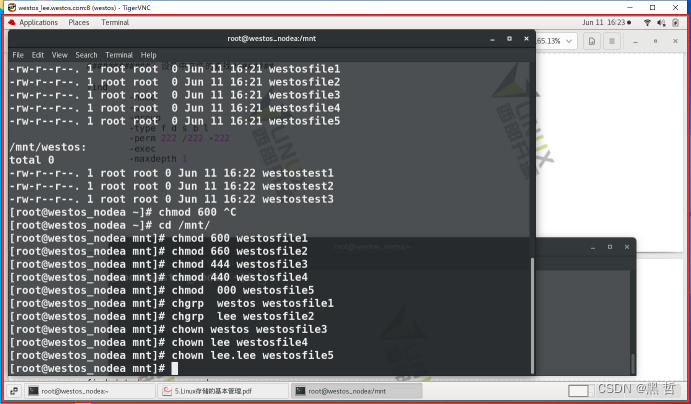
[root@westos_student50 mnt]# chmod 600 westosfile1
[root@westos_student50 mnt]# chmod 660 westosfile2
[root@westos_student50 mnt]# chmod 444 westosfile3
[root@westos_student50 mnt]# chmod 440 westosfile4
[root@westos_student50 mnt]# chmod 000 westosfile5
[root@westos_student50 mnt]# chgrp westos westosfile1
[root@westos_student50 mnt]# useradd lee
[root@westos_student50 mnt]# chgrp lee westosfile2
[root@westos_student50 mnt]# chown westos westosfile3
[root@westos_student50 mnt]# chown lee westosfile4
[root@westos_student50 mnt]# chown lee.lee westosfile5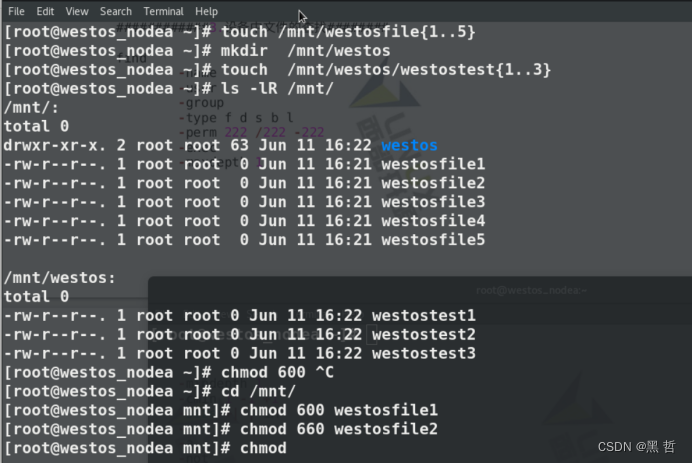
[root@westos_student50 mnt]# cd
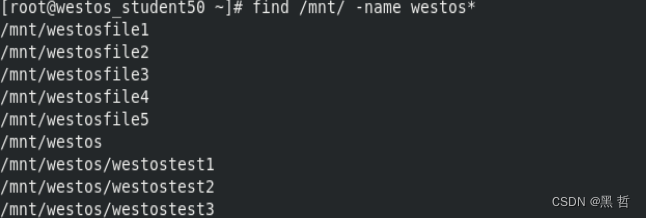
[root@westos_student50 ~]# find /mnt/ -name westos* 找有westos字符的
[root@westos_student50 ~]# find /mnt/ -maxdepth 1 -name westos* 找深度为1的westos字符
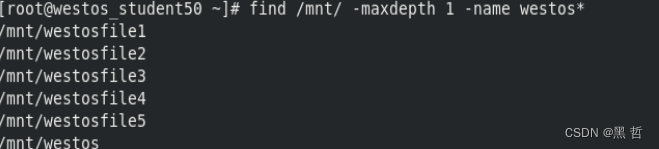
[root@westos_student50 ~]# find /mnt/ -maxdepth 2 -name westos* 找深度为1到2的westos字符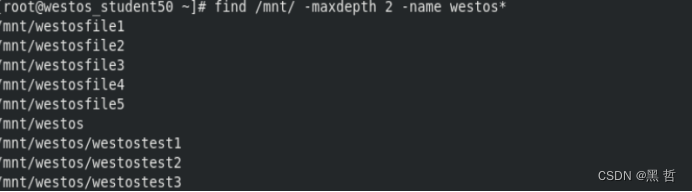
[root@westos_student50 ~]# find /mnt/ -maxdepth 2 -mindepth 2 -name westos*
找找深度为2的westos字符
[root@westos_student50 ~]# find /mnt -user root 找用户为root的
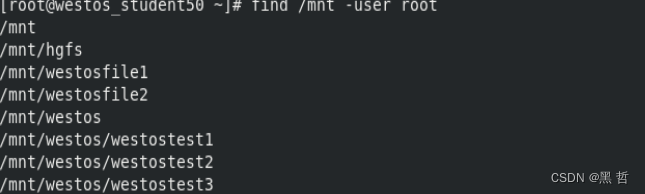
[root@westos_student50 ~]# find /mnt -user lee 查找属于lee用户的文件
 [root@westos_student50 ~]# find /mnt -group lee 查找属于lee组的文件
[root@westos_student50 ~]# find /mnt -user lee -group lee 查找用户和组都时lee的
[root@westos_student50 ~]# find /mnt -user lee -not -group lee查找用户是lee组不是lee
[root@westos_student50 ~]# find /mnt -user lee -o -group root查找用户是lee或者组是root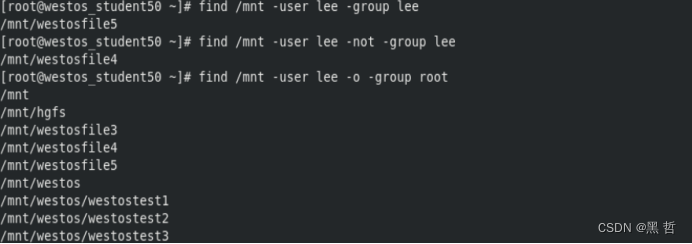
[root@westos_student50 ~]# find /mnt -type f 查找是文件的
root@westos_student50 ~]# find /mnt -type d 查找是目录的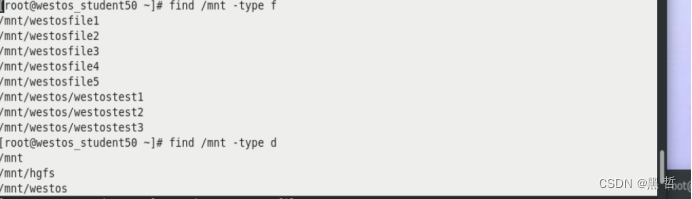
[root@westos_student50 ~]# touch /mnt/westosfile1 建立文件
[root@westos_student50 ~]# find /mnt -cmin 1 一分钟的文件
[root@westos_student50 ~]# find /mnt -cmin -1 一分钟内的文件
[root@westos_student50 ~]# find /mnt -cmin +1 超过一分钟的文件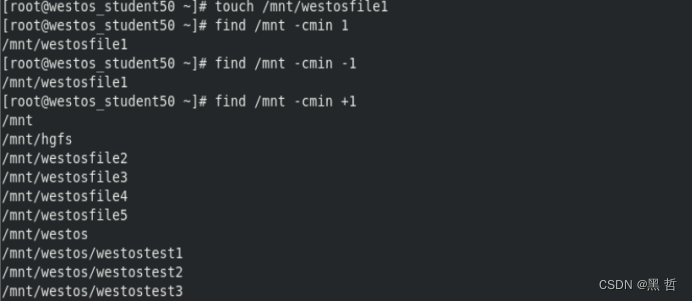
[root@westos_student50 ~]# dd if=/dev/zero of=/mnt/westosfile1 bs=1M count=10
[root@westos_student50 ~]# dd if=/dev/zero of=/mnt/westosfile2 bs=2M count=10
[root@westos_student50 ~]# dd if=/dev/zero of=/mnt/westosfile3 bs=3M count=10
[root@westos_student50 ~]# find /mnt -size 20M 查找大小是20M的
[root@westos_student50 ~]# find /mnt -size -20M 查找小于20M的
[root@westos_student50 ~]# find /mnt -size +20M 查找大于20M的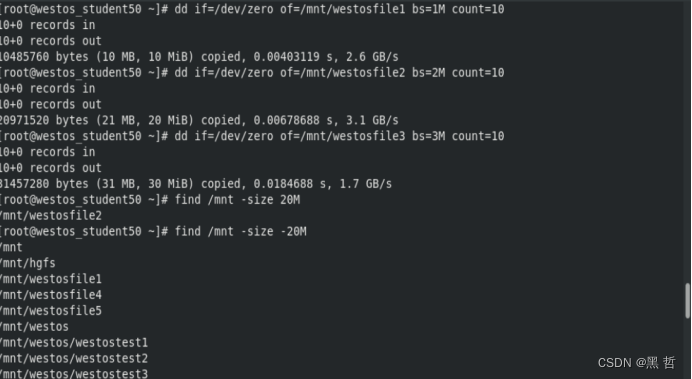
[root@westos_student50 ~]# find /mnt -perm 444 查找权限是444的
[root@westos_student50 ~]# find /mnt -perm -444 查找权限u必须有4,g必须有4,o必须有4权限
[root@westos_student50 ~]# find /mnt -perm /444 查找u或g或o必须有一个为4的权限的文件
[root@westos_student50 ~]# find /mnt -perm /777 查找权限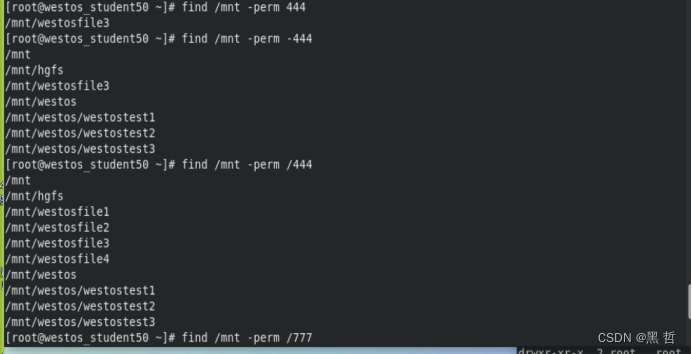
四,分区
[root@westos_student50 Desktop]# fdisk /dev/sdb 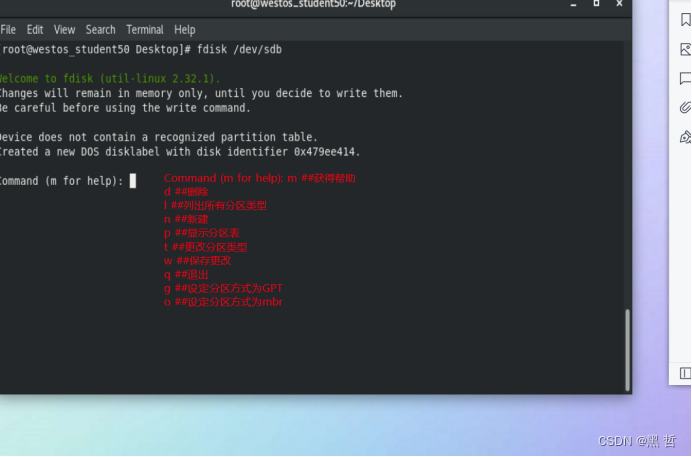
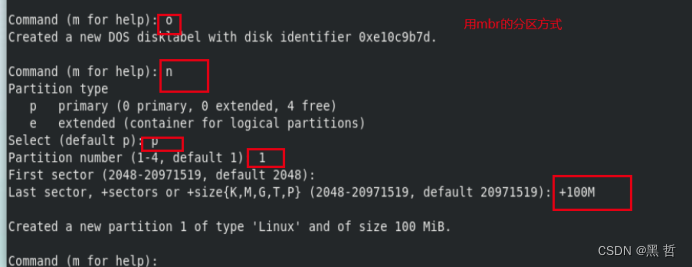
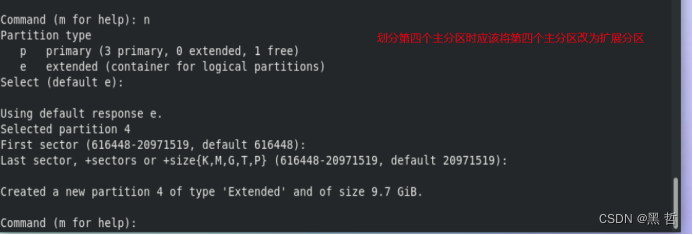
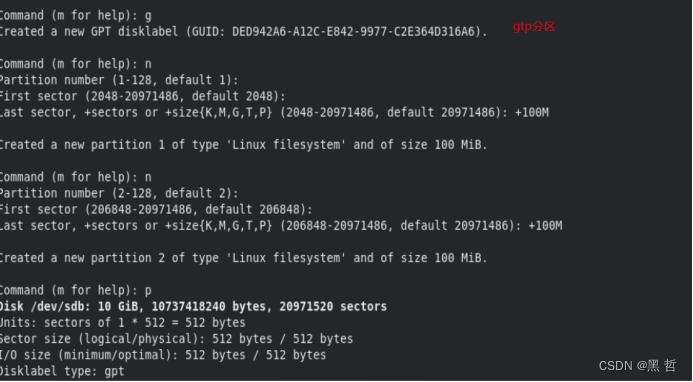
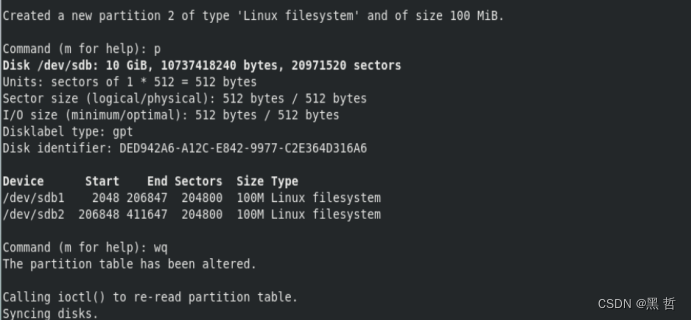
[root@westos_student50 Desktop]# udevadm settle 同步分区表
[root@westos_student50 Desktop]# dd if=/dev/zero of=/dev/sdb bs=1M count=1 删除设备

非交互方式划分分区
[root@westos_student50 Desktop]# parted /dev/sdb mklabel gpt 设定gpt分区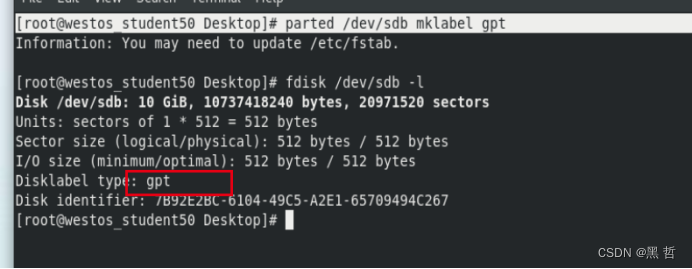
[root@westos_student50 Desktop]# parted /dev/sdb mkpart primary 1 100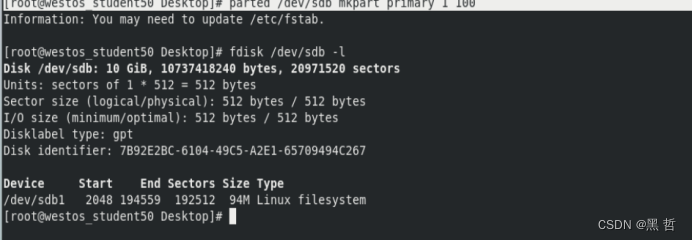
[root@westos_student50 Desktop]# parted /dev/sdb rm 1 删掉设备1
五,swap分区
[root@westos_student50 ~]# swapon -s 查看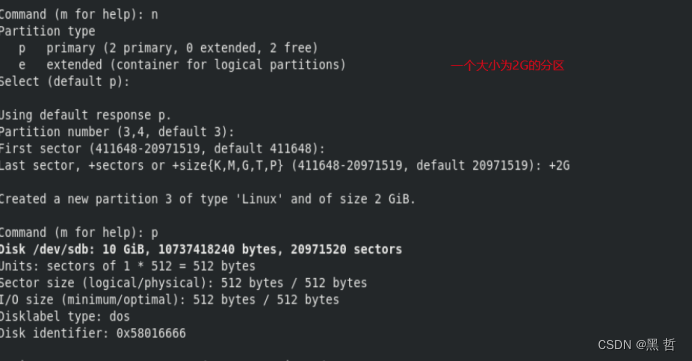
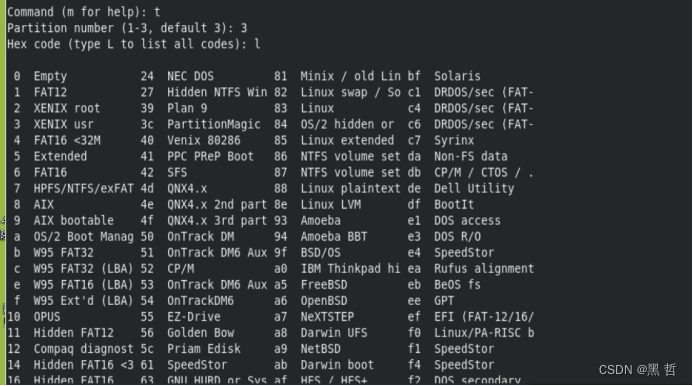
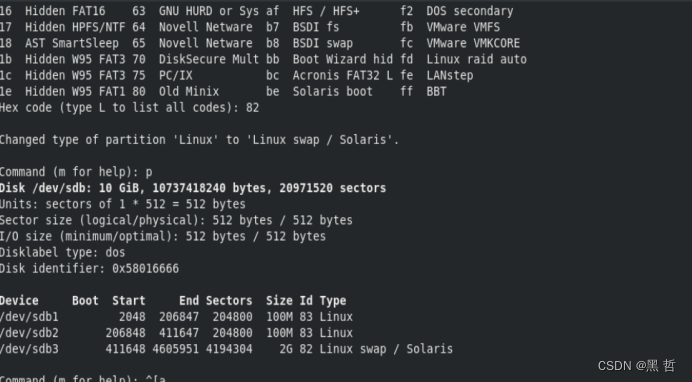
[root@westos_student50 ~]# udevadm settle
[root@westos_student50 ~]# mkswap /dev/sdb3 做成swap格式
[root@westos_student50 ~]# swapon -a /dev/sdb3 激活
[root@westos_student50 ~]# swapoff /dev/sdb3 关闭
[root@westos_student50 ~]# swapon -a /dev/sdb3 -p 1 修改权限为1
[root@westos_student50 ~]# vim /etc/fstab 永久修改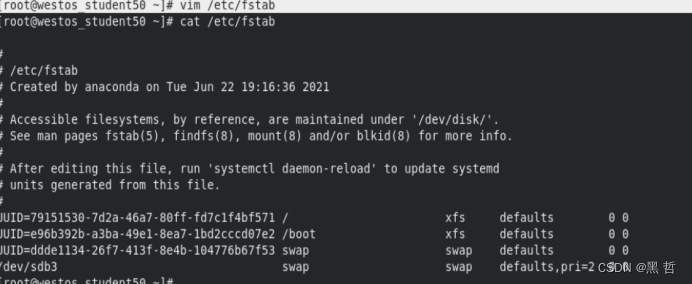
[root@westos_student50 ~]# swapoff /dev/sdb3 关闭之后就可以删除
[root@westos_student50 ~]# fdisk /dev/sdb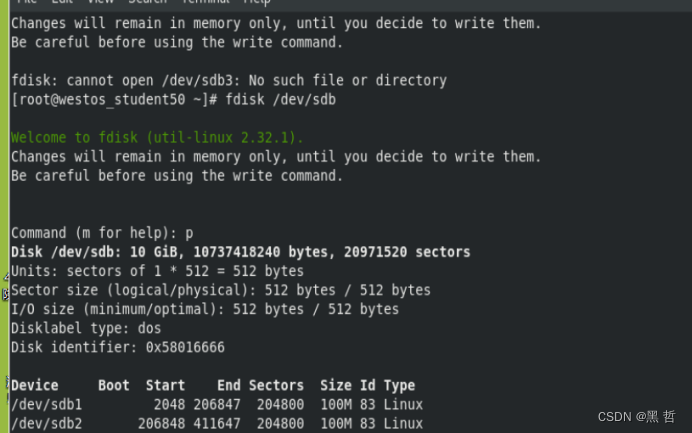
[root@westos_student50 ~]# udevadm settle 同步
六,磁盘配额
[root@westos_student50 Desktop]# fdisk /dev/sdb 建立sdb3分区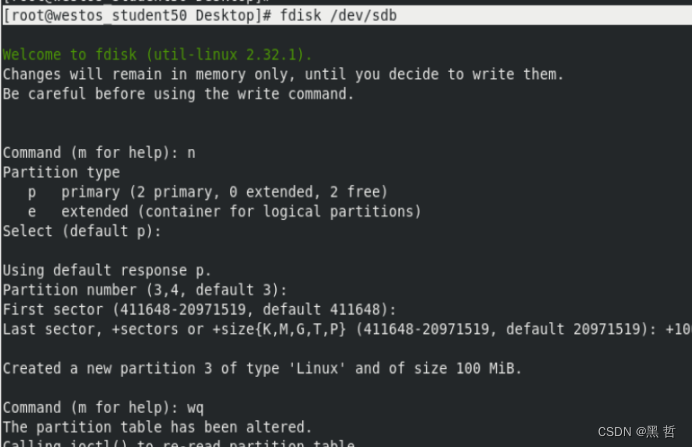
[root@westos_student50 Desktop]# udevadm settle 同步
[root@westos_student50 Desktop]# mkfs.xfs /dev/sdb3 -f 强制格式化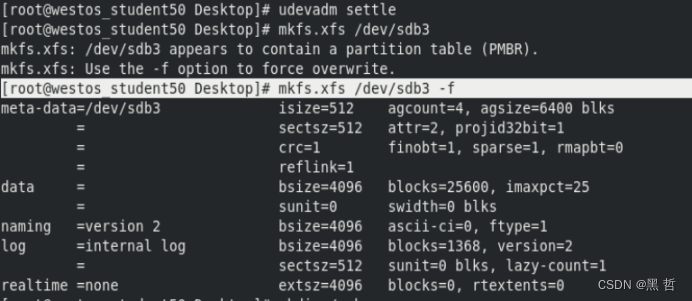
[root@westos_student50 Desktop]# mkdir /pub 建立/pub
[root@westos_student50 Desktop]# mount /dev/sdb3 /pub 挂载到/pub
[root@westos_student50 Desktop]# chmod 1777 /pub 给1777权限
[root@westos_student50 Desktop]# su - lee
[lee@westos_student50 ~]$ dd if=/dev/zero of=/pub/westosfile bs=1M count=20 设定配额20M
[lee@westos_student50 ~]$ rm -rf /pub/* 删除/pub下所有的文件
[lee@westos_student50 ~]$ exit 退出lee
[root@westos_student50 Desktop]# umount /pub 卸载
[root@westos_student50 Desktop]# mount -o usrquota /dev/sdb3 /pub 挂载设备并激活配额参数4
[root@westos_student50 Desktop]# quotaon -uv /dev/sdb3 激活配额
quotaon: Enforcing user quota already on /dev/sdb3
[root@westos_student50 Desktop]# edquota -u lee 设定lee用户配额
[root@westos_student50 Desktop]# su - lee 切换用户
Last login: Sun Jun 12 09:27:49 CST 2022 on pts/0
[lee@westos_student50 ~]$ dd if=/dev/zero of=/pub/westosfile bs=1M count=10 设定磁盘配额为10M
[lee@westos_student50 ~]$ dd if=/dev/zero of=/pub/westosfile bs=1M count=20 设定磁盘配额为20M
[lee@westos_student50 ~]$ dd if=/dev/zero of=/pub/westosfile bs=1M count=21设定磁盘配额为21M(设定失败)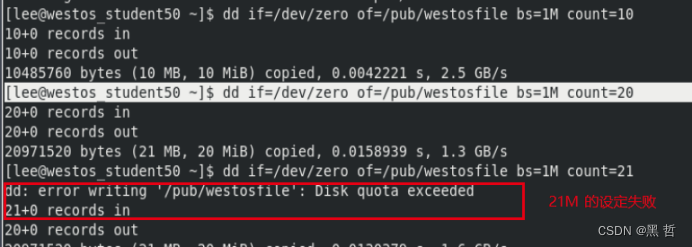
[lee@westos_student50 ~]$ exit
[root@westos_student50 Desktop]# quotaoff -uv /dev/sdb3 关闭配额
[root@westos_student50 Desktop]# vim /etc/fstab 永久设定配额
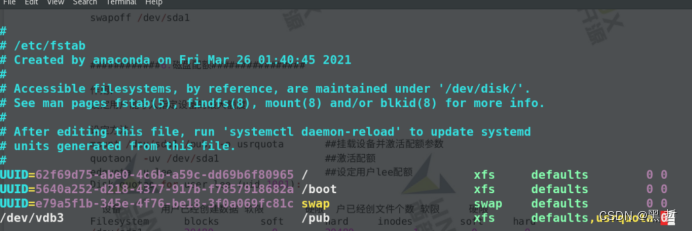
[root@westos_student50 Desktop]# umount /pub 卸载
[root@westos_student50 Desktop]# mount /dev/sdb3 /pub 重新挂载