前言:Windows11默认把IE浏览器给关闭了,有些网站只能使用IE浏览器,下面将在Windows11开启IE浏览器
一、下载补丁
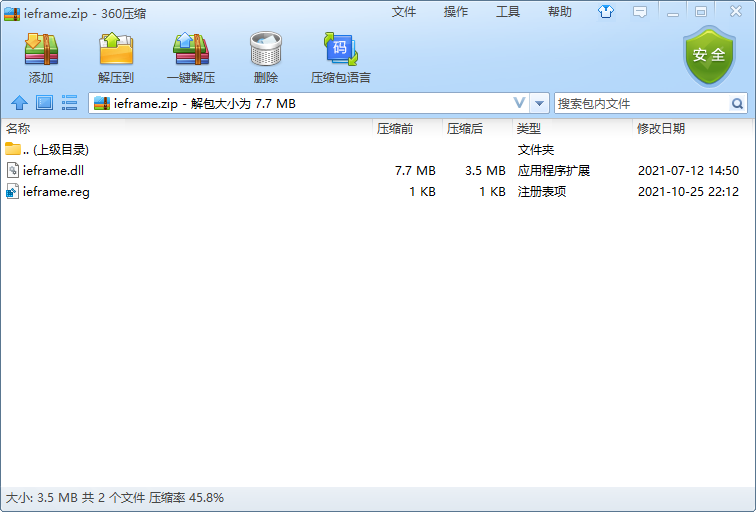
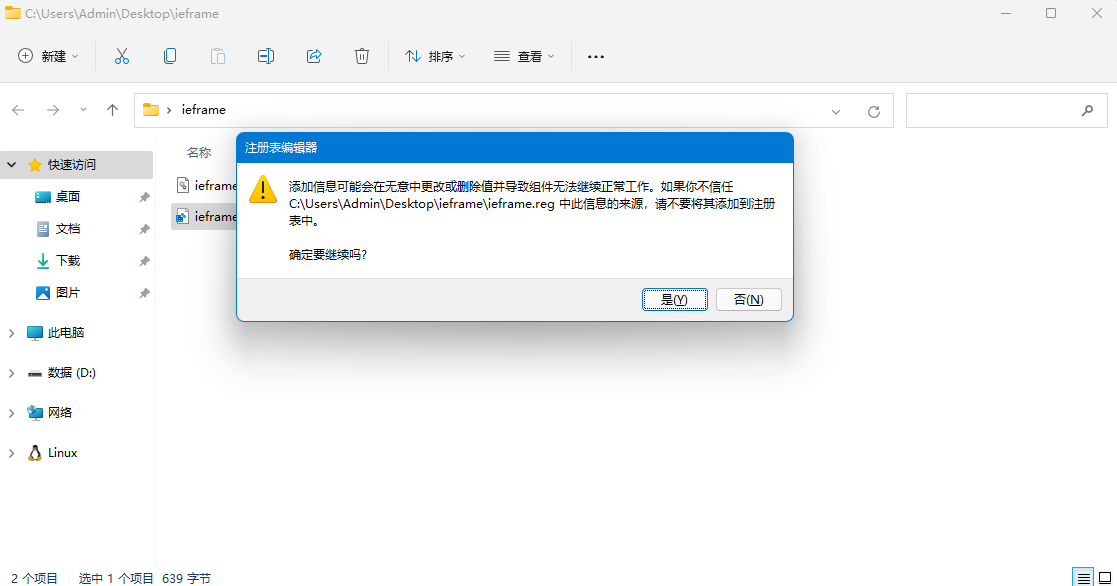
二、双击注册表获取权限
点击是
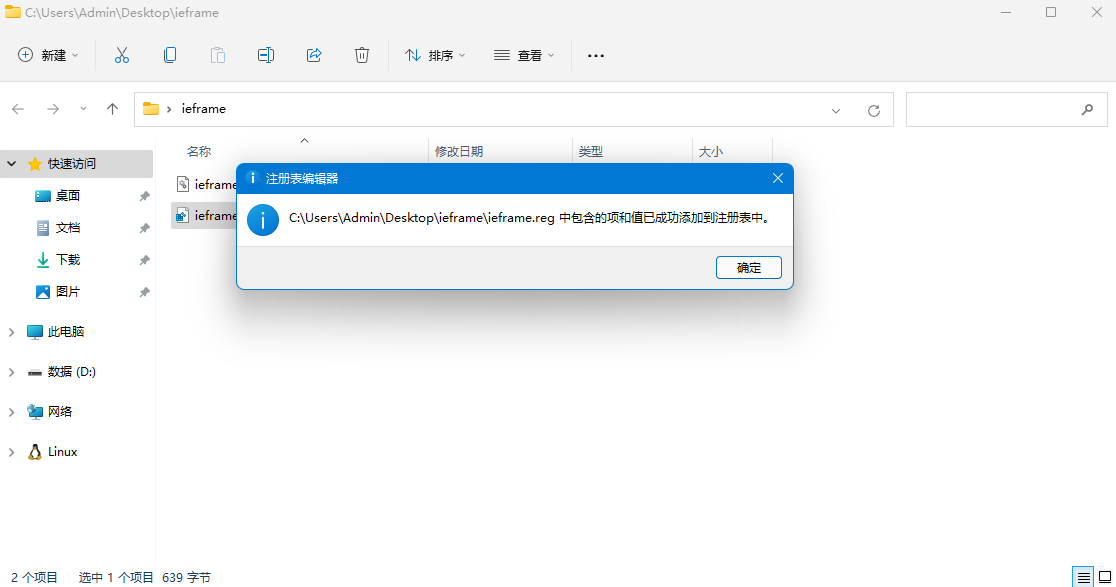
添加成功
三、替换补丁
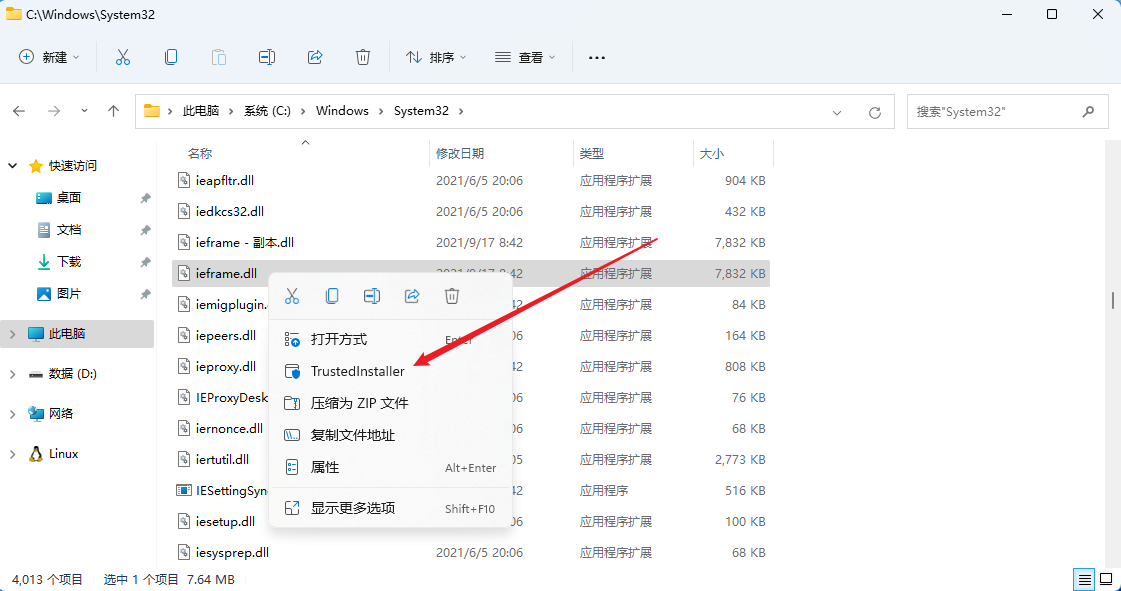
进入C:\Windows\System32目录备份ieframe.dll文件
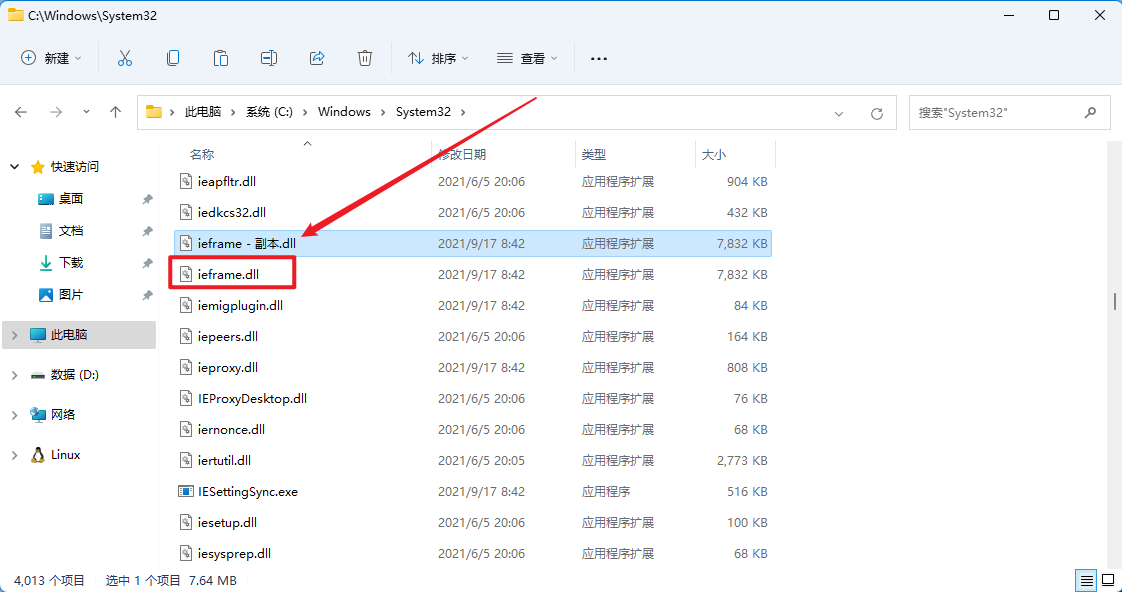
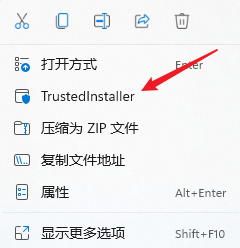
鼠标右键ieframe.dll获取TrustedInstaller权限
将下载好的ieframe.dll文件替换原来的C:\Windows\System32\ieframe.dll文件
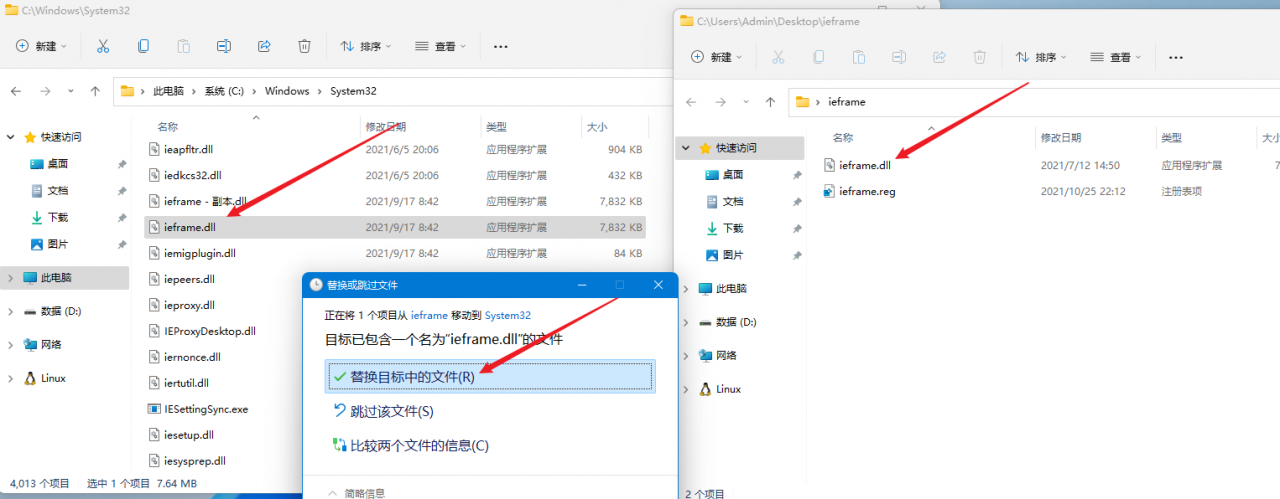
重启电脑

四、添加IE浏览器快捷键
进入C:\Program Files (x86)\Internet Explorer文件夹发送桌面快捷键
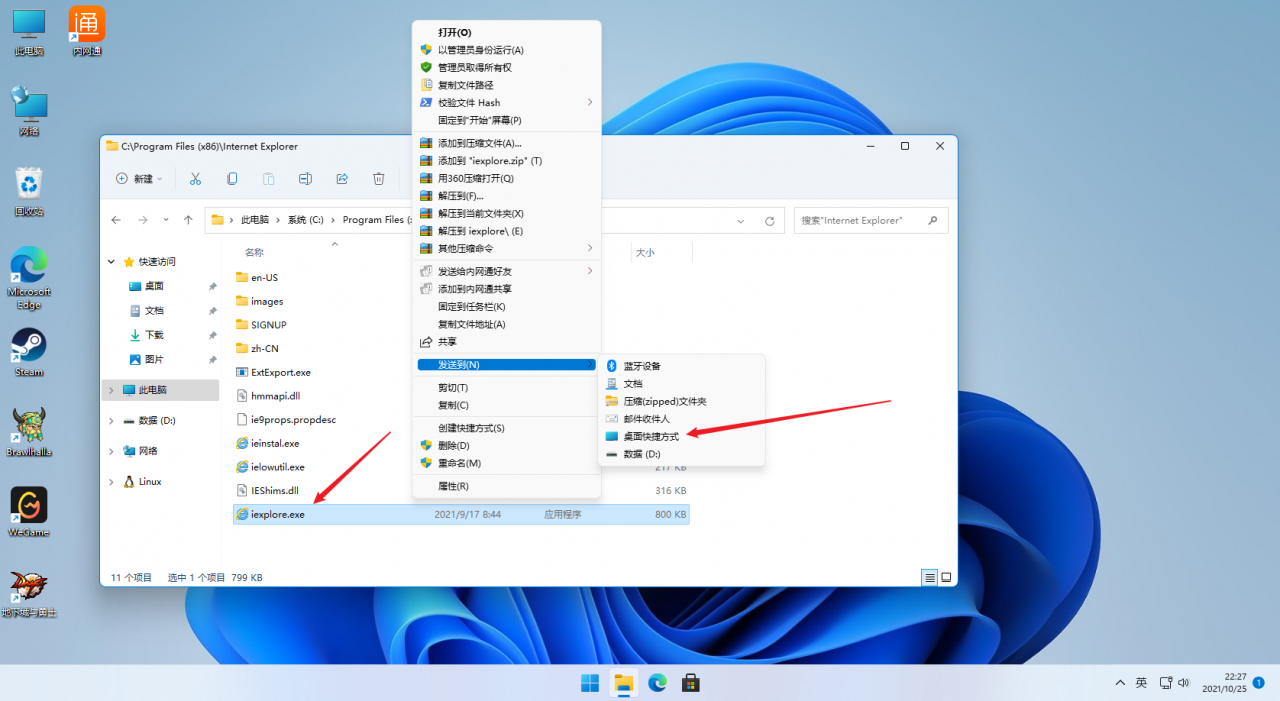
成功运行
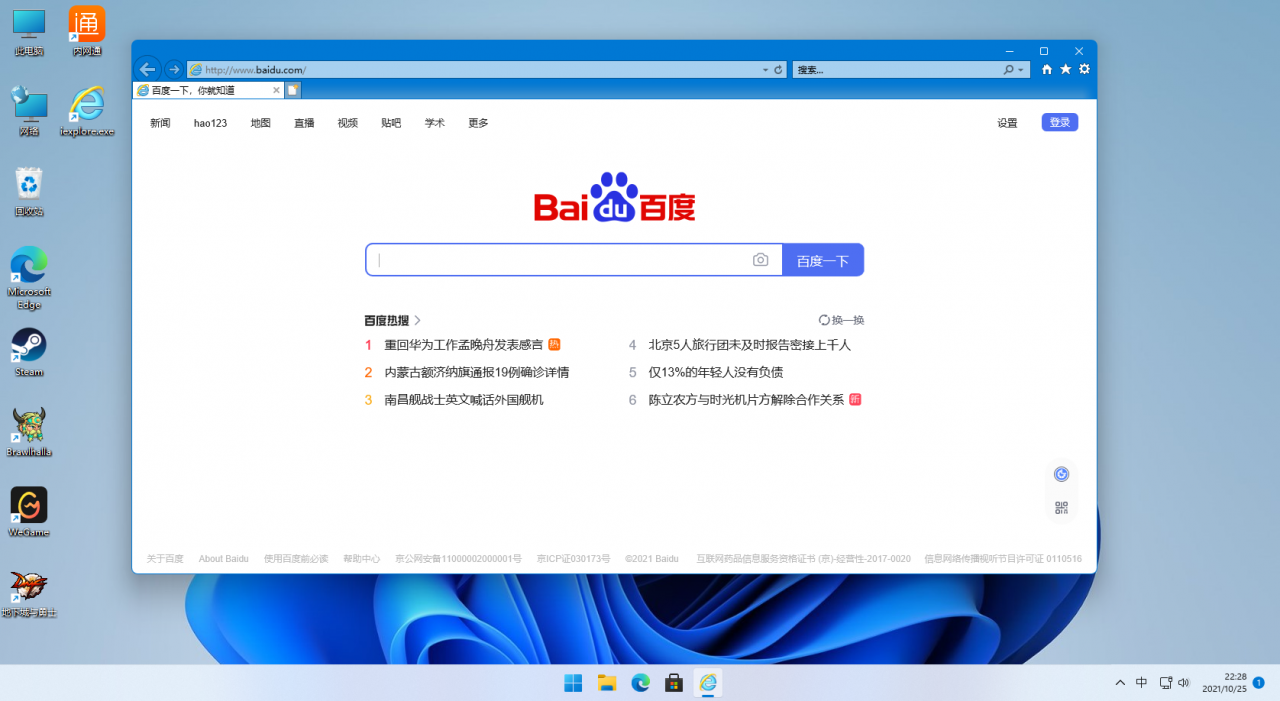
五、删除注册表
如果觉得鼠标右键有TrustedInstaller选项不顺眼
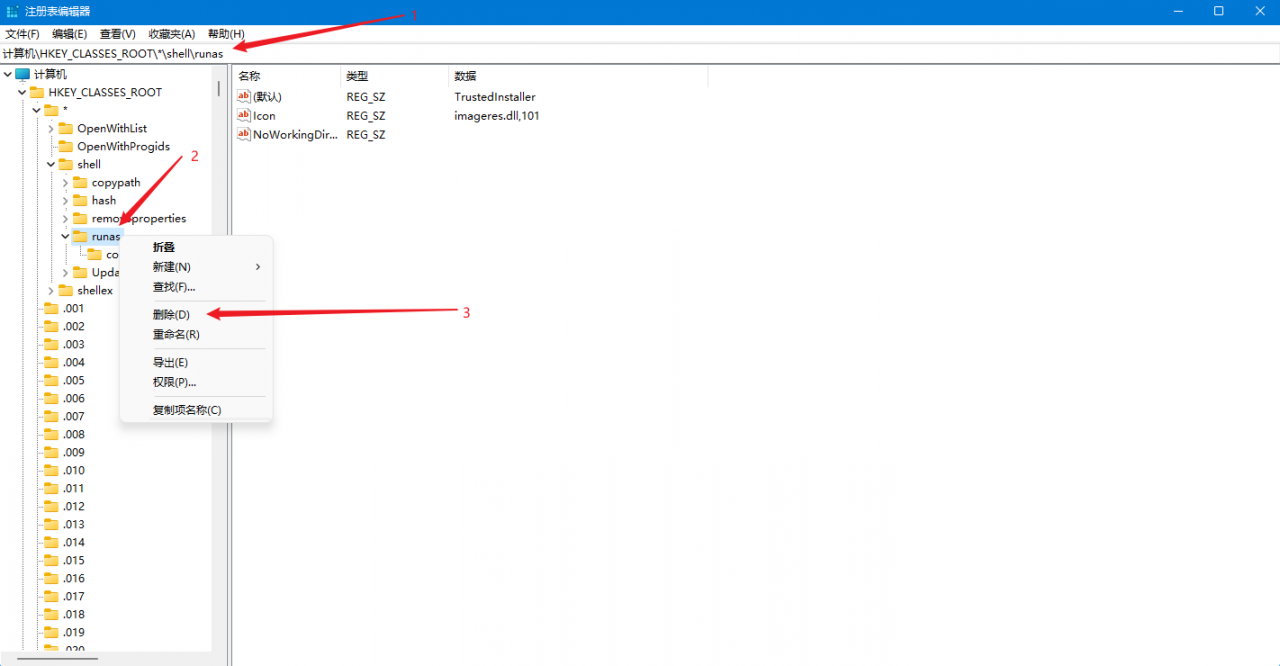
打开注册表

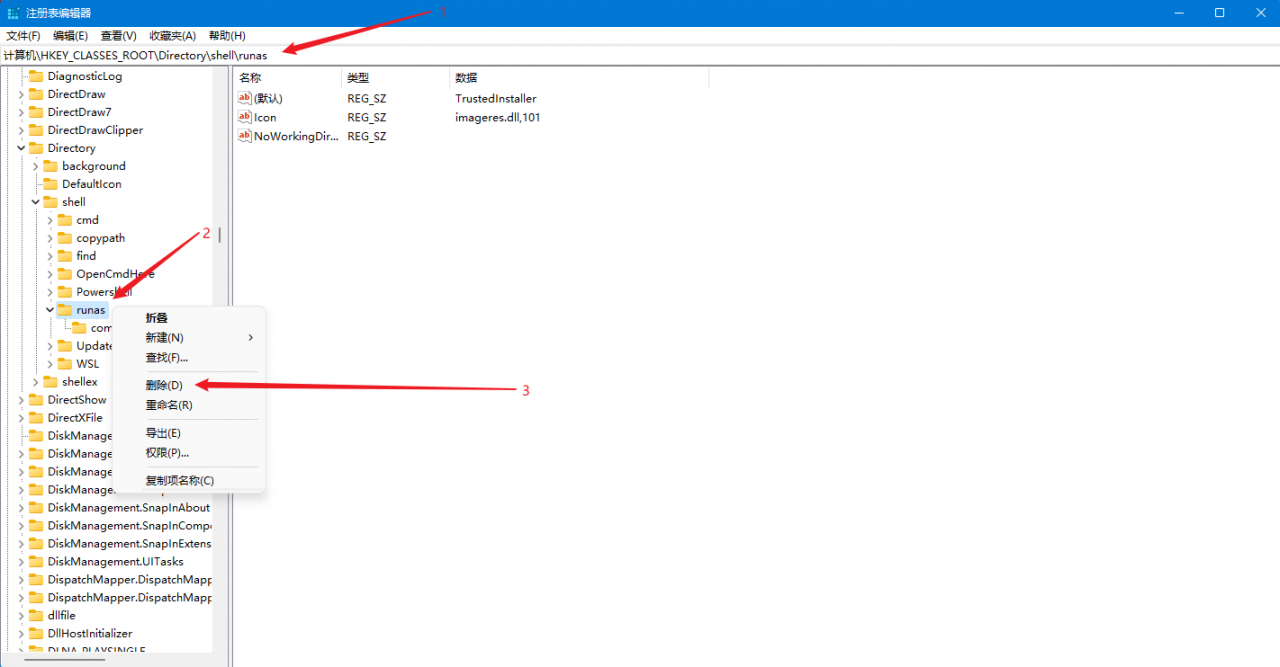
删除以下注册表
计算机\HKEY_CLASSES_ROOT\*\shell\runas
计算机\HKEY_CLASSES_ROOT\Directory\shell\runas
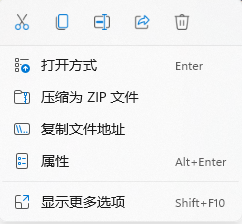
删除成功
作者(Author):小强崽
来源(Source):https://www.wuduoqiang.com/archives/Windows11开启IE浏览器
协议(License):署名-非商业性使用-相同方式共享 4.0 国际 (CC BY-NC-SA 4.0)
版权(Copyright):商业转载请联系作者获得授权,非商业转载请注明出处。 For commercial use, please contact the author for authorization. For non-commercial use, please indicate the source.
版权声明:本文为wdq875667601原创文章,遵循CC 4.0 BY-SA版权协议,转载请附上原文出处链接和本声明。