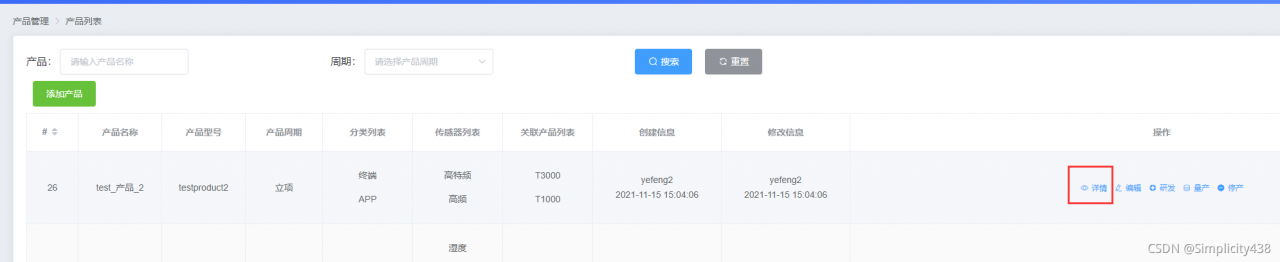
点击详情后跳转到另一个页面,要求携带当前的id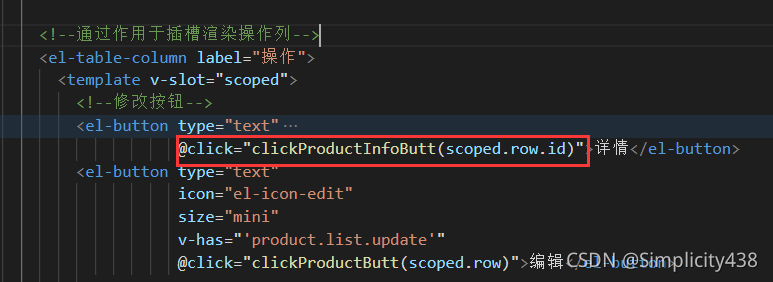
实现:使用router.push进行跳转,拼接id
    // 详情按钮
    clickProductInfoButt (id) {
      // console.log(111)
      this.$router.push('/manage_products/product_info?id=' + id)
    }
在另一个页面里的created中去获取该id
尝试渲染一个图片
data () {
    return {
      id: '',  //传入的id
      imgUrl: '',
    }
  },
created () {
    if (this.$route.query.id != undefined) {
      this.id = this.$route.query.id
    }
    this.productInfo()
  },
  methods: {
    productInfo () {
      var that = this;
      getBigProductInfo({ token: getToken(), id: that.id }).then(res => {
        console.log(res)
        that.imgUrl = res.img
      })
    }
  }
<img :src="imgUrl" alt="">
版权声明:本文为weixin_55966654原创文章,遵循CC 4.0 BY-SA版权协议,转载请附上原文出处链接和本声明。