__name__#作用?
直接上图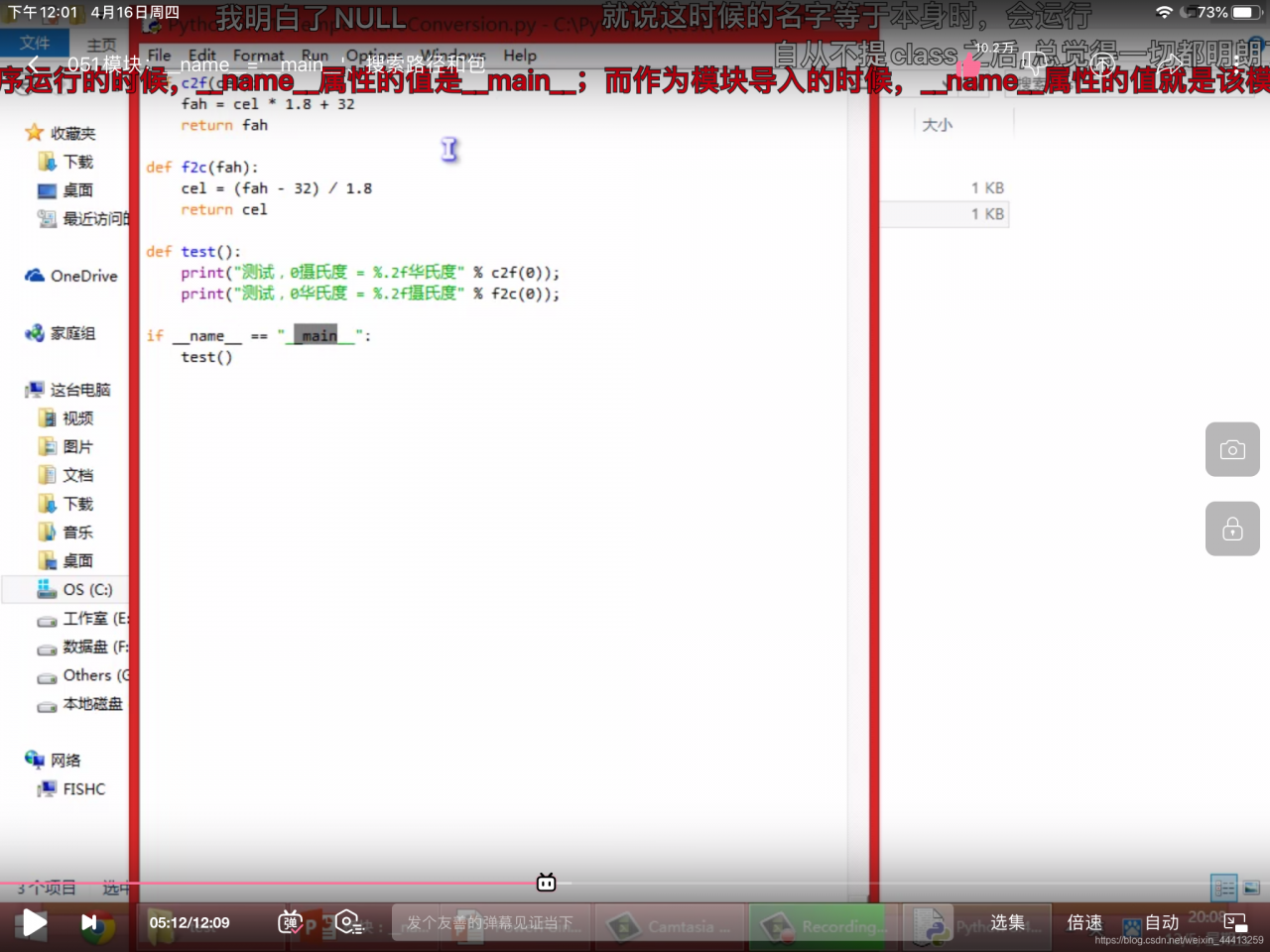
import math
>>> math.__name__
'math'
2.搜索路径
import math
>>> math.path
Traceback (most recent call last):
  File "<pyshell#48>", line 1, in <module>
    math.path
AttributeError: module 'math' has no attribute 'path'
>>> import sys
>>> sys.path
['', 'C:\\Windows\\system32', 'D:\\python\\Scripts', 'D:\\python\\python37.zip', 'D:\\python\\DLLs', 'D:\\python\\lib', 'D:\\python', 'D:\\python\\lib\\site-packages', 'D:\\python\\lib\\site-packages\\win32', 'D:\\python\\lib\\site-packages\\win32\\lib', 'D:\\python\\lib\\site-packages\\Pythonwin']
?math的报错
3.如何快速了解一个模块的相关功能
import turtle
>>> print(turtle.__doc__)

Turtle graphics is a popular way for introducing programming to
kids. It was part of the original Logo programming language developed
by Wally Feurzig and Seymour Papert in 1966.

Imagine a robotic turtle starting at (0, 0) in the x-y plane. After an ``import turtle``, give it
the command turtle.forward(15), and it moves (on-screen!) 15 pixels in
the direction it is facing, drawing a line as it moves. Give it the
command turtle.right(25), and it rotates in-place 25 degrees clockwise.

By combining together these and similar commands, intricate shapes and
pictures can easily be drawn.

----- turtle.py

This module is an extended reimplementation of turtle.py from the
Python standard distribution up to Python 2.5. (See: http://www.python.org)

It tries to keep the merits of turtle.py and to be (nearly) 100%
compatible with it. This means in the first place to enable the
learning programmer to use all the commands, classes and methods
interactively when using the module from within IDLE run with
the -n switch.

Roughly it has the following features added:

- Better animation of the turtle movements, especially of turning the
  turtle. So the turtles can more easily be used as a visual feedback
  instrument by the (beginning) programmer.

- Different turtle shapes, gif-images as turtle shapes, user defined
  and user controllable turtle shapes, among them compound
  (multicolored) shapes. Turtle shapes can be stretched and tilted, which
  makes turtles very versatile geometrical objects.

- Fine control over turtle movement and screen updates via delay(),
  and enhanced tracer() and speed() methods.

- Aliases for the most commonly used commands, like fd for forward etc.,
  following the early Logo traditions. This reduces the boring work of
  typing long sequences of commands, which often occur in a natural way
  when kids try to program fancy pictures on their first encounter with
  turtle graphics.

- Turtles now have an undo()-method with configurable undo-buffer.

- Some simple commands/methods for creating event driven programs
  (mouse-, key-, timer-events). Especially useful for programming games.

- A scrollable Canvas class. The default scrollable Canvas can be
  extended interactively as needed while playing around with the turtle(s).

- A TurtleScreen class with methods controlling background color or
  background image, window and canvas size and other properties of the
  TurtleScreen.

- There is a method, setworldcoordinates(), to install a user defined
  coordinate-system for the TurtleScreen.

- The implementation uses a 2-vector class named Vec2D, derived from tuple.
  This class is public, so it can be imported by the application programmer,
  which makes certain types of computations very natural and compact.

- Appearance of the TurtleScreen and the Turtles at startup/import can be
  configured by means of a turtle.cfg configuration file.
  The default configuration mimics the appearance of the old turtle module.

- If configured appropriately the module reads in docstrings from a docstring
  dictionary in some different language, supplied separately  and replaces
  the English ones by those read in. There is a utility function
  write_docstringdict() to write a dictionary with the original (English)
  docstrings to disc, so it can serve as a template for translations.

Behind the scenes there are some features included with possible
extensions in mind. These will be commented and documented elsewhere.
2)了解这个模块有哪些内置函数
dir(turtle)
['Canvas', 'Pen', 'RawPen', 'RawTurtle', 'Screen', 'ScrolledCanvas', 'Shape', 'TK', 'TNavigator', 'TPen', 'Tbuffer', 'Terminator', 'Turtle', 'TurtleGraphicsError', 'TurtleScreen', 'TurtleScreenBase', 'Vec2D', '_CFG', '_LANGUAGE', '_Root', '_Screen', '_TurtleImage', '__all__', '__builtins__', '__cached__', '__doc__', '__file__', '__forwardmethods', '__func_body', '__loader__', '__methodDict', '__methods', '__name__', '__package__', '__spec__', '__stringBody', '_alias_list', '_make_global_funcs', '_screen_docrevise', '_tg_classes', '_tg_screen_functions', '_tg_turtle_functions', '_tg_utilities', '_turtle_docrevise', '_ver', 'addshape', 'back', 'backward', 'begin_fill', 'begin_poly', 'bgcolor', 'bgpic', 'bk', 'bye', 'circle', 'clear', 'clearscreen', 'clearstamp', 'clearstamps', 'clone', 'color', 'colormode', 'config_dict', 'deepcopy', 'degrees', 'delay', 'distance', 'done', 'dot', 'down', 'end_fill', 'end_poly', 'exitonclick', 'fd', 'fillcolor', 'filling', 'forward', 'get_poly', 'get_shapepoly', 'getcanvas', 'getmethparlist', 'getpen', 'getscreen', 'getshapes', 'getturtle', 'goto', 'heading', 'hideturtle', 'home', 'ht', 'inspect', 'isdown', 'isfile', 'isvisible', 'join', 'left', 'listen', 'lt', 'mainloop', 'math', 'mode', 'numinput', 'onclick', 'ondrag', 'onkey', 'onkeypress', 'onkeyrelease', 'onrelease', 'onscreenclick', 'ontimer', 'pd', 'pen', 'pencolor', 'pendown', 'pensize', 'penup', 'pos', 'position', 'pu', 'radians', 'read_docstrings', 'readconfig', 'register_shape', 'reset', 'resetscreen', 'resizemode', 'right', 'rt', 'screensize', 'seth', 'setheading', 'setpos', 'setposition', 'settiltangle', 'setundobuffer', 'setup', 'setworldcoordinates', 'setx', 'sety', 'shape', 'shapesize', 'shapetransform', 'shearfactor', 'showturtle', 'simpledialog', 'speed', 'split', 'st', 'stamp', 'sys', 'textinput', 'tilt', 'tiltangle', 'time', 'title', 'towards', 'tracer', 'turtles', 'turtlesize', 'types', 'undo', 'undobufferentries', 'up', 'update', 'width', 'window_height', 'window_width', 'write', 'write_docstringdict', 'xcor', 'ycor']
并非所有内置函数都有用
turtle.__all__
['ScrolledCanvas', 'TurtleScreen', 'Screen', 'RawTurtle', 'Turtle', 'RawPen', 'Pen', 'Shape', 'Vec2D', 'addshape', 'bgcolor', 'bgpic', 'bye', 'clearscreen', 'colormode', 'delay', 'exitonclick', 'getcanvas', 'getshapes', 'listen', 'mainloop', 'mode', 'numinput', 'onkey', 'onkeypress', 'onkeyrelease', 'onscreenclick', 'ontimer', 'register_shape', 'resetscreen', 'screensize', 'setup', 'setworldcoordinates', 'textinput', 'title', 'tracer', 'turtles', 'update', 'window_height', 'window_width', 'back', 'backward', 'begin_fill', 'begin_poly', 'bk', 'circle', 'clear', 'clearstamp', 'clearstamps', 'clone', 'color', 'degrees', 'distance', 'dot', 'down', 'end_fill', 'end_poly', 'fd', 'fillcolor', 'filling', 'forward', 'get_poly', 'getpen', 'getscreen', 'get_shapepoly', 'getturtle', 'goto', 'heading', 'hideturtle', 'home', 'ht', 'isdown', 'isvisible', 'left', 'lt', 'onclick', 'ondrag', 'onrelease', 'pd', 'pen', 'pencolor', 'pendown', 'pensize', 'penup', 'pos', 'position', 'pu', 'radians', 'right', 'reset', 'resizemode', 'rt', 'seth', 'setheading', 'setpos', 'setposition', 'settiltangle', 'setundobuffer', 'setx', 'sety', 'shape', 'shapesize', 'shapetransform', 'shearfactor', 'showturtle', 'speed', 'st', 'stamp', 'tilt', 'tiltangle', 'towards', 'turtlesize', 'undo', 'undobufferentries', 'up', 'width', 'write', 'xcor', 'ycor', 'write_docstringdict', 'done', 'Terminator']
看源代码
turtle.__file__
'D:\\python\\lib\\turtle.py'
版权声明:本文为weixin_44413259原创文章,遵循CC 4.0 BY-SA版权协议,转载请附上原文出处链接和本声明。