服务端进行私钥密码验证
   public static void valid() throws FileNotFoundException {
        File pfx = new File("E:\\星巴克项目\\证书\\测试环境\\scada.stg.starbucks.net.jks");
        String privKeyPswdString = "tnk1VeENiMLp";
        FileInputStream fileInputStream = new FileInputStream(pfx);
//        File cer = new File("lushunde_public.cer");
//        FileInputStream fileInputStreamc = new FileInputStream(cer);
//        getPrivateKeyInfo(fileInputStream, privKeyPswdString);
//        getPublicKeyInfo(fileInputStreamc);
    }

    /**
     * 传入私钥数据流和密码 获取私钥有效时间
     *
     * @Title: getPrivateKeyInfo
     * @Description: fileInputStream 私钥文件数据流
     * privKeyPswdString 私钥密码
     * Mr.lu(lushunde.com)
     * @Date 2018年3月9日 上午12:24:37
     */
    public static void getPrivateKeyInfo(FileInputStream fileInputStream, String privKeyPswdString,Date startDate,Date endDate) {

        String keyAlias = null;
        try {
            KeyStore keyStore = KeyStore.getInstance("JKS");

            char[] nPassword = null;
            if ((privKeyPswdString == null) || privKeyPswdString.trim().equals("")) {
                nPassword = null;
            } else {
                nPassword = privKeyPswdString.toCharArray();
            }
            keyStore.load(fileInputStream, nPassword);
            fileInputStream.close();

            Enumeration<String> enumeration = keyStore.aliases();

            if (enumeration.hasMoreElements()) {
                keyAlias = enumeration.nextElement();
            }

            Certificate certificate = keyStore.getCertificate(keyAlias);

            PublicKey publicKey = certificate.getPublicKey();
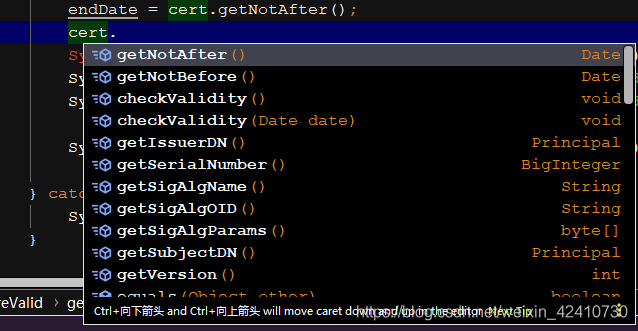
            这里的cert实例就是封装实例
            X509Certificate cert = X509Certificate.getInstance(certificate.getEncoded());
            startDate = cert.getNotBefore();
            endDate = cert.getNotAfter();
            System.out.println("=============私钥日期================");
            System.out.println(new SimpleDateFormat("yyyy-MM-dd").format(startDate));
            System.out.println(new SimpleDateFormat("yyyy-MM-dd").format(endDate));

            System.out.println("=============私钥日期================");

        } catch (Exception e) {
            System.out.println(e);
        }
    }
版权声明:本文为weixin_42410730原创文章,遵循CC 4.0 BY-SA版权协议,转载请附上原文出处链接和本声明。