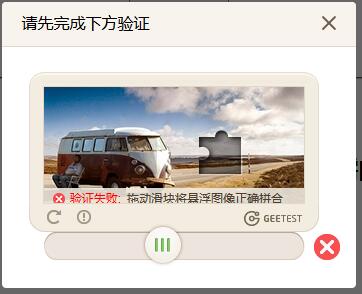
本文演示了dt.js三种不同的拖动图片验证码方法,有弹出层也有内嵌式图片验证码,效果都很帅气。你的网站想提高档次的,不妨加这款PHP拖动图片验证码卡位,而且支持手机APP端。
难易:中级
下载资源
下载积分:
120
积分
验证码 支持各大主流浏览器和原生Android和iOS等APP手机端
引入gt.js拖动图片验证码插件
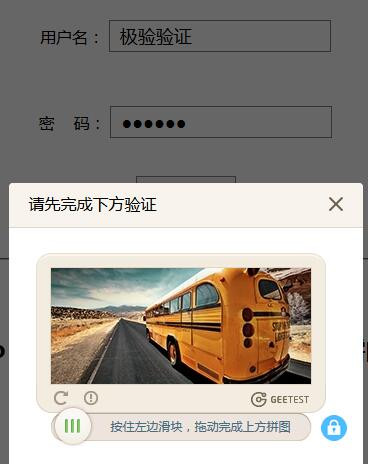
弹出式Demo
// 成功的回调
captchaObj.onSuccess(function() {
var validate = captchaObj.getValidate();
$.ajax({
url: "web/VerifyLoginServlet.php", // 进行二次验证
type: "post",
dataType: "json",
data: {
type: "pc",
username: $('#username1').val(),
password: $('#password1').val(),
geetest_challenge: validate.geetest_challenge,
geetest_validate: validate.geetest_validate,
geetest_seccode: validate.geetest_seccode
},
success: function(data) {
if (data && (data.status === "success")) {
$(document.body).html('
登录成功
');} else {
$(document.body).html('
登录失败
');}
}
});
});
$("#popup-submit").click(function() {
captchaObj.show();
});
// 将验证码加到id为captcha的元素里
captchaObj.appendTo("#popup-captcha");
};
// 验证开始需要向网站主后台获取id,challenge,success(是否启用failback)
$.ajax({
url: "web/StartCaptchaServlet.php?type=pc&t=" + (new Date()).getTime(), // 加随机数防止缓存
type: "get",
dataType: "json",
success: function(data) {
// 使用initGeetest接口
// 参数1:配置参数
// 参数2:回调,回调的第一个参数验证码对象,之后可以使用它做appendTo之类的事件
initGeetest({
gt: data.gt,
challenge: data.challenge,
product: "popup", // 产品形式,包括:float,embed,popup。注意只对PC版验证码有效
offline: !data.success // 表示用户后台检测极验服务器是否宕机,一般不需要关注
}, handlerPopup);
}
});
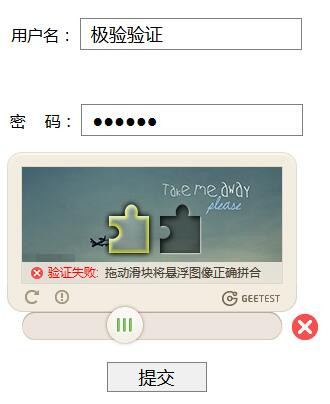
嵌入式Demo
正在加载验证码......
请先拖动验证码到相应位置
var handlerEmbed = function(captchaObj) {
$("#embed-submit").click(function(e) {
var validate = captchaObj.getValidate();
if (!validate) {
$("#notice")[0].className = "show";
setTimeout(function() {
$("#notice")[0].className = "hide";
}, 2000);
e.preventDefault();
}
});
// 将验证码加到id为captcha的元素里,同时会有三个input的值:geetest_challenge, geetest_validate, geetest_seccode
captchaObj.appendTo("#embed-captcha");
captchaObj.onReady(function() {
$("#wait")[0].className = "hide";
});
};
$.ajax({
// 获取id,challenge,success(是否启用failback)
url: "web/StartCaptchaServlet.php?type=pc&t=" + (new Date()).getTime(), // 加随机数防止缓存
type: "get",
dataType: "json",
success: function(data) {
// 使用initGeetest接口
// 参数1:配置参数
// 参数2:回调,回调的第一个参数验证码对象,之后可以使用它做appendTo之类的事件
initGeetest({
gt: data.gt,
challenge: data.challenge,
product: "embed", // 产品形式,包括:float,embed,popup。注意只对PC版验证码有效
offline: !data.success // 表示用户后台检测极验服务器是否宕机,一般不需要关注
}, handlerEmbed);
}
});
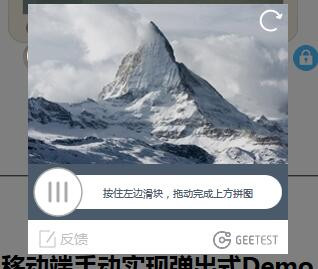
移动端手动实现弹出式Demo
$("#mask, #popup-captcha-mobile").hide();
});
$("#popup-submit-mobile").click(function() {
$("#mask, #popup-captcha-mobile").show();
});
var handlerPopupMobile = function(captchaObj) {
// 将验证码加到id为captcha的元素里
captchaObj.appendTo("#popup-captcha-mobile");
//拖动验证成功后两秒(可自行设置时间)自动发生跳转等行为
captchaObj.onSuccess(function() {
var validate = captchaObj.getValidate();
$.ajax({
url: "web/VerifyLoginServlet.php", // 进行二次验证
type: "post",
dataType: "json",
data: {
// 二次验证所需的三个值
type: "mobile",
username: $('#username3').val(),
password: $('#password3').val(),
geetest_challenge: validate.geetest_challenge,
geetest_validate: validate.geetest_validate,
geetest_seccode: validate.geetest_seccode
},
success: function(data) {
if (data && (data.status === "success")) {
$(document.body).html('
登录成功
');} else {
$(document.body).html('
登录失败
');}
}
});
});
};
$.ajax({
// 获取id,challenge,success(是否启用failback)
url: "web/StartCaptchaServlet.php?type=mobile&t=" + (new Date()).getTime(), // 加随机数防止缓存
type: "get",
dataType: "json",
success: function(data) {
// 使用initGeetest接口
// 参数1:配置参数
// 参数2:回调,回调的第一个参数验证码对象,之后可以使用它做appendTo之类的事件
initGeetest({
gt: data.gt,
challenge: data.challenge,
offline: !data.success // 表示用户后台检测极验服务器是否宕机,一般不需要关注
}, handlerPopupMobile);
}
});