第一步
首先在本地创建ssh key;
ssh-keygen -t rsa -C "your_email@youremail.com"
your_email@youremail.com改为你在github上注册的邮箱,然后一系列的回车,会在家目录下生成一个ssh文件
cd ~/.ssh/
ls
cat id_rsa.pub
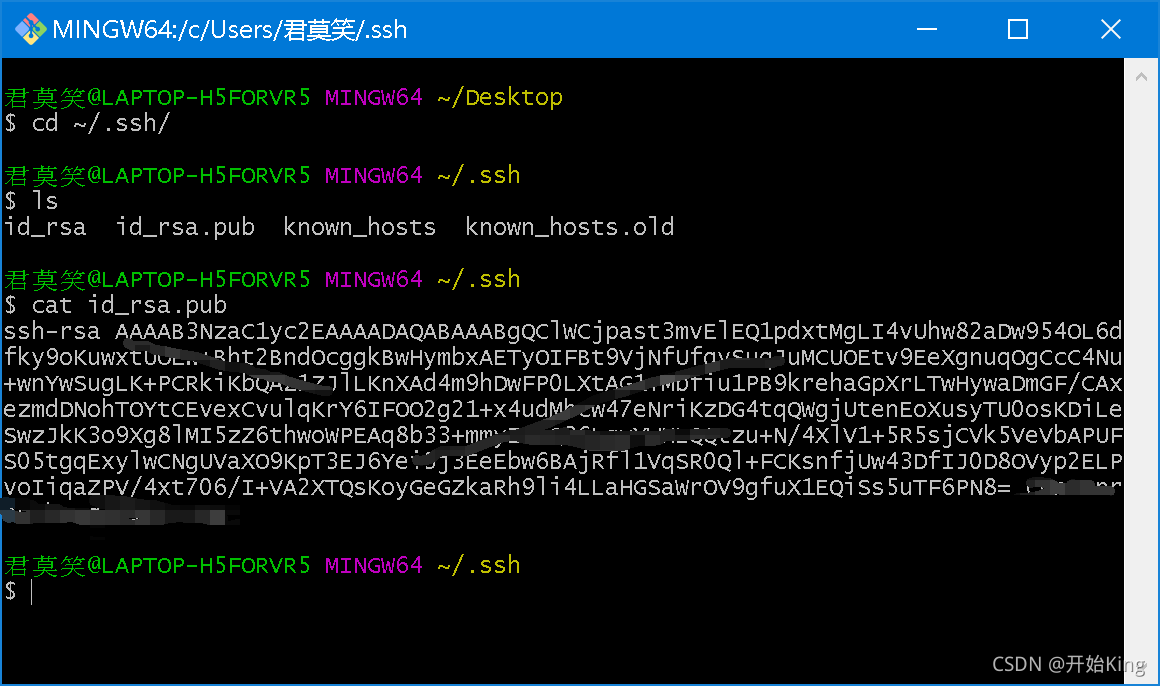
复制内容到Github上
回到github上,进入 Settings(账户配置) title里随便填,Key里粘贴你刚才复制的内容
验证是否成功
ssh -T git@github.com
You’ve successfully authenticated, but GitHub does not provide shell access 。这就表示已成功连上github。
如果显示:
The authenticity of host ‘github.com (20.205.243.166)’ can’t be established.
RSA key fingerprint is SHA256:nThbg6kXUpJWGl7E1IGOCspRomTxdCARLviKw6E5SY8.
This key is not known by any other names
输入yes就行了
接下来还需要一些设置
···
git config --global user.name “your name”
git config --global user.email “your_email”
···
your name就是你的Github名称,your_email就是你注册时的邮箱
git config --list查看更改的内容
第二步
把Github上的仓库拷贝下来
在你的项目文件目录下
git clone 你的仓库地址
接下在本地拷贝的项目下进行增删改查
例如
touch test.py
vim test.py
git add test.py   //添加到缓存区,如果想传递全部文件git add .
git commit -m "描述"    //提交
git push     //同步Github仓库
如果push的时候出现了
OpenSSL SSL_read: Connection was reset, errno 10054
那么就需要修改一下.git文件夹下的config文件
具体操作点击此处