
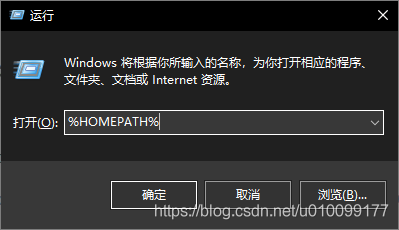
进入%HOMEPATH%目录
编辑其中的.condarc文件
删除 - default
将 - https://... 改成 - http://...
转载自: Anaconda使用conda连接网络出现错误(CondaHTTPError: HTTP 000 CONNECTION FAILED for url) - LiuNan的博客 - CSDN博客
%HOMEPATH%是一个变量,它的值就是C:\Users\用户名,可以直接在文件资源管理器的地址栏输入或者在“运行”输入。
我电脑上的.condarc的内容
channels:
  - http://mirrors.tuna.tsinghua.edu.cn/anaconda/pkgs/free/
  - http://mirrors.tuna.tsinghua.edu.cn/anaconda/cloud/conda-forge/
  - http://mirrors.tuna.tsinghua.edu.cn/anaconda/cloud/msys2/
  - http://mirrors.tuna.tsinghua.edu.cn/anaconda/cloud/bioconda/
  - http://mirrors.tuna.tsinghua.edu.cn/anaconda/pkgs/main/
show_channel_urls: true
ssl_verify: false
如果是Linux系统,修改 ~/.condarc 文件
$ vim ~/.condarcanaconda 官方的使用帮助:https://mirror.tuna.tsinghua.edu.cn/help/anaconda/
恢复默认源:
$ conda config --remove-key channels
版权声明:本文为u010099177原创文章,遵循CC 4.0 BY-SA版权协议,转载请附上原文出处链接和本声明。