由于原先的wx.playBackgroundAudio(Object object)等一系列API停止维护,转到使用BackgroundAudioManager 实例进行操作又出现了不能暂停的情况... ...
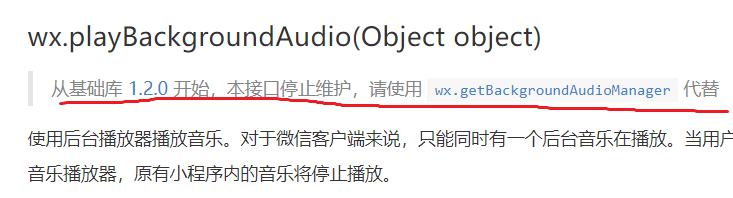
在鼠标按下触发回调函数中,一开始我是这样写的:
onMusicTap: function(event) {
    var isPlaying = this.data.isPlaying
    var cur_postId = this.data.cur_postId
    var postMuisc = postsData.postList[cur_postId].music

    const backgroundAudioManager = wx.getBackgroundAudioManager()
    backgroundAudioManager.title = postMuisc.title
    backgroundAudioManager.coverImgUrl = postMuisc.coverImg
    backgroundAudioManager.src = postMuisc.url

    if (isPlaying) {
      backgroundAudioManager.pause()
      this.setData({
        isPlaying: false
      })
    } else {
      backgroundAudioManager.play()
      this.setData({
        isPlaying: true
      })
    }
  }
由于看到官方文档上面说“当设置了新的 src 时,会自动开始播放”,我也尝试过把设置src放到else中,但是任然不行。。。

最后,
onMusicTap: function(event) {
    var isPlaying = this.data.isPlaying
    var cur_postId = this.data.cur_postId
    var postMuisc = postsData.postList[cur_postId].music

    const backgroundAudioManager = wx.getBackgroundAudioManager()

    if (isPlaying) {
      backgroundAudioManager.pause()
      this.setData({
        isPlaying: false
      })
    } else {
      backgroundAudioManager.title = postMuisc.title
      backgroundAudioManager.coverImgUrl = postMuisc.coverImg
      backgroundAudioManager.src = postMuisc.url
      backgroundAudioManager.play()
      this.setData({
        isPlaying: true
      })
    }
  }
发现其实只要将设置title、coverImgUrl、src写到else括号内就可以成功暂停了。
不知道什么原因,不过正常工作了。。。
希望有知道原因的大佬能在下方留言解答一下!
版权声明:本文为qq_39797956原创文章,遵循CC 4.0 BY-SA版权协议,转载请附上原文出处链接和本声明。