1、现象:
postgresql源表数据量: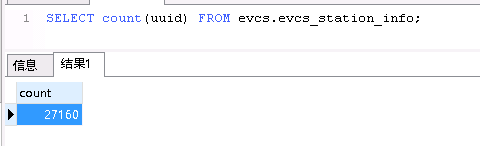
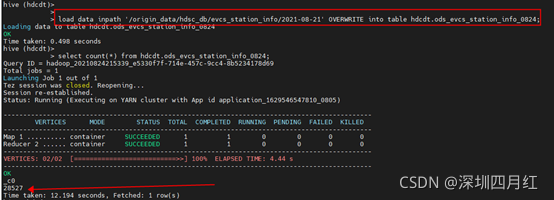
抽取到HDFS上和Hive之后数据量: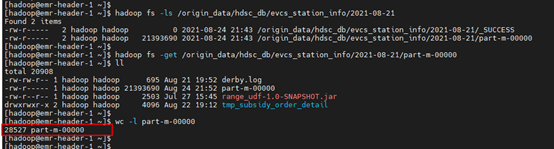
2、原因:
使用sqoop从pg库导出数据至HDFS或Hive时,如果数据中包含Hive指定的列分隔符,如”\001”或”\t”,那么在Hive中就会导致数据错位;如果数据中包含换行符”\n”,那么就会导致原先的一行数据,在Hive中变成了两行或多行数据,导致数据量增多。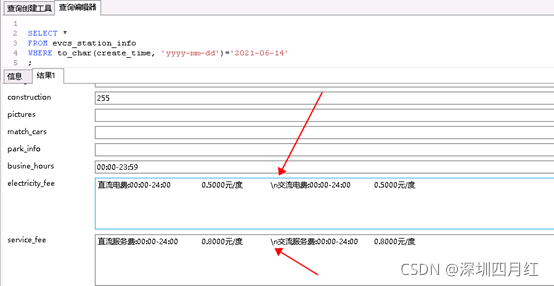
正常的: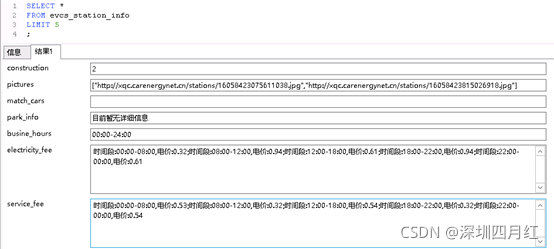
3、解决:
在sqoop执行import导入命令时添加参数–hive-drop-import-delims,作用是在导入时从字符串字段中删除”\n”、”\r”和”\01”。或者使用参–hive-delims-replacement,作用是在导入时将字符串字段中的”\n”、”\r”和”\01”替换为指定字符串。
命令:
sqoop import --D tez.queue.name=$queue_name --connect p g s q l h d s c d b c o n n e c t i o n / pgsql_hdsc_db_connection/pgsqlhdscdbconnection/pg_db_name --username $pg_uname --password p g u p a s s w d − − t a r g e t − d i r / o r i g i n d a t a / pg_upasswd --target-dir /origin_data/pgupasswd−−target−dir/origindata/pg_db_name/1 / 1/1/db_date --delete-target-dir --num-mappers 1 --fields-terminated-by “\t” --hive-drop-import-delims --null-string ‘\N’ --null-non-string ‘\N’ --query “$2”’ and $CONDITIONS;’