java swing开发中,JFrame作为启动窗口,使用时不建议直接new一个JFrame,推荐把JFrame放到一个事件指派线程中启动,也就是通过SwingUtilities.invokeLater方式
package com.zhufeng.demo;

import javax.swing.*;
import java.awt.*;

/**
 * @ClassName: ShowJFrame
 * @Description TODO
 * @author 月夜烛峰
 * @date 2022/7/11 17:09
 */
public class ShowJFrame {

    JPanel colorPanel = new JPanel();

    public void createAndShowGUI(String title) {
        //窗口名称
        JFrame frame = new JFrame("月夜烛峰-" + title);
        //窗口带有关闭按钮
        frame.setDefaultCloseOperation(JFrame.EXIT_ON_CLOSE);
        //指定窗口大小
        frame.setSize(new Dimension(400, 300));
        //窗口居中展示
        frame.setLocationRelativeTo(null);
        //窗口设置为可见
        frame.setVisible(true);
        colorPanel.setName(title);
        colorPanel.setBackground(Color.BLACK);
        frame.add(colorPanel);
    }

    public static void main(String[] args) {

        javax.swing.SwingUtilities.invokeLater(new Runnable() {
            @Override
            public void run() {
                ShowJFrame frame = new ShowJFrame();
                frame.createAndShowGUI("正常启动");
                frame.colorPanel.setBackground(Color.GREEN);
            }
        });

    }
}
运行Main方法,可以正常启动
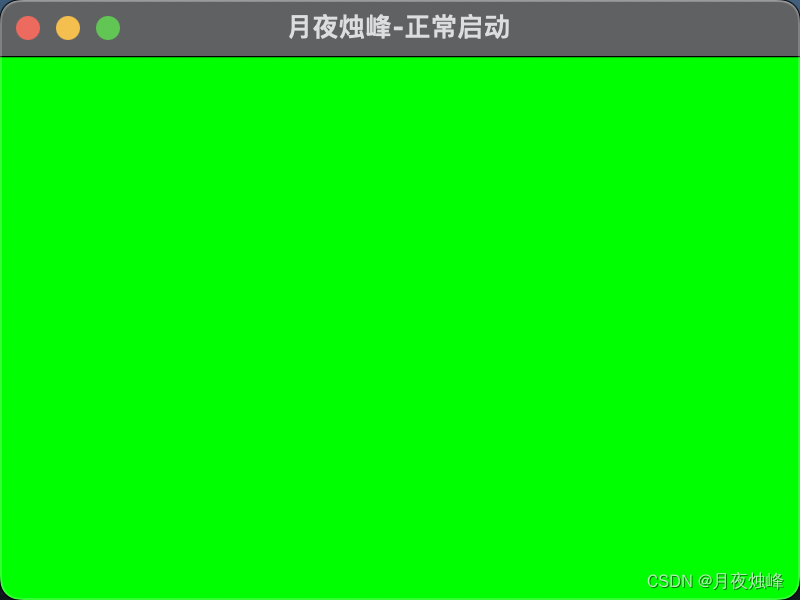
通过SwingUtilities.invokeLater启动GUI:
一方面是另起一个线程,可以异步执行,出现异常时,也不至于主线程宕掉;
另一方面通过事件派发线程,在GUI有需要更新的事件时,可以保证线程安全的执行。
为了能够更直观的感受两者的不同,可以通过普通线程和事件指派线程分别演示下启动GUI时可能导致的一些问题。
新建一普通线程 SwingThreadDemo.java,代码如下:
package com.zhufeng.demo;

import java.awt.*;

/**
 * @ClassName: SwingThreadDemo
 * @Description TODO
 * @author 月夜烛峰
 * @date 2022/7/11 17:36
 */
public class SwingThreadDemo extends Thread {

    @Override
    public void run() {
        ShowJFrame frame = new ShowJFrame();
        frame.createAndShowGUI("普通线程启动");
        frame.colorPanel.setBackground(Color.BLUE);
        System.out.println("普通线程启动: " + Thread.currentThread());
    }
}
普通线程中,把背景色设置为蓝色和指派线程进行区分,并打印线程信息
改造指派线程代码
package com.zhufeng.demo;

import javax.swing.*;
import java.awt.*;

/**
 * @ClassName: ShowJFrame
 * @Description TODO
 * @author 月夜烛峰
 * @date 2022/7/11 17:09
 */
public class ShowJFrame {

    JPanel colorPanel = new JPanel();

    public void createAndShowGUI(String title) {
        //窗口名称
        JFrame frame = new JFrame("月夜烛峰-" + title);
        //窗口带有关闭按钮
        frame.setDefaultCloseOperation(JFrame.EXIT_ON_CLOSE);
        //指定窗口大小
        frame.setSize(new Dimension(400, 300));
        //窗口居中展示
        frame.setLocationRelativeTo(null);
        //窗口设置为可见
        frame.setVisible(true);
        colorPanel.setName(title);
        colorPanel.setBackground(Color.BLACK);
        frame.add(colorPanel);
    }

    public static void main(String[] args) {
        SwingThreadDemo thread = new SwingThreadDemo();
        thread.start();
        javax.swing.SwingUtilities.invokeLater(new Runnable() {
            @Override
            public void run() {
                ShowJFrame frame = new ShowJFrame();
                frame.createAndShowGUI("正常启动");
                frame.colorPanel.setBackground(Color.GREEN);
                System.out.println("指派线程启动: " + Thread.currentThread());
            }
        });

    }
}
在main方法中,同时运行普通线程和指派线程:
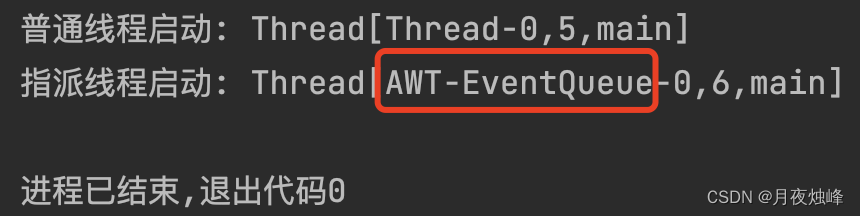
通过控制台可以看到,线程打印的线程信息有差异,SwingUtilities.invokeLater运行的线程为AWT-EventQueue(关于代码实现可以自行查看源码,比较简单)。
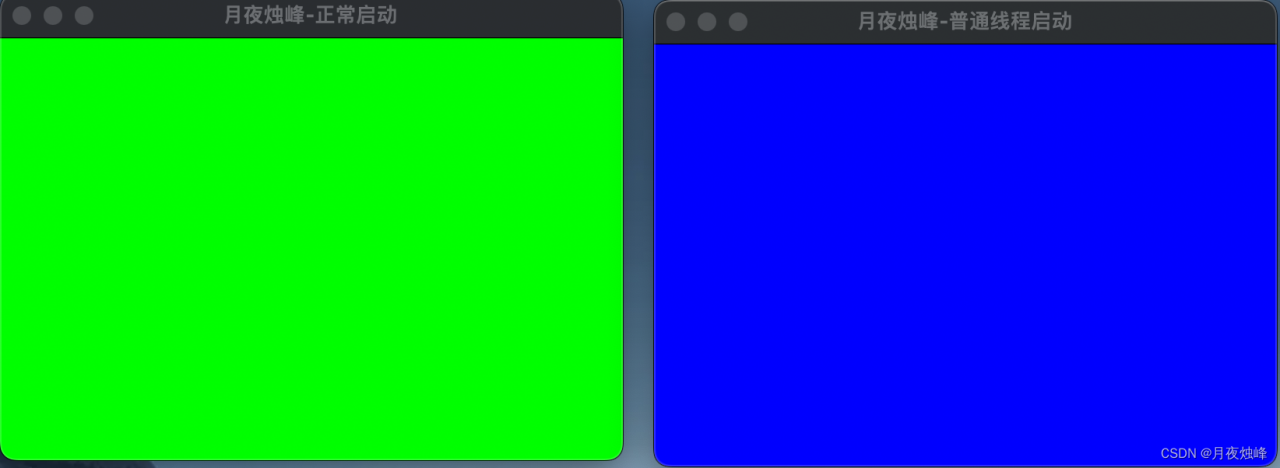
注意:
虽然看上去通过两种方式均可以正常运行,但是这里有个陷阱,看上去同时启动,但因为我们调用了指派线程,指派线程的运行又影响swing的运行事件,从而间接普通线程的运行(比如背景色渲染),所以看上去没有运行问题。
如果我们只运行普通线程:
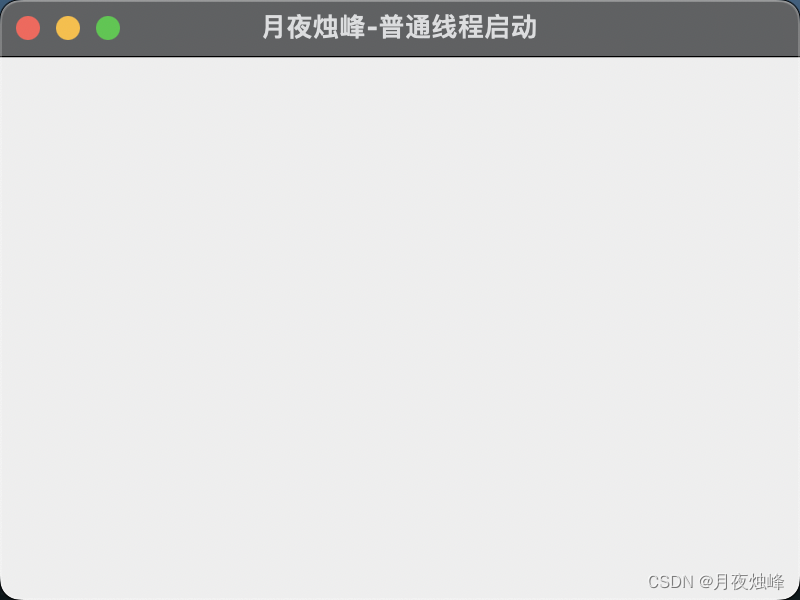
这里的背景色变成了默认背景颜色,既不是绿色也不是蓝色。
代码中,把指派线程运行逻辑注释掉:
package com.zhufeng.demo;

import javax.swing.*;
import java.awt.*;

/**
 * @ClassName: ShowJFrame
 * @Description TODO
 * @author 月夜烛峰
 * @date 2022/7/11 17:09
 */
public class ShowJFrame {

    JPanel colorPanel = new JPanel();

    public void createAndShowGUI(String title) {
        //窗口名称
        JFrame frame = new JFrame("月夜烛峰-" + title);
        //窗口带有关闭按钮
        frame.setDefaultCloseOperation(JFrame.EXIT_ON_CLOSE);
        //指定窗口大小
        frame.setSize(new Dimension(400, 300));
        //窗口居中展示
        frame.setLocationRelativeTo(null);
        //窗口设置为可见
        frame.setVisible(true);
        colorPanel.setName(title);
        colorPanel.setBackground(Color.BLACK);
        frame.add(colorPanel);
    }

    public static void main(String[] args) {
        SwingThreadDemo thread = new SwingThreadDemo();
        thread.start();
        /**
        javax.swing.SwingUtilities.invokeLater(new Runnable() {
            @Override
            public void run() {
                ShowJFrame frame = new ShowJFrame();
                frame.createAndShowGUI("正常启动");
                frame.colorPanel.setBackground(Color.GREEN);
                System.out.println("指派线程启动: " + Thread.currentThread());
            }
        });
        */
    }
}
通过简单的对比,关于正常运行一个swing应用,确实也是需要注意。
版权声明:本文为superli0426原创文章,遵循CC 4.0 BY-SA版权协议,转载请附上原文出处链接和本声明。