rabbitMQ的简单模式
1.简单模式(一个生产者对应一个消费者)

从图上可以看到只有三个角色:
   p 【product】: 生产者  发生消息的
   红色[queue]: 队列。  存储消息的
   C [consumer]: 消费者  消费消息
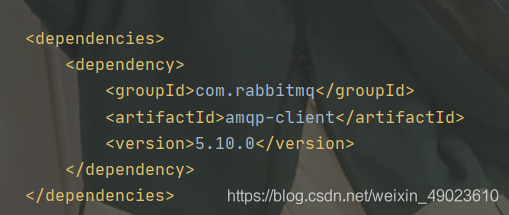
1.首先引入rabbitMQ的依赖架包
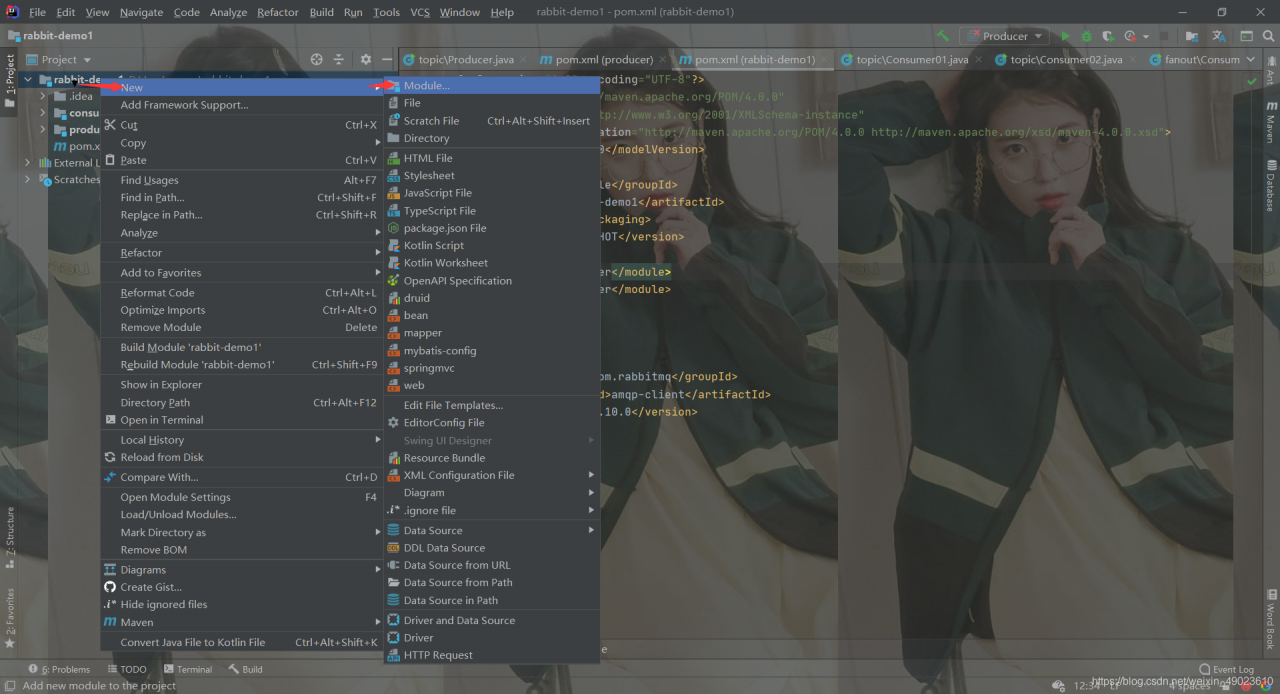
2.在主项目文件中添加子项目
3.编写生产者代码
package com.aaa.qy129;

import com.rabbitmq.client.Channel;
import com.rabbitmq.client.Connection;
import com.rabbitmq.client.ConnectionFactory;

import java.io.IOException;
import java.util.concurrent.TimeoutException;

public class Producer {
    public static void main(String[] args) {
        //创建连接工厂
        ConnectionFactory factory = new ConnectionFactory();
        //配置连接信息
        factory.setHost("192.168.81.166");
        //创建连接对象
        Connection connection = null;
        try {
            connection = factory.newConnection();
        } catch (IOException e) {
            e.printStackTrace();
        } catch (TimeoutException e) {
            e.printStackTrace();
        }
        //创建信道
        Channel channel = null;
        try {
            channel = connection.createChannel();
        } catch (IOException e) {
            e.printStackTrace();
        }
        //创建队列
        /**
         * String queue, 队列的名称
         * boolean durable, 是否该队列持久化 rabbitMQ服务重启后该存放是否存在。
         * boolean exclusive, 是否独占 false
         * boolean autoDelete, 是否自动删除  如果长时间没有发生消息 则自动删除
         * Map<String, Object> arguments 额外参数  先给null
         */
        try {
            channel.queueDeclare("zmj",true,false,false,null);
        } catch (IOException e) {
            e.printStackTrace();
        }
        //发生消息
        String str="仲梦君是大帅哥!!!!!!!";
        /**
         * String exchange: 交换机的名称 如果没有则使用“” 它回自动采用默认
         * String routingKey, 路由key  如果没有交换机的绑定 使用队列的名称
         * BasicProperties props, 消息的一些额外配置 目前先不加 null
         * byte[] body 消息的内容
         */
        try {
            channel.basicPublish("","zmj",null,str.getBytes());
        } catch (IOException e) {
            e.printStackTrace();
        }
    }
}
4.编写消费者代码
package com.aaa.qy129;

import com.rabbitmq.client.*;

import java.io.IOException;
import java.util.concurrent.TimeoutException;

public class Consumers {
    public static void main(String[] args) {
        //创建连接工厂
        ConnectionFactory factory = new ConnectionFactory();
        //配置连接
        factory.setHost("192.168.81.166");
        //创建连接对象
        Connection connection = null;
        try {
            connection = factory.newConnection();
        } catch (IOException e) {
            e.printStackTrace();
        } catch (TimeoutException e) {
            e.printStackTrace();
        }
        //创建信道
        Channel channel = null;
        try {
            channel = connection.createChannel();
        } catch (IOException e) {
            e.printStackTrace();
        }
        //接受消息
        /**
         * (String queue, 队列的名称
         *  boolean autoAck, 是否自动确认
         *  Consumer callback: 回调方法 当队列中存在信息后 会自动触发回调函数。
         */
        DefaultConsumer callback=new DefaultConsumer(channel){
            @Override
            public void handleDelivery(String consumerTag, Envelope envelope, AMQP.BasicProperties properties, byte[] body) throws IOException {
                //body接受消息
                System.out.println("消息内容:"+new String(body));
            }
        };
        try {
            channel.basicConsume("zmj",true,callback);
        } catch (IOException e) {
            e.printStackTrace();
        }

    }
}
版权声明:本文为weixin_49023610原创文章,遵循CC 4.0 BY-SA版权协议,转载请附上原文出处链接和本声明。