输入nvidia-smi报错如下:
NVIDIA-SMI has failed because it couldn't communicate with the NVIDIA driver. Make sure that the latest NVIDIA driver is installed and running.
原因主要为:这是一个常见问题,经常出现在ubuntu系统中,主要原因还是系统内核升级了,导致新版本内核和原来显卡驱动不匹配
解决如下:
1、查看nvidia版本号
ll /usr/src/
示意图如下: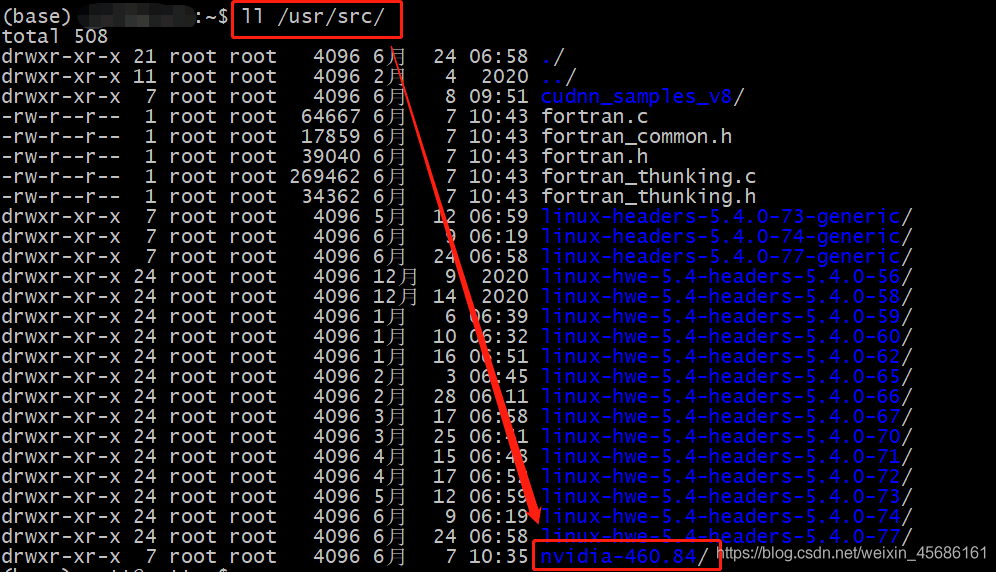
2、安装dkms
sudo apt-get install dkms
3、执行
sudo dkms install -m nvidia -v 460.84
版权声明:本文为weixin_45686161原创文章,遵循CC 4.0 BY-SA版权协议,转载请附上原文出处链接和本声明。