springboot自动配置自定义的Starter
代码示例下载: https://github.com/2010yhh/springBoot-demos/tree/master/springboot-user-starter
1.自动配置原理
- @SpringBootApplication
- @EnableAutoConfiguration
- @Import(EnableAutoConfigurationImportSelector.class)(//AutoConfigurationImportSelector)
- EnableAutoConfigurationImportSelector(//AutoConfigurationImportSelector)使用SpringFactoriesLoader.loadFactoryNames方法来扫描具有MEAT-INF/spring.factories文件的jar包(SpringBoot 在启动时会去依赖的starter包中寻找
resources/META-INF/spring.factories文件,然后根据文件中配置的Jar包去扫描项目所依赖的Jar包) - 根据
spring.factories配置加载AutoConfigure类;根据@Conditional等注解的条件,进行自动配置并将Bean注入Spring 容器中。
2.自定义Starter
1.新建springboot工程(Configuration Processor)
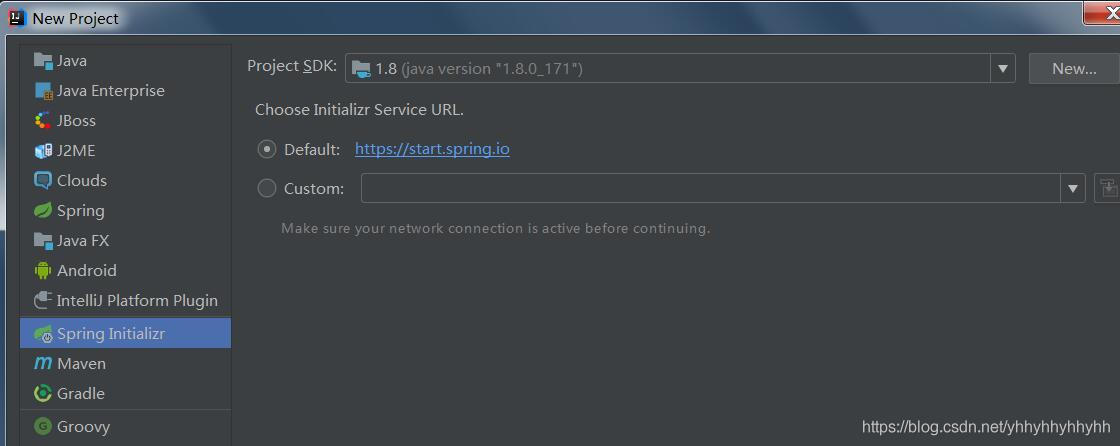
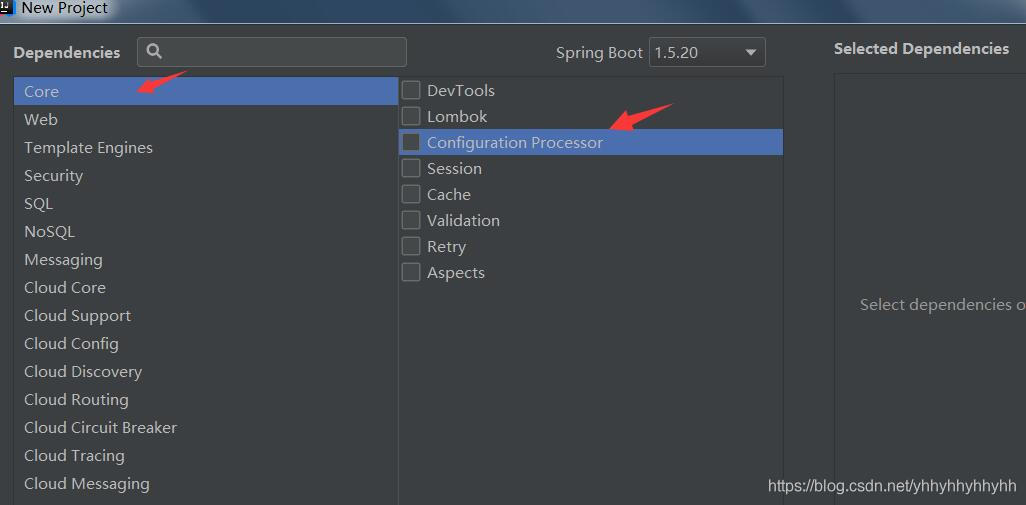
会自动引入需要的pom依赖:
 <dependency>
            <groupId>org.springframework.boot</groupId>
            <artifactId>spring-boot-autoconfigure</artifactId>
        </dependency>
        <!--编译时生成 spring-configuration-metadata.json-->
        <dependency>
            <groupId>org.springframework.boot</groupId>
            <artifactId>spring-boot-configuration-processor</artifactId>
            <optional>true</optional>
        </dependency>
2.定义自动配置的属性类
@ConfigurationProperties("com.ctg.test.user")
public class UserProperties {
    private String userName;
    private String passWord;
   ......
}
3.定义自动配置服务类
public class UserService {
    private String userName;
    private String passWord;
    public UserService(String userName,String passWord) {
        this.userName =userName;
        this.passWord =passWord;
    }
    public void print(){
        System.out.println("userName:"+userName);
        System.out.println("passWord:"+passWord);
    }
}
4.定义AutoConfigure类
/**
 * @ConditionalOnBean:当容器中有指定的Bean的条件下
 * @ConditionalOnClass:当类路径下有指定的类的条件下
 * @ConditionalOnExpression:基于SpEL表达式作为判断条件
 * @ConditionalOnJava:基于JVM版本作为判断条件
 * @ConditionalOnJndi:在JNDI存在的条件下查找指定的位置
 * @ConditionalOnMissingBean:当容器中没有指定Bean的情况下
 * @ConditionalOnMissingClass:当类路径下没有指定的类的条件下
 * @ConditionalOnNotWebApplication:当前项目不是Web项目的条件下
 * @ConditionalOnProperty:指定的属性是否有指定的值
 * @ConditionalOnResource:类路径下是否有指定的资源
 * @ConditionalOnSingleCandidate:当指定的Bean在容器中只有一个,或者在有多个Bean的情况下,用来指定首选的Bean @ConditionalOnWebApplication:当前项目是Web项目的条件下
 */
@Configuration
@ConditionalOnClass(UserService.class)
@EnableConfigurationProperties(UserProperties.class)
public class UserAutoConfigure {
    @Autowired
    UserProperties userProperties;
    @Bean
    @ConditionalOnMissingBean
    @ConditionalOnProperty(prefix = "com.ctg.test.user", value = "enabled", havingValue = "true")
    UserService userService (){
        return new UserService(userProperties.getUserName(),userProperties.getPassWord());
    }
}
5.spring.factories文件
org.springframework.boot.autoconfigure.EnableAutoConfiguration=\
  com.ctg.test.springbootuserstarter.UserAutoConfigure
最终工程目录;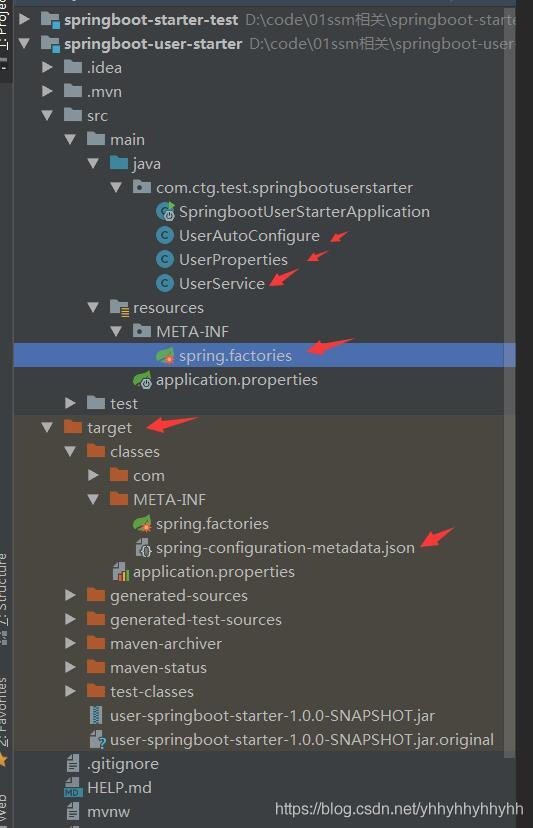
6.打包,随便打包方式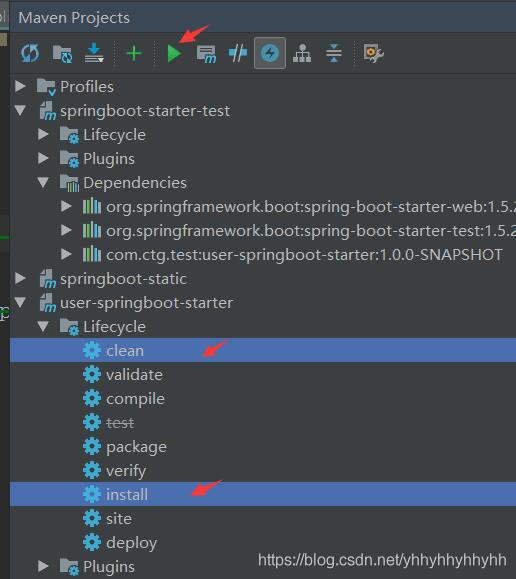
生成: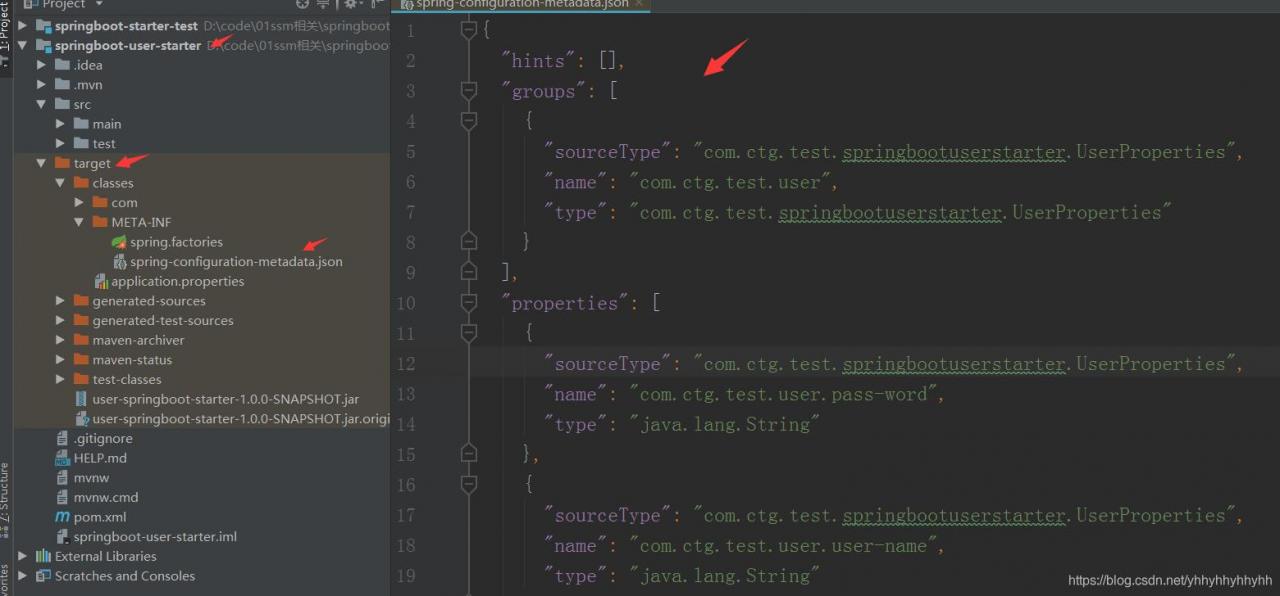
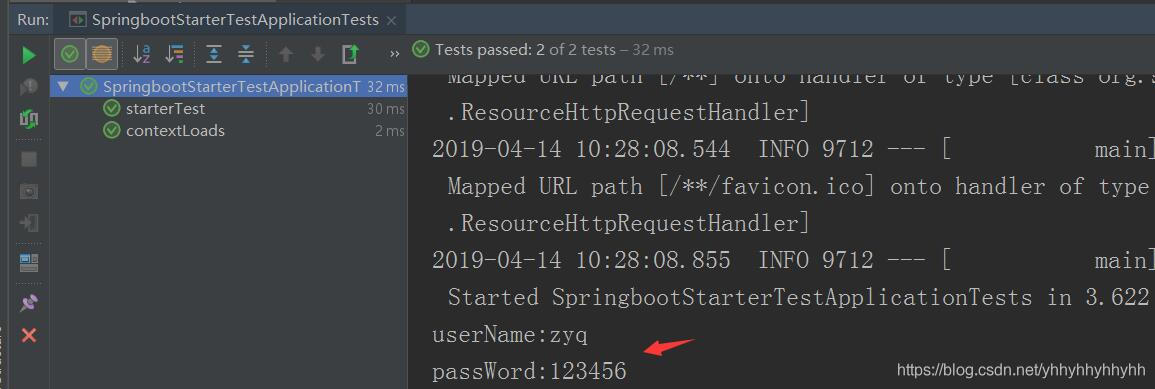
7.测试
测试工程配置文件:
#定义自动配置的属性
com:
  ctg:
    test:
      user:
        user-name: zyq
        pass-word: 123456
        enabled: true
测试工程pom引入:
<!--引入自定义的starter-->
        <dependency>
            <groupId>com.ctg.test</groupId>
            <artifactId>user-springboot-starter</artifactId>
            <version>1.0.0-SNAPSHOT</version>
        </dependency>
测试示例:
@RunWith(SpringRunner.class)
@SpringBootTest
public class SpringbootStarterTestApplicationTests {
    @Autowired
    UserService userService;
    @Test
    public void contextLoads() {
    }
    @Test
    public void starterTest() {
        userService.print();
    }
}
debug发现自定义的Starter已经注册进来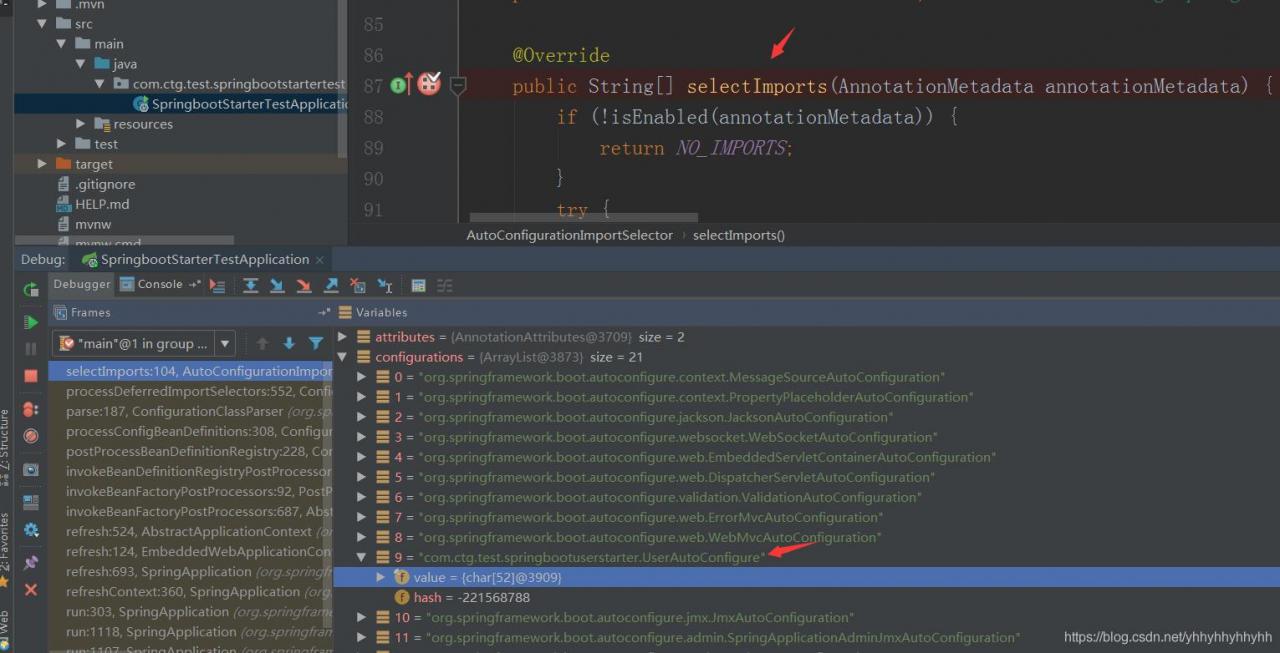
版权声明:本文为yhhyhhyhhyhh原创文章,遵循CC 4.0 BY-SA版权协议,转载请附上原文出处链接和本声明。