第4课 微信小程序app.json目录结构解析:
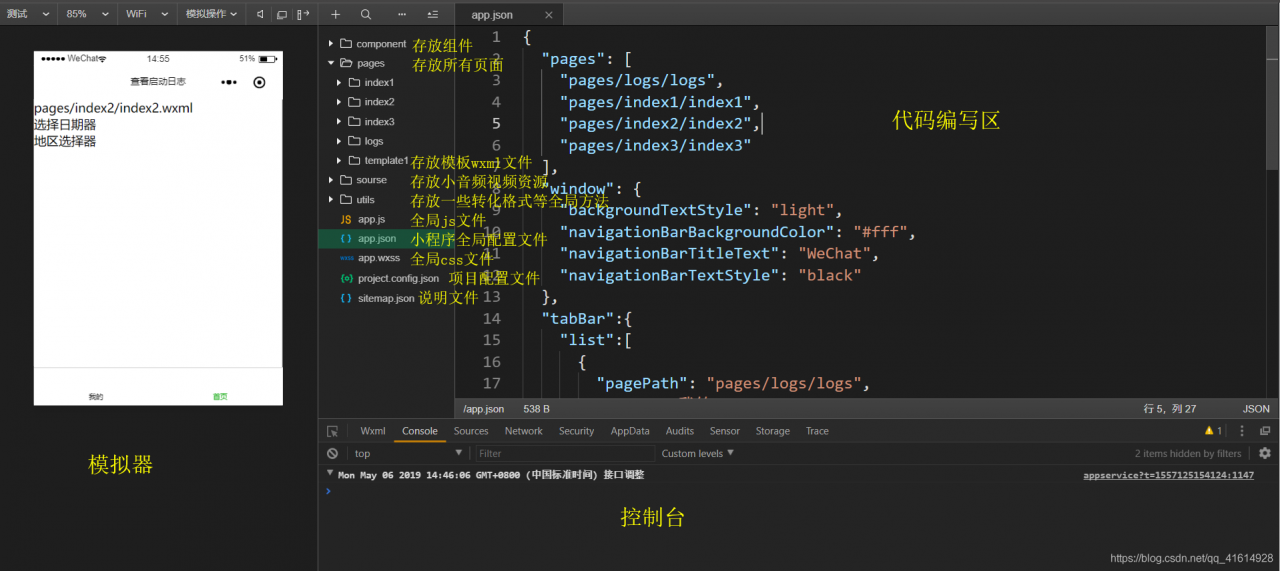
app.json全局配置文件内容详解:
//json里面不能写注释不然会报错,运行时需把注释删除
{
  "pages": [  //页面路径都需要写入pages中
    "pages/logs/logs",
    "pages/index1/index1",
    "pages/index2/index2",
    "pages/index3/index3"
  ],
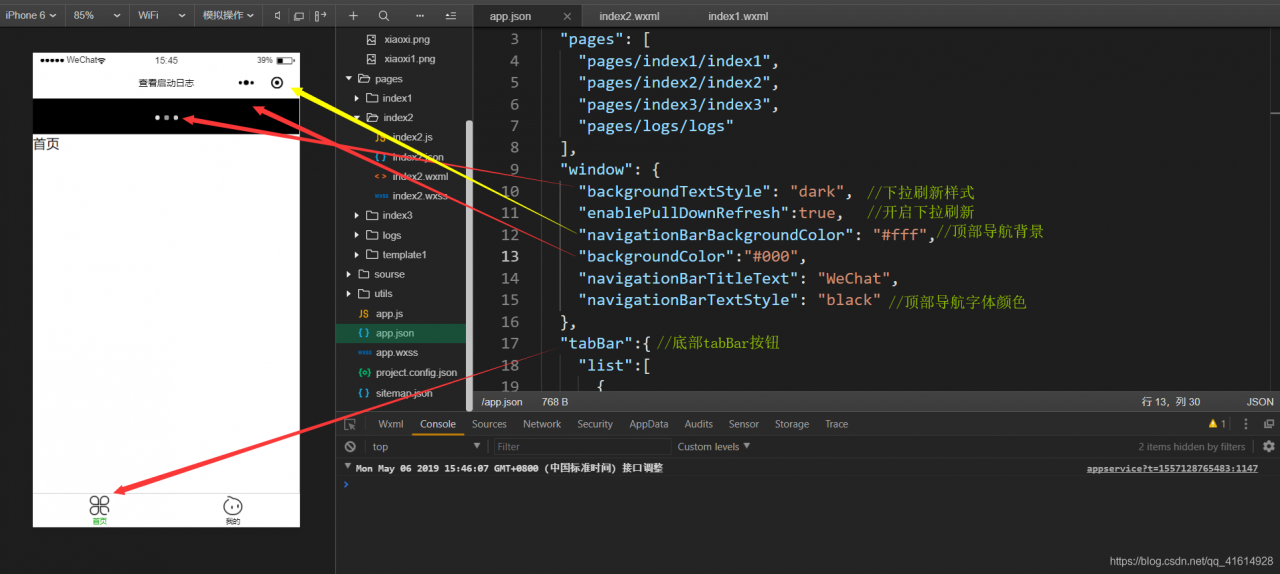
  "window": { //用于设置小程序全局的状态栏、导航条、标题、窗口背景色。
    "backgroundTextStyle": "light", //下拉刷新 loading 的样式
    "enablePullDownRefresh":true,    //是否开启下拉刷新:是
    "navigationBarBackgroundColor": "#fff",
    "backgroundColor":"#000",	//下拉刷新背景颜色
    "navigationBarTitleText": "WeChat",
    "navigationBarTextStyle": "black"
  },
  "tabBar":{  //底部或顶部有 tab 栏可以切换页面
    //"position": "top",  //加上这个表示顶部tab 不会显示tab小图标
    "list":[
      {
        "pagePath": "pages/index2/index2", //tab显示的页面
        "text": "首页", //tab名称
        "iconPath": "img/sy.png",   //tab图片样式
        "selectedIconPath": "img/sy1.png" //选中时tab图片样式
      },
      {
        "pagePath": "pages/index1/index1",
        "text": "我的",
        "iconPath":"img/atm.png",
        "selectedIconPath":"img/atm1.png"
      }
    ]
  },
  "sitemapLocation": "sitemap.json"

}
效果图如下:
版权声明:本文为qq_41614928原创文章,遵循CC 4.0 BY-SA版权协议,转载请附上原文出处链接和本声明。