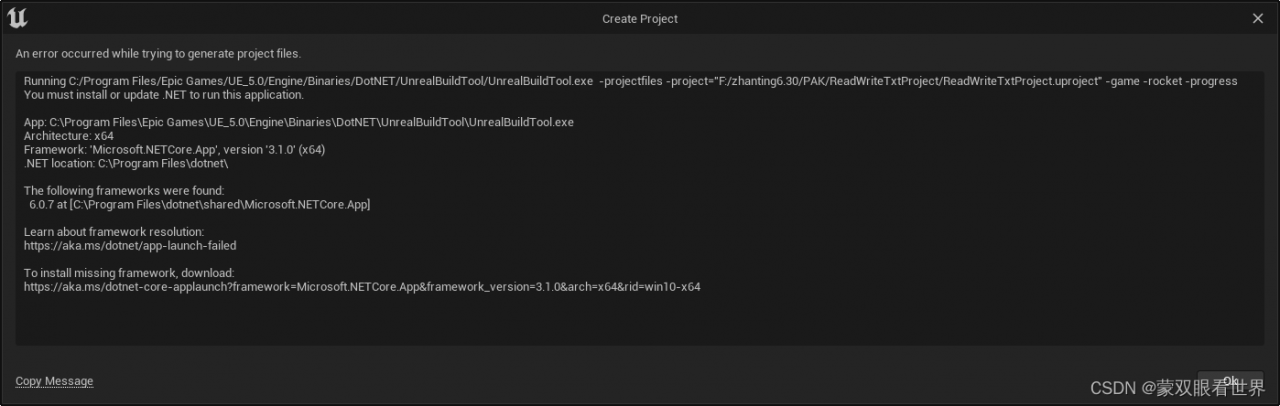
UE5创建C++项目里报错:
Running C:/Program Files/Epic Games/UE_5.0/Engine/Binaries/DotNET/UnrealBuildTool/UnrealBuildTool.exe -projectfiles -project="F:/zhanting6.30/PAK/ReadWriteTxtProject/ReadWriteTxtProject.uproject" -game -rocket -progress
You must install or update .NET to run this application.
App: C:\Program Files\Epic Games\UE_5.0\Engine\Binaries\DotNET\UnrealBuildTool\UnrealBuildTool.exe
Architecture: x64
Framework: 'Microsoft.NETCore.App', version '3.1.0' (x64)
.NET location: C:\Program Files\dotnet\
The following frameworks were found:
6.0.7 at [C:\Program Files\dotnet\shared\Microsoft.NETCore.App]
Learn about framework resolution:
https://aka.ms/dotnet/app-launch-failed
To install missing framework, download:
https://aka.ms/dotnet-core-applaunch?framework=Microsoft.NETCore.App&framework_version=3.1.0&arch=x64&rid=win10-x64
解决办法:
打开VS

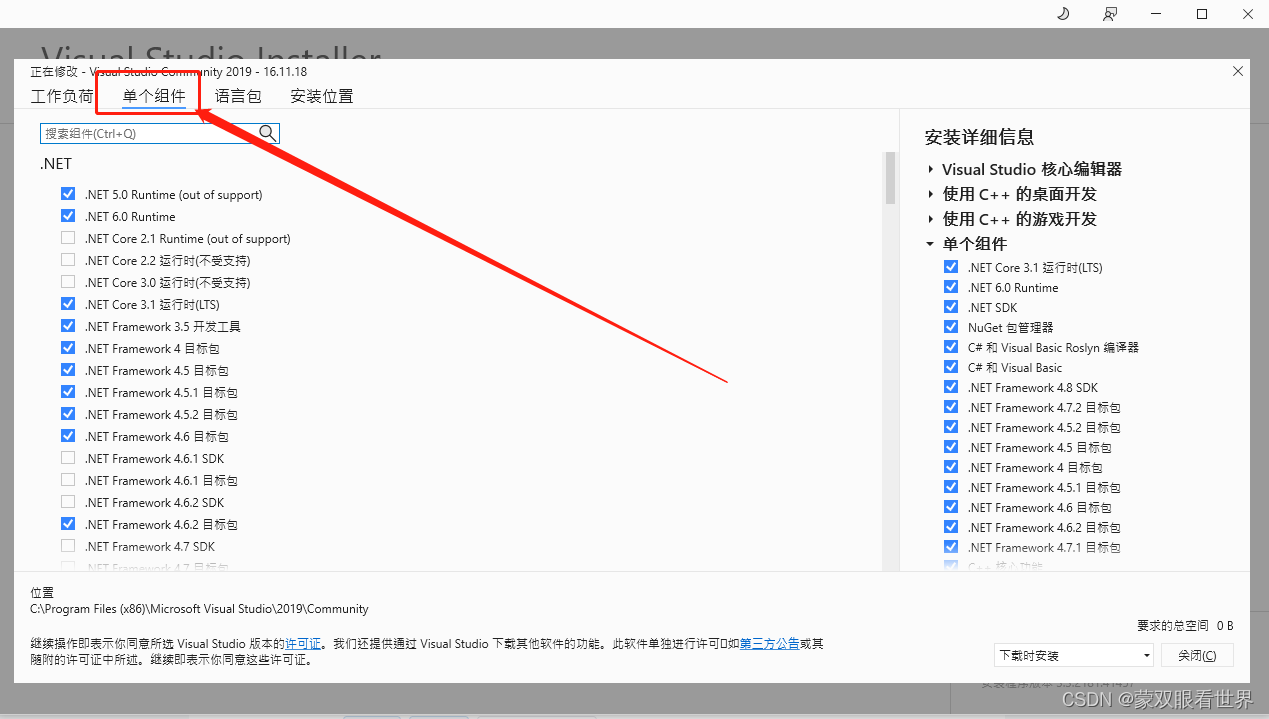
勾选上
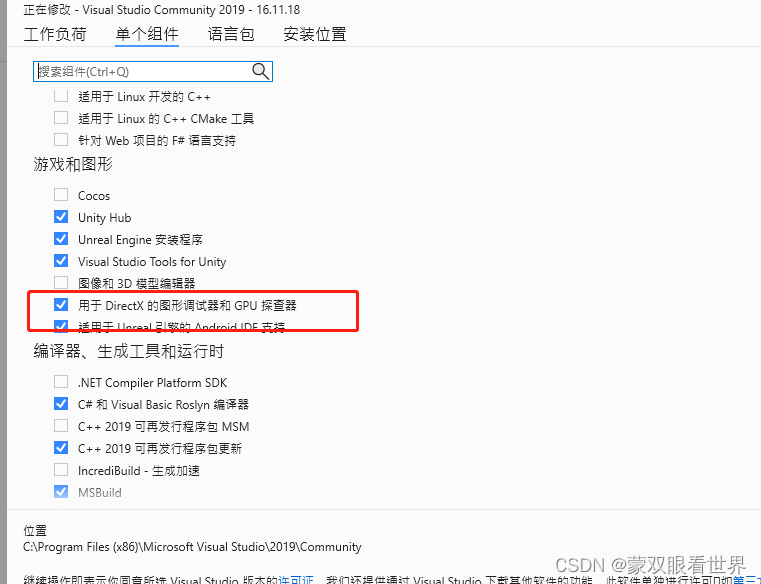
这个时候再重新创建C++项目就不用有报错了。