@ServletComponentScan
在SpringBootApplication上使用@ServletComponentScan注解后,Servlet、Filter、Listener可以直接通过@WebServlet、@WebFilter、@WebListener注解自动注册,无需其他代码。
1.在入口Application类上加入注解@ServletComponentScan
package com.hui;

import org.springframework.boot.SpringApplication;
import org.springframework.boot.autoconfigure.SpringBootApplication;
import org.springframework.boot.web.servlet.ServletComponentScan;

@SpringBootApplication
@ServletComponentScan
public class Application {

    public static void main(String[] args) {
        SpringApplication.run(Application.class, args);
    }
}
2.新建Servlet类,继承HttpServlet并且加入注解@WebServlet(name=“TestServlet”,urlPatterns="/test")
package com.hui.qiang;

import java.io.IOException;

import javax.servlet.ServletException;
import javax.servlet.annotation.WebServlet;
import javax.servlet.http.HttpServlet;
import javax.servlet.http.HttpServletRequest;
import javax.servlet.http.HttpServletResponse;

@WebServlet(name="TestServlet",urlPatterns="/test")
public class TestServlet extends HttpServlet {

	private static final long serialVersionUID = 1L;

	@Override
    protected void doGet(HttpServletRequest req, HttpServletResponse resp)
    		throws ServletException, IOException {
        System.out.println("doGet");
    }
}
3.之后运行代码,在浏览器地址栏输入http://localhost:8080/test,若看到控制台打印doGet,则表示Servlet创建成功。
注意:
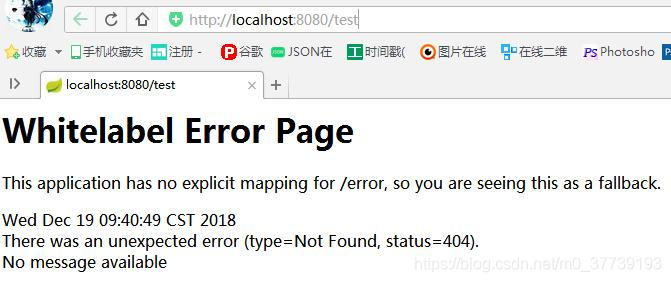
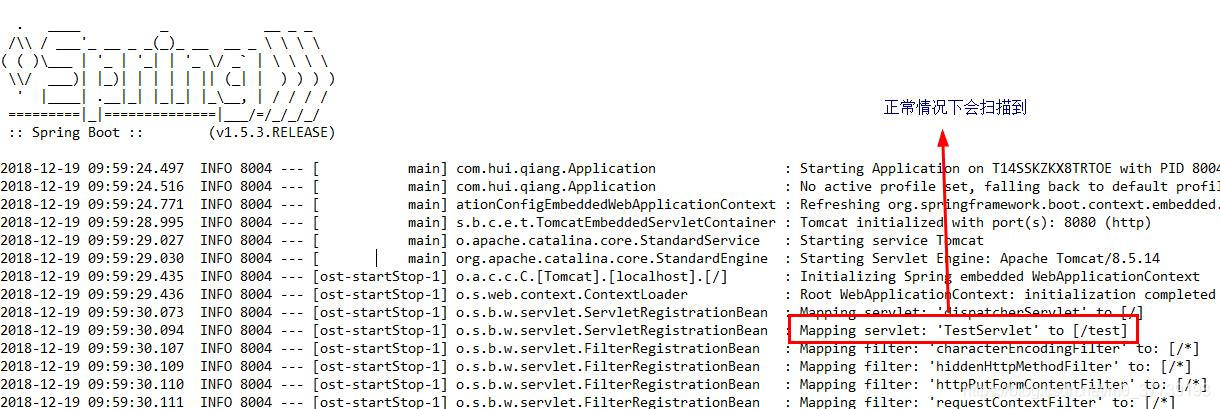
(1)如果不加@ServletComponentScan注解则会报404即找不到页面,控制台也扫描不到我们配置的servlet:/test,即无法被映射
(2)如果Application类和Servlet类不在同一包下,则@ServletComponentScan需要添加相应的路径,如Application类在包com.hui.xiao下,则写为@ServletComponentScan(“com.hui.xiao”)或@ServletComponentScan(“com.hui”)