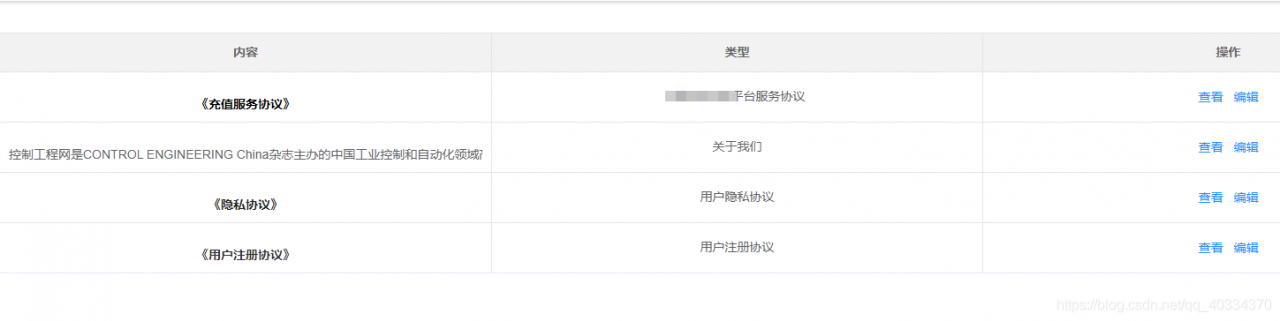
需求是在table表格显示富文本内容,参考了这个文章,非常感谢,接力分享
Vue加载显示富文本内容_ 楠之枫雪的博客-CSDN博客_vue显示富文本内容
1、安装marked,执行命令
npm install highlight.js --save

npm install marked --save
2、在需要的页面引入
import marked from "marked";
import hljs from "highlight.js";
import "highlight.js/styles/monokai-sublime.css";

mounted() {
    //初始化
    this.getList();
    marked.setOptions({
      renderer: new marked.Renderer(),
      highlight: function (code) {
        return hljs.highlightAuto(code).value;
      },
      pedantic: false,
      gfm: true,
      tables: true,
      breaks: true,
      sanitize: false,
      smartLists: true,
      smartypants: false,
      xhtml: true,
    });
  },
<el-table-column label="内容" align="center">
<template slot-scope="{ row }">
<div
id="content"
v-html="row.description"
style="
overflow: hidden;
text-overflow: ellipsis;
white-space: nowrap;
width: 100%;
height: 34px;
text-align: canter;
"
></div>
</template>
</el-table-column>3、数据处理
item.description = marked(item.description, {breaks: true}).replace(/<pre>/g, "<pre class='hljs'>");
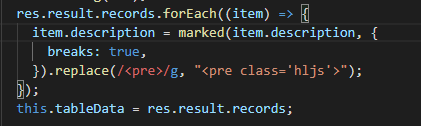
这个是拿到数组后,遍历数据,处理相关项;结果很棒!
后面的查看功能类似;编辑用的vue-quill-editor

版权声明:本文为qq_40334370原创文章,遵循CC 4.0 BY-SA版权协议,转载请附上原文出处链接和本声明。